
Elementor markets Angie as agentic AI for WordPress: you describe what you want in plain language, and it builds the thing. Not a draft of the thing, not a suggestion — real Elementor pages, custom widgets, code snippets and custom post types that land in your site as editable assets.
That promise sits exactly where a lot of people are stuck. You want a website, you do not want to learn PHP, and every builder still seems to demand more than you signed up for. So the honest question is not whether Angie is impressive. It is whether someone who cannot read code can finish a site with it.
Quick answer: Angie genuinely removes the coding step, and its sandbox makes experimenting safe. It does not remove the building step. Generated pages arrive as editable layouts you still have to align and style yourself, and page results currently cannot be refined by chatting — only by hand in the Editor. Treat it as a fast first draft and a capable developer substitute for small features, not as a finish-my-site button.
Scope: desk research on Elementor's official documentation, the Angie plugin listing on WordPress.org, its changelog, and published user reviews. Checked October 5, 2026. Not Decively hands-on testing.
Elementor Angie at a glance
Detail
What you get
What It Is
A WordPress AI agent, shipped as a separate free plugin by Elementor
Works With
Any WordPress site; deepest integration with the Elementor Editor
Main Modes
Angie Code, Plan Mode, Super Admin Mode, Cloud Library
Safety Net
Test Mode sandbox; nothing goes live until you approve it
Requirements
WordPress 6.9 or higher, PHP 7.4 or higher
Pricing Model
Free with daily renewing credits; Elementor One credits extend usage
WordPress.org Rating
3.1 out of 5 from 18 reviews, with 100,000+ active installations
How it works without code
Angie is not a drag-and-drop interface and it is not a chatbot bolted onto the side. It reads your actual site: your theme, your installed plugins, your Elementor setup and your content structure. Then it acts. You can ask for a full page, a design system built from a screenshot you upload, a custom widget that does not exist in any widget pack, or a custom post type.
The part that matters most for a nervous beginner is where the work happens. Anything Angie Code produces is built and tested in an isolated preview environment first. You look at it, change it, break it, try again — and your live site is untouched until you personally publish. There is also a Plan Mode that makes Angie ask clarifying questions about scope and intent before it does anything at all.

Angie builds in an isolated test area first. Nothing reaches the live site until you approve it.
Two more pieces round this out. Super Admin Mode is an opt-in capability that grants read-write access to your file system, database and PHP layer, so Angie can run bulk edits, trace site errors or fill in missing meta descriptions across a whole site — presenting a plan for your approval before it runs. Cloud Library lets you save a widget or snippet once and deploy it to any connected site, and imports do not consume credits.
What it actually costs
Angie is free to install from the WordPress plugin directory, and the free tier is not a time-limited trial. It runs on credits that renew every day, so you can keep coming back and building at no cost. Every prompt, revision and retry spends from that allowance.
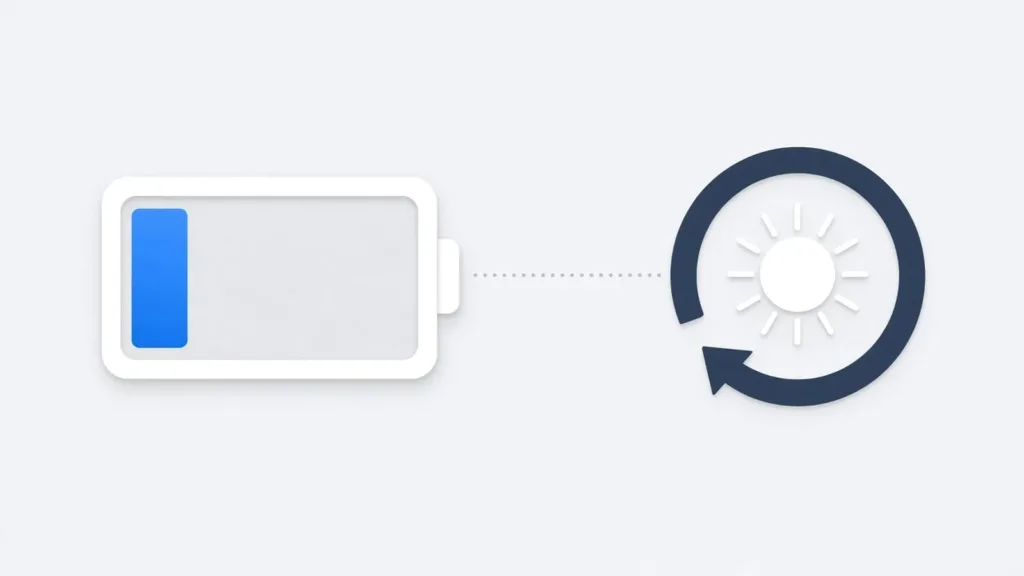
The free plan runs on credits that empty as you prompt and renew each day.
FREE
$0
daily renewing credits
Angie Code, Plan Mode, Super Admin Mode, Community Library and Cloud Library are all included. The limit is how much you can do in one day.
ELEMENTOR ONE
Paid plan
subscription credits
If you already subscribe, your plan credits apply directly to Angie and carry you past the daily free limit. No separate Angie purchase is involved.
This is where the free tier shows its edge. A complicated request that needs six or seven rounds of correction spends credits on every round, including the attempts that failed. Several reviewers describe hitting the wall mid-task, which is the worst moment to stop. One useful detail for agencies: credits are tied to individual WordPress user accounts, so a client poking at the site does not drain yours.
Credit amounts and plan tiers change often. Confirm the current free daily allowance and Elementor One inclusions on Elementor's own pricing page before you commit to a workflow that depends on them.
Where it stops being no-code
Angie's WordPress.org rating is 3.1 out of 5, and the split is revealing: eight five-star reviews against six one-star reviews, with almost nothing in the middle. People either get a result that feels like magic or waste an afternoon. These are the limits behind that split:
- Generated pages cannot be fixed by chatting. Per Elementor's own documentation, page creation is currently editable manually only. You can ask Angie to revise a widget conversationally, but a page you dislike has to be corrected by hand in the Editor — which assumes you know your way around it.
- It gets stuck on simple things. Reviewers repeatedly describe the agent looping or stalling on tasks that should be trivial, then burning credits while it does. Elementor's own plugin page still advises backing up your site before use and notes that third-party integrations are evolving.
- Output does not inherit your design system. Published testing reports that generated pages mix Elementor's older and newer element types inconsistently, and that custom classes from an existing framework are not applied automatically. If you have a tidy site, expect cleanup.
- Some features need Elementor Pro. Generating real forms and dynamic loops through Angie requires a Pro licence, so parts of the pitch are gated behind a paid product.
- Super Admin Mode is powerful in both directions. Read-write access to your database and PHP layer is exactly what makes bulk fixes possible, and exactly why it is opt-in. Read the plan it shows you before approving it.

Generated pages are a starting point. Alignment and styling still need your hands in the Editor.
So who is it actually for?
Angie rewards people who can judge the output, not people who need to trust it blindly. The less you can evaluate what comes back, the more the credit meter and the manual cleanup work against you.
- Install it today if you build in Elementor regularly. Custom widgets and snippets that used to mean hiring a developer or abandoning the idea are now a conversation, tested safely before launch. This is the strongest case for Angie by a distance.
- Install it if you manage several sites. Cloud Library plus Super Admin Mode turn repetitive maintenance — bulk metadata edits, redirect rules after a restructure, debugging — into chat work.
- Try it cautiously as a confident beginner. If you can navigate the Elementor Editor and are willing to tidy a generated layout, the free daily credits cost you nothing but time. Start on a staging site.
- Wait if you have never built a site before. The promise of no code is real; the promise of no work is not. When a generated page comes out wrong, the fix is manual, and that is the moment a true beginner gets stranded.
Verdict
Angie is the most convincing attempt yet at putting an AI agent inside WordPress rather than beside it, and the sandbox-first design deserves credit — it lets people experiment without the fear that usually stops them. For custom widgets, snippets and site-wide chores, it genuinely replaces work that used to require a developer.
But it is still early, its own plugin page says so, and the one-star reviews are not noise. If you want to understand the wider shift this belongs to, our guide to Elementor's MCP integration covers the same review-first workflow in more depth, and our Elementor Pro review explains which licence tier the gated features need. Install Angie, keep your expectations at “fast first draft”, and keep a backup.