
Gemini Notebook review: the short verdict
This Gemini Notebook review asks a practical question: does it help you understand a collection of documents, or merely produce a more polished summary? Our recommendation is to try it first for a bounded research task where you can inspect the original evidence. Pay for more capacity only after the workflow proves useful.
Formerly called NotebookLM, Google’s research assistant brings sources, questions and generated study materials into one workspace. It is most convincing when you already know which documents matter. It is less convincing as a shortcut around reading disputed claims or checking important decisions.
We checked Google’s documentation on October 28, 2026, and used the web interface with a Pro account for a small, explicitly limited source-comparison exercise. The example materials are fictional and contain no client data. This is not a large accuracy benchmark; untested functions are described from documentation. This article contains no affiliate links.
Is Gemini Notebook the same as NotebookLM?
Yes: Google announced the change from NotebookLM to Gemini Notebook on July 16, 2026. It remains a standalone research product, with a growing connection to Gemini and Search. Searching for “NotebookLM review” still leads to useful background, but old descriptions of features and allowances may no longer fit.
Google’s renaming announcement also describes a cloud computer for code-based analysis. That expansion should not be confused with a promise that every account receives every tool immediately. Account type, plan and rollout matter.
For this Gemini Notebook review, the main buying distinction is therefore access to the workflow you need today. A familiar name or a newer model label tells you less than whether your files import, the source references are useful and the current allowance is sufficient.
What Gemini Notebook is useful for
For this Gemini Notebook review, think of a notebook as a focused working collection: a few papers for one question, several proposals for a purchase, or training documents for a single role. It keeps the reading material close to the questions rather than making you repeatedly reconstruct the context.
Google’s product overview describes source-grounded chat and outputs such as briefings, study guides and mind maps. Our editorial assessment is that preparation and verification matter more than the number of formats. A clear summary of weak evidence remains weak evidence.
The useful question in a Gemini Notebook review is not whether it can generate something impressive. It is whether you can move from a question to the supporting passage without losing the conditions that change the answer.
On a small screen, swipe the table sideways to read every column.
Gemini Notebook review: source formats and import limits
The current source-import guide lists PDFs, Docs, Slides, Word documents, spreadsheets, images, audio, web pages and public YouTube videos among supported inputs. An individual source can contain up to 500,000 words; uploaded files have a 200MB ceiling. Format-specific limits still apply.
Import behavior matters: a web URL contributes page text, not every embedded image, video or linked page. A YouTube source uses its transcript, so a visual demonstration can lose crucial context. Check what appears in the imported source before relying on a summary.
In this Gemini Notebook review, our comparison exercise uses pasted text, which appeared as note sources in the current interface. It does not establish that dense scanned PDFs, charts or tables will import with the same accuracy. Use a representative file from your own workload before committing to a plan.
Gemini Notebook review: a controlled source-comparison exercise
We created two short fictional supplier briefs and requested an English comparison using only those sources. Supplier A quotes $12 per user monthly, with a three-user minimum. Supplier B quotes €9 per user monthly-equivalent, billed annually, with a five-user minimum. We deliberately omitted an exchange rate and any uptime guarantee.
The question asks about a three-person team. Our manually calculated reference is $36 for one month of A, versus €45 monthly-equivalent and €540 annual prepayment for B, excluding VAT. B requires paying for five seats even though the team has three people. Different currencies prevent a defensible “definitely cheaper” conclusion without another assumption.
We also planted a qualification: B offers EU data residency only on an Enterprise plan whose price is absent. Neither listed plan therefore establishes the requested residency guarantee. This Gemini Notebook review uses those traps to show what a useful response needs to preserve—not to rank the product against another AI model.
On a small screen, swipe the table sideways to read every column.
What happened in our Gemini Notebook review exercise
The completed response matched our reference totals: $36 for A’s minimum monthly charge and €540 for B’s minimum annual prepayment. It explicitly kept B’s five-seat minimum and €45 monthly-equivalent cost. It also preserved the different export formats and billing commitments.
Importantly, it declined to name a definitely cheaper supplier without an exchange rate and did not treat B’s Enterprise-only residency option as a feature of the listed Team plan. We opened a Supplier B citation and saw the underlying fictional brief. That is a useful result for this limited task, not evidence that every cited answer will be accurate.
The first, longer request remained in processing and we stopped it before retrying with a shorter cost question. The resulting answer included the broader comparison shown here. We did not run a latency benchmark, test free-tier performance or repeat the exercise enough to estimate an error rate.
Gemini Notebook review: how to check a citation
Google’s chat guide explains that selecting a citation opens the relevant passage. That is the feature to evaluate before admiring the prose. Does the passage support the whole statement, or only the first half?
For example, a source might support “data exports are available” while restricting the relevant format to a higher plan. Quoting the first sentence without the restriction creates a misleading buying recommendation. A citation badge cannot resolve that by itself.
Our Gemini Notebook review checklist is simple: read the claim, open its citation, then inspect the date, scope and exceptions around the passage. For a comparison, keep facts, calculations and editorial judgments in separate columns. “Not stated” is often a better result than a confident guess.
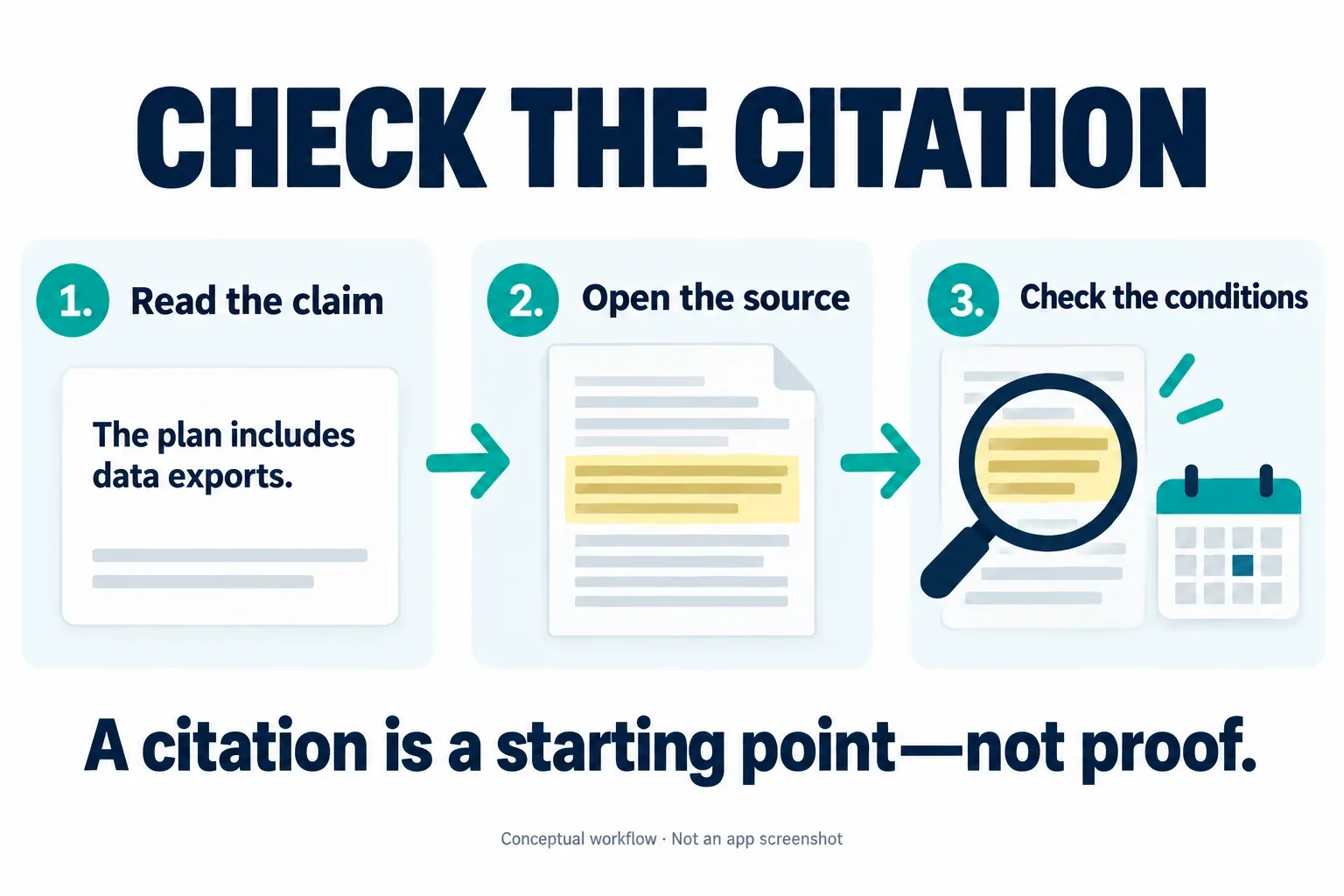
Conceptual citation-checking workflow, generated for Decively. This is an illustration, not a Gemini Notebook screenshot. View diagram at full size →
A reusable prompt for your own documents
Try this with documents you have permission to use: “Use only the selected sources. Compare price, billing commitment, minimum users, export formats and exclusions. Cite each source-based fact. Keep calculated totals separate and show the arithmetic. Mark missing information as not stated. Do not rank different currencies without an exchange-rate assumption.”
Our Gemini Notebook review also suggests a second question: “Which conditions in the original passages could change this recommendation?” This is our suggested prompt, not a guarantee of a correct answer. Start with a task where you can independently work out the reference result.
A Gemini Notebook review cannot tell you whether your particular contract, lecture notes or technical PDF will be handled well. A short trial with a known answer is a better personal acceptance test than copying a reviewer’s overall score.
Gemini Notebook review: Audio Overviews and study outputs
According to the Audio Overview guide, you can turn selected material into formats including an in-depth discussion, a short briefing, a critique or a debate. Customization can focus the discussion, but AI voices and fluent delivery do not make the content independently verified.
For a student, listening after reading can reinforce a topic. For a creator, it can suggest questions to investigate. For a professional, it can provide orientation before returning to the underlying document. Those are practical uses; replacing a careful reading of consequential terms is a much weaker proposition.
This Gemini Notebook review does not include a listening-quality test or a check of every generated format. We did not measure whether its audio improves retention. Treat audio and visual outputs as additional representations of the material, with their own opportunity for omissions.
If you need controlled narration for published content rather than a listening summary of documents, see our ElevenLabs vs Murf comparison. That is a separate production decision, not a substitute for source checking.
Gemini Notebook review: free versus paid access
Start with Standard unless you can identify a concrete constraint. The current plans page separates notebook and source capacity from other feature access. The table below records the published capacities checked October 28, 2026; these are not output-accuracy rankings.
This Gemini Notebook review does not quote a universal subscription price: Google AI bundles, Workspace eligibility, taxes, offers and country affect what you pay. Check the actual purchase screen for your account, renewal price and billing period rather than treating a US offer as worldwide pricing.
On a small screen, swipe the table sideways to read every column.
The separate usage-limit guide describes compute-based allowances that depend on request complexity, features and chat length. It lists Plus at 2× Standard, Pro at 4× Standard and Ultra at 5× or 20× Pro, depending on subscription. These multipliers are not fixed numbers of daily prompts.
Google describes five-hour refreshes subject to a weekly ceiling. We also saw the new five-hour-limit notice in the web interface. Older help text can still mention daily quotas, so check Settings → Usage and your account’s displayed allowance. This Gemini Notebook review does not promise an exact number of Audio Overviews per day.
Paying makes sense when an otherwise useful workflow repeatedly reaches capacity or needs an included capability. Paying simply because a summary sounds convincing does not address the more important question of whether it is right.
The same notebook can behave differently across Google apps
Do not assume Gemini Notebook, the Gemini app and AI Mode are interchangeable. The AI Mode integration guide distinguishes source-grounded notebook responses from other surfaces that may also use web search or additional tools. Availability and language restrictions also differ.
At our check, that guide excludes the European Economic Area from notebooks in AI Mode and describes English-only availability. US readers and readers in Greece should therefore not expect identical access. Notebook edits can synchronize while chat histories remain specific to the surface.
For this Gemini Notebook review, distinguish the product’s documented possibilities from your account’s actual menu. The Gemini app notebook guide has its own age, account and connection requirements. Recheck permissions and source scope when moving a project between apps.
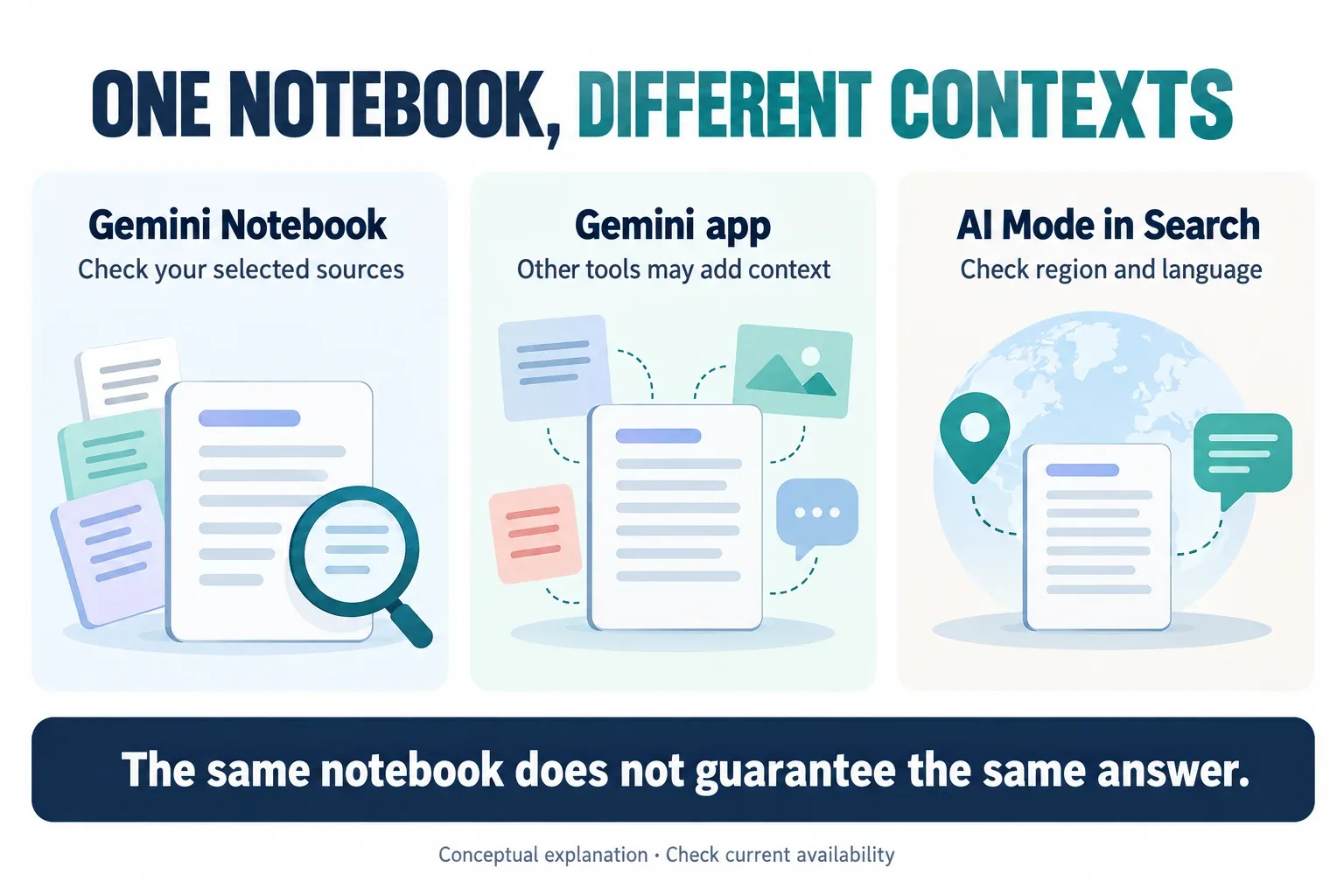
Conceptual explanation of different access surfaces. This is not an interface screenshot or a promise of availability in every region. View diagram at full size →
Privacy and sharing: read the account-specific conditions
Google’s privacy notice says Notebook content is not used to directly train its foundational models unless you provide feedback. Feedback can include associated prompts, sources and outputs and may receive human review. Workspace and Education protections differ from consumer arrangements.
One important distinction in this Gemini Notebook review: the same notice explains that information shared with other Google services follows those services’ notices. That distinction matters as notebooks connect to Gemini and Search. “Private notebook” is not a complete description of every downstream use.
Also check sharing rather than judging by appearance. Google’s public-notebook guide warns that a chat-focused view does not completely revoke access to underlying sources. In this Gemini Notebook review, our practical recommendation is to use public or fictional material for initial trials, then confirm your organization’s rules before adding restricted documents.
Gemini Notebook review verdict: who should use it?
For students, the strongest fit is a defined reading pack with time to verify the original. For creators, it is preparation and source navigation rather than automatically publishing generated copy. For small teams, it is a scoped collection whose ownership and current version are clear.
If you need an authoritative audit trail, guaranteed correctness or unsupported integrations, make those requirements explicit before adopting it. A notebook also does not replace a complete document-management system simply because it accepts files.
Our Gemini Notebook review verdict: it is worth trying when returning to the source is part of the job. Standard is the sensible first step; paid access needs a real capacity or feature justification. Keep the workflow small enough that you can recognize a wrong or incomplete conclusion.
Quick questions
Is Gemini Notebook free?
Standard access exists, with published notebook and source limits. Higher tiers expand capacity and access. Check current usage limits rather than relying on an old daily prompt table.
Can it replace checking the original source?
No. Source references make verification more convenient; they do not remove the need to inspect context, qualifications and source quality. This Gemini Notebook review recommends a small known-answer trial before relying on a new workflow.
Does this cover the old NotebookLM too?
It covers the renamed product as documented in October 2026. Older NotebookLM tutorials can help with the basic idea, but names, import behavior and limits may have changed.
Are the supplier prices in this review real offers?
No. Both supplier briefs were written specifically as fictional test material. The figures illustrate billing and evidence checks; they are not recommendations or current software prices.
Research notes and primary references
This Gemini Notebook review was researched October 28, 2026. It combines current Google documentation, editorial analysis and a small web-interface exercise using a Pro account and two fictional pasted-text sources. It is not a benchmark of all supported formats, a paid-versus-free accuracy test or a long-term reliability study.
Plan and access facts are checked against the linked official help pages. Some documentation describes different availability or legacy quota arrangements; readers should use their account’s current usage panel and local checkout. No subscription was purchased for this article. No affiliate links appear in the content.
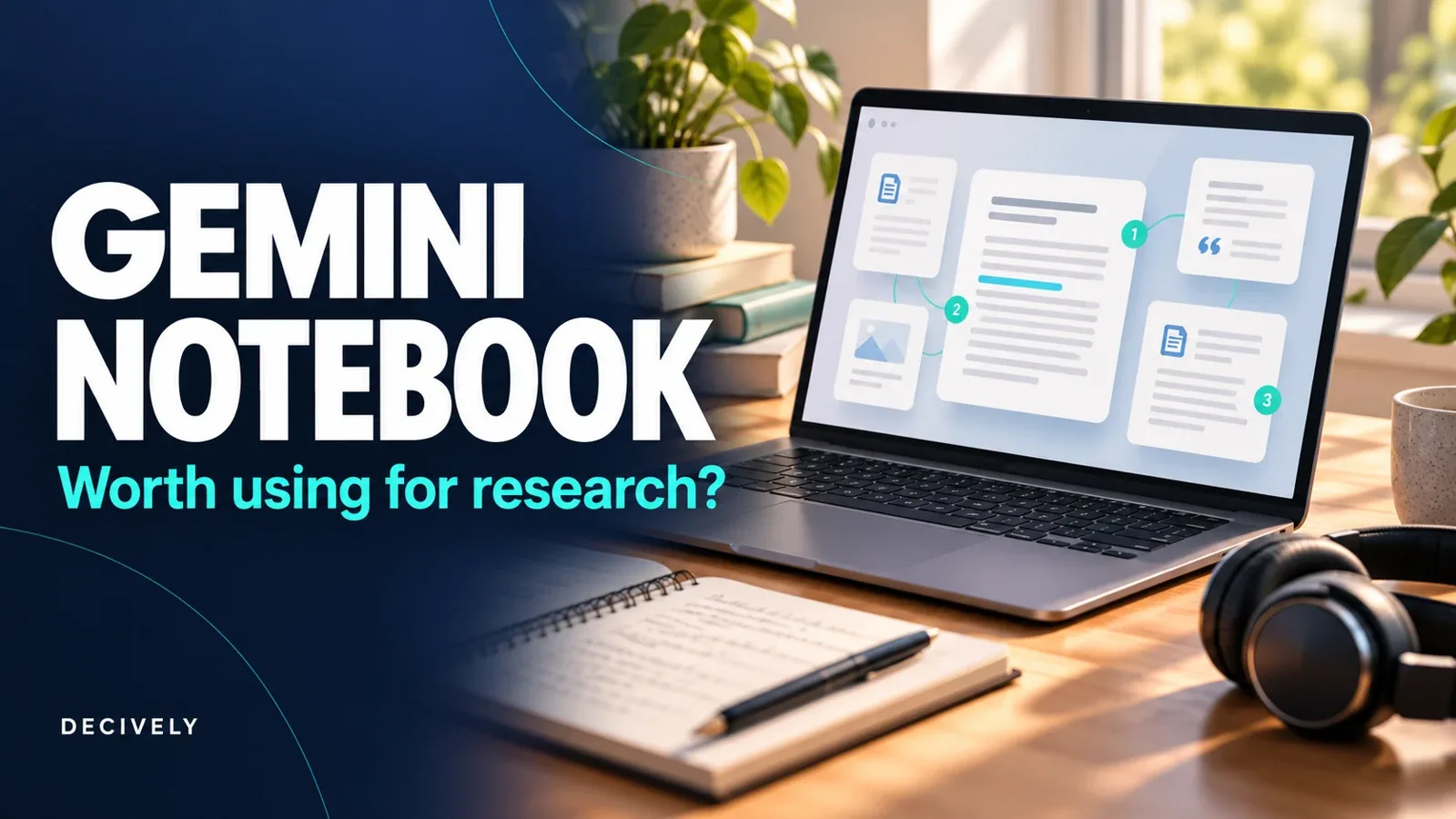
The cover and two explanatory images are AI-generated Decively illustrations, not Google product screenshots. Any real interface capture is separately labelled. Suggested prompts and manually calculated reference totals are Decively examples, not promises of model behavior.