

Tapo P125M review: the appeal is an easier evening
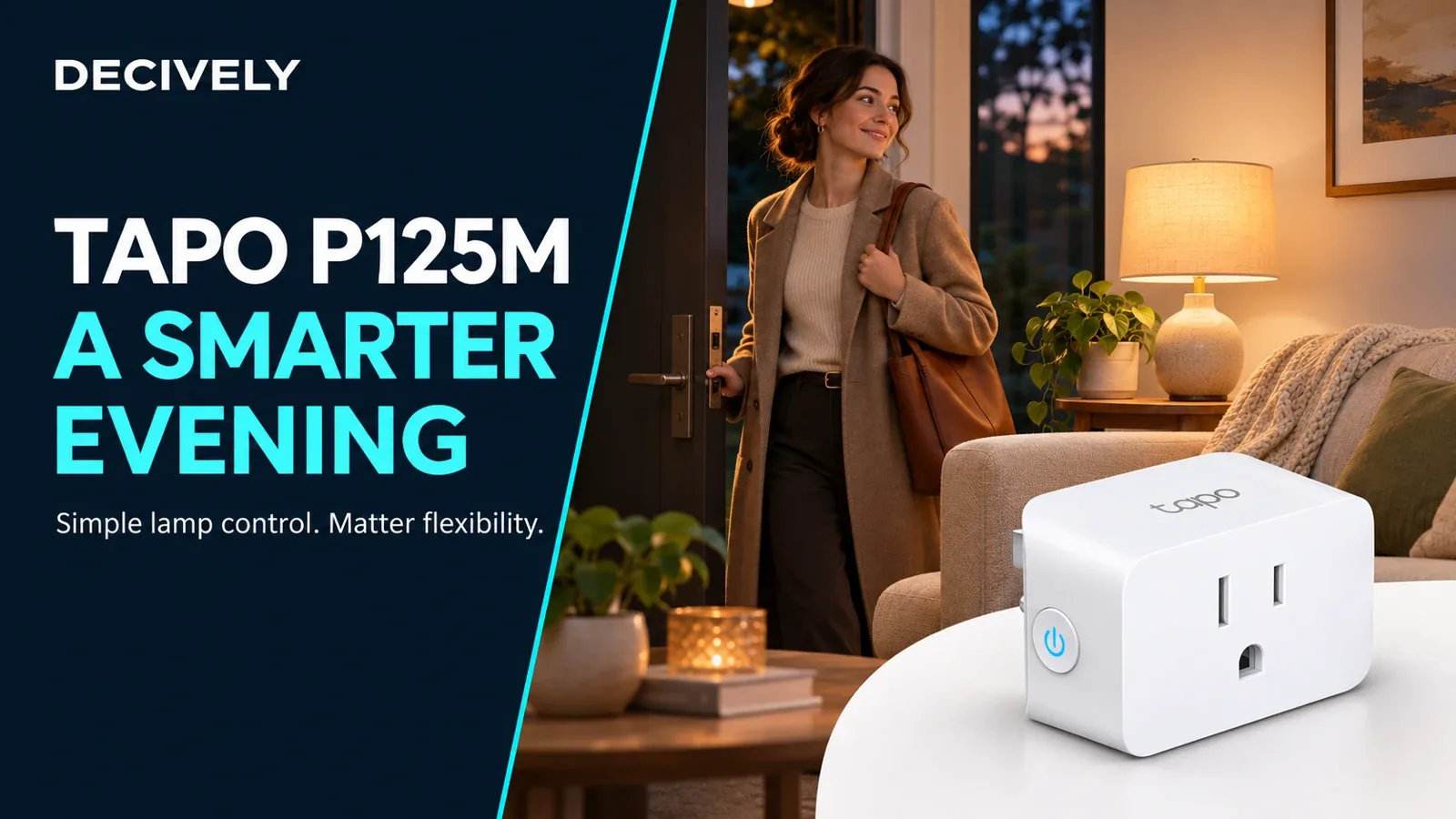
A lamp already glowing beside the sofa makes coming home feel welcoming. The P125M adds that convenience to the lamp you own, with no rewiring and no need to replace its bulb.
This Tapo P125M review covers the US Matter-compatible plug. Its appeal is straightforward: schedules, remote on/off control and compatibility with major smart-home platforms.
Verdict: a useful first smart-home purchase for compatible lamps and reliable 2.4 GHz Wi-Fi. Skip it if you want dimming or electricity-use measurements. This is a research-based review; Decively has not tested the plug.
As an Amazon Associate, Decively earns from qualifying purchases, at no additional cost to you.
CHECK ON AMAZON · AFFILIATE LINKS
Start with the lamp you already love
Confirm the exact model, included accessories, current price, seller and return terms.
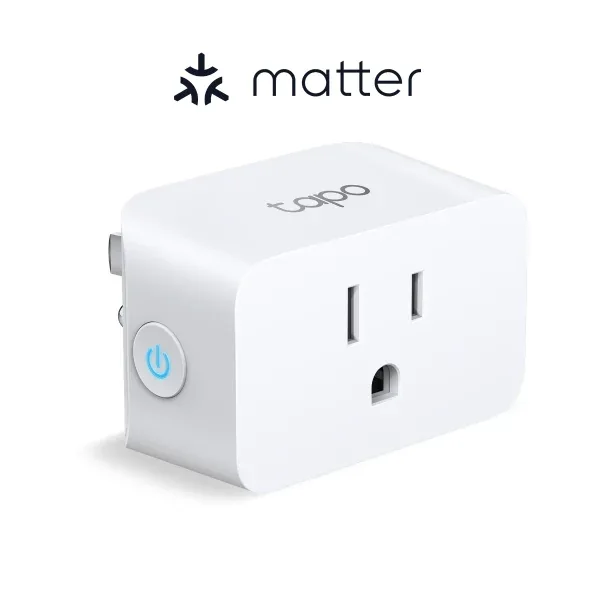
Tapo P125M — US smart plug
Matter over Wi-Fi. On/off switching; no dimming or energy monitoring.
Check price & availability on Amazon →As an Amazon Associate, Decively earns from qualifying purchases. Prices and availability can change.
US specifications: what you actually get
The P125M switches power on or off. It cannot choose a fan speed, adjust a bulb’s brightness or press an appliance’s start button.
On smaller screens, swipe the table to see every column.
Official TP-Link product image of the US Tapo P125M. Check the selected model and pack size on Amazon. View image at full size →
Three everyday advantages
Three practical uses stand out:
Will your lamp turn on when power returns?
Leave an ordinary lamp’s switch on, unplug it safely, then reconnect it. If it lights again, power switching is likely to do what you want. A touch-controlled lamp that waits for another button press may not cooperate.
Mains compatibility does not guarantee automatic restarting. Follow the appliance instructions and avoid remote switching where an unexpected restart would be unsafe.
Leave the lamp’s physical switch on during smart-plug use. If someone switches it off, the app cannot turn that physical switch back on.
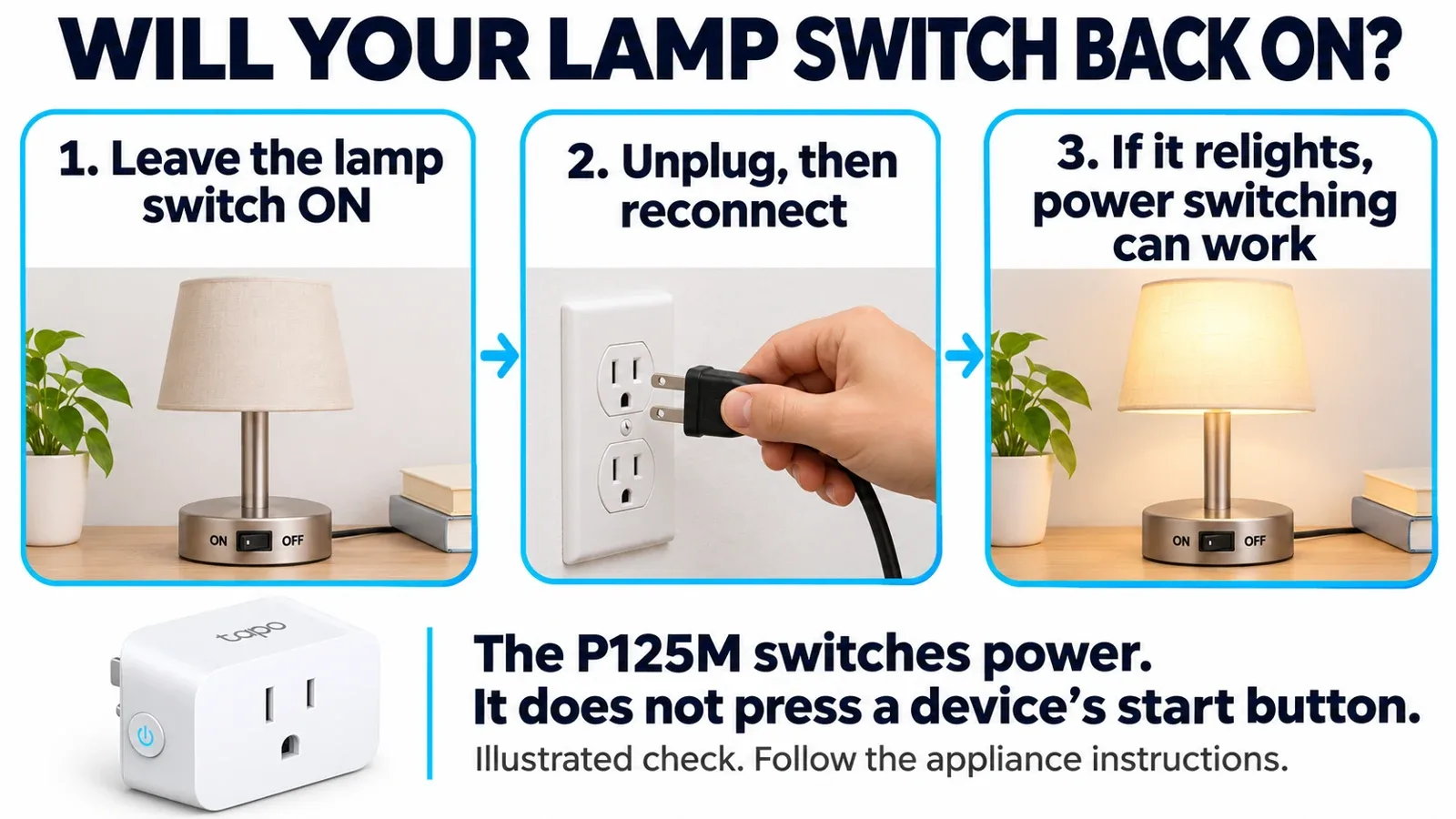
Illustrated compatibility check for an ordinary lamp. It explains power switching and is not a photograph of Decively testing. View image at full size →
CHECK ON AMAZON · AFFILIATE LINKS
Check the P125M model and current availability
Confirm the exact model, included accessories, current price, seller and return terms.
Tapo P125M — US smart plug
Matter over Wi-Fi. On/off switching; no dimming or energy monitoring.
Check price & availability on Amazon →As an Amazon Associate, Decively earns from qualifying purchases. Prices and availability can change.
Tapo app or Matter: which route should you use?
Use the Tapo app for standalone control and firmware updates. No separate Tapo hub is needed. Remote app control requires an account and working internet connection.
Matter lets supported Apple Home, Alexa, Google Home and SmartThings setups control the plug. Available automations differ by platform.
Most third-party Matter setups require a compatible controller, sometimes built into a device you own. TP-Link states that an iPhone running iOS 18 or later can add Matter devices to Apple Home without a hub for local control. Remote access, shared control and Apple Home automations still require a home hub. Check current platform requirements.
The P125M uses Matter over Wi-Fi, not Thread. Local Matter control can work without internet if the local network and required controller remain available. Cloud voice services and control from outside home still have internet dependencies.
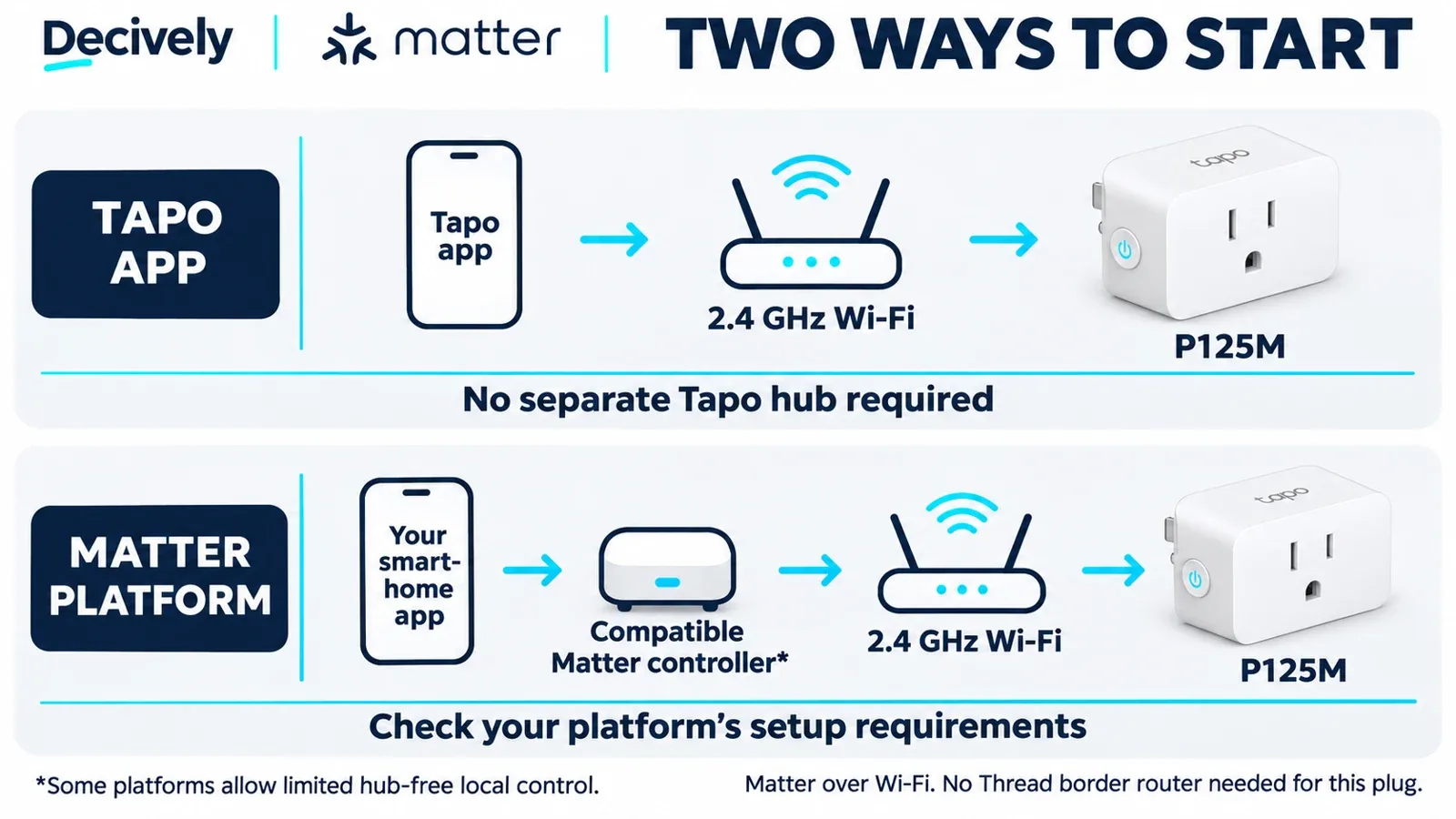
Two simplified control paths. A Matter controller may already be built into a compatible device you own; features and hub-free exceptions depend on the platform. View image at full size →
Setup: start with one simple routine
Start with one lamp and one routine:
If the outlet has poor coverage, check our guide to fixing weak Wi-Fi in one room before adding more connected devices.
Where it falls short—and what reviews support
The main omission is energy monitoring. Scheduling can reduce unnecessary running time, but the plug cannot measure the resulting savings.
PCWorld’s 2023 hands-on review reported straightforward setup and responsive switching, while noting the lack of Thread, dimming and consumption tracking. Those results describe its tested setup, not your network or current firmware.
The 15A rating does not make every appliance suitable. Respect the load type and appliance instructions. This plug is not a surge protector or a substitute for safety controls.
Verdict: start with one useful location
Buy for a specific job: a welcoming hallway lamp or a reading light with an awkward switch. You keep something you like and make it easier to use.
Start with one location. Compare current price and pack size, then expand when you have additional uses. Choose another model if you need consumption tracking or dimming. For a broader plan that combines plugs, lighting and sensors, see our smart home gadgets buying guide.
CHECK ON AMAZON · AFFILIATE LINKS
Make one everyday routine easier
Confirm the exact model, included accessories, current price, seller and return terms.
Tapo P125M — US smart plug
Matter over Wi-Fi. On/off switching; no dimming or energy monitoring.
Check price & availability on Amazon →As an Amazon Associate, Decively earns from qualifying purchases. Prices and availability can change.
Research notes and sources
Researched November 5, 2026. This article covers the US P125M, Amazon ASIN B0BNWGZ545. Confirm current seller, availability and pack size; no fixed price or discount is claimed.
Sources: TP-Link product overview; US specifications; current Matter setup and controller guidance; PCWorld hands-on review.
Product image: TP-Link. Other visuals: Decively AI-generated illustrations based on manufacturer imagery. They do not document testing. Decively performed no speed, energy-use or durability measurements.