
Useful shortcuts need a real job
A Stream Deck for productivity can be worthwhile even if you never broadcast. Its useful job is putting repeatable computer actions on labelled physical buttons: opening a project, triggering an editing command or reaching a supported meeting control.
Our starting recommendation is Neo for a compact eight-action layout, MK.2 when more commands need to remain visible, and Stream Deck + when supported dial adjustments matter. Do not buy one hoping the hardware will invent a better working routine.
This is a research-based buying guide checked October 27, 2026. Decively has not physically tested these devices or measured time savings. Specifications come from Elgato, outside hands-on observations are attributed, and our layouts are examples requiring configuration.
Amazon affiliate links are clearly marked. As an Amazon Associate, Decively earns from qualifying purchases, at no additional cost to you.
Stream Deck for productivity: which model fits?
Before buying a Stream Deck for productivity, count the controls you need simultaneously. Pages and profiles expand what each device can do, but they do not increase the number of physical keys you can see on one page.
This comparison covers the white Neo, black classic-key MK.2 and black Stream Deck + with eight keys and four dials. It does not cover the MK.2 Scissor Keys edition, Stream Deck + XL or Valve’s Steam Deck gaming handheld.
On a small screen, swipe the table sideways to read every column.
Sources: Neo, 15-key Stream Deck and Stream Deck +. The buying profiles are Decively editorial judgment, not comparative test results.
For Stream Deck for productivity, more expensive does not automatically mean more useful. MK.2 has more visible buttons than the +. The + earns its extra desk space only when you have a reason to turn or press its dials.
AVAILABLE ON AMAZON · AFFILIATE LINKS
Choose the control surface you will use
Check the selected model, color and key type, current software requirements, seller and return terms. Choose for the controls your workflow actually needs.
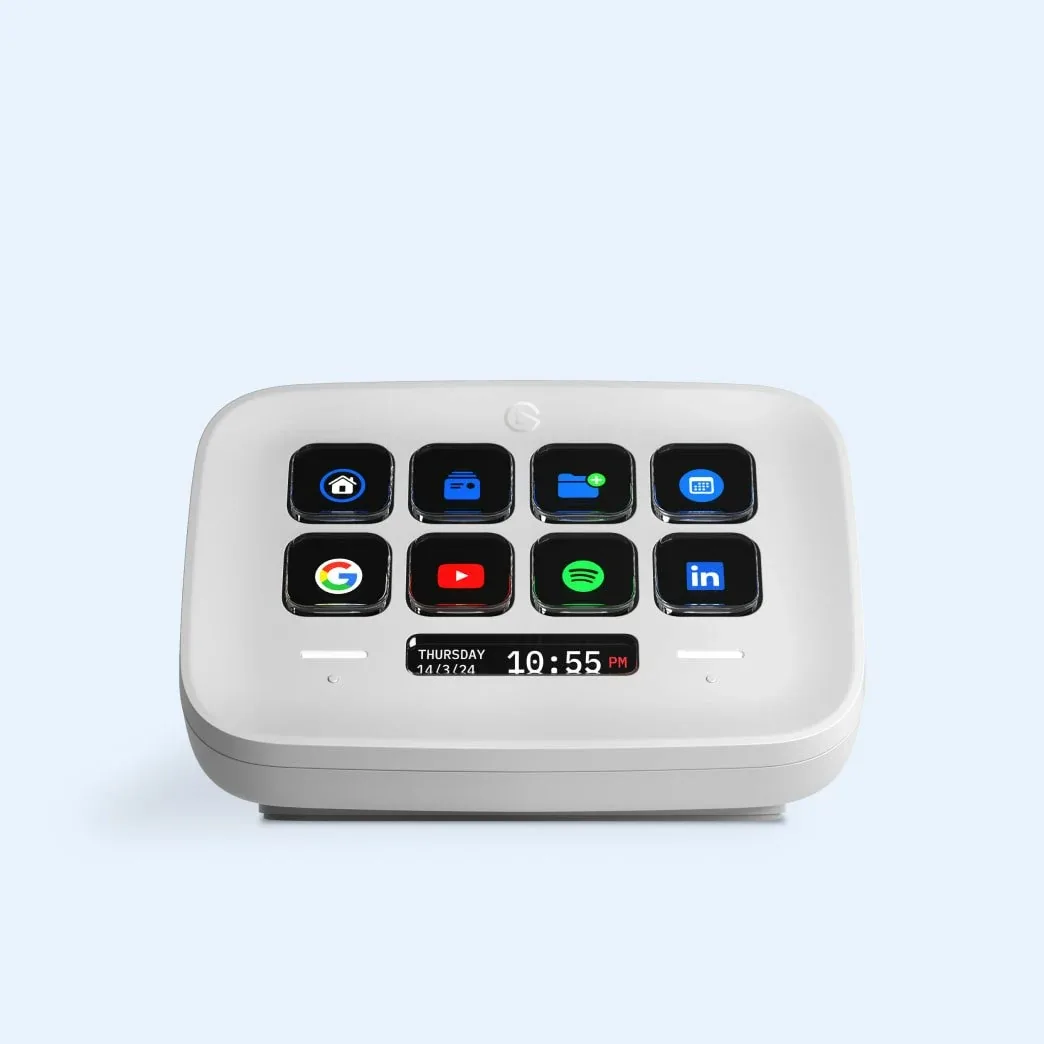
Elgato Stream Deck Neo — white
Eight visible keys for a compact work layout.
Check options on Amazon →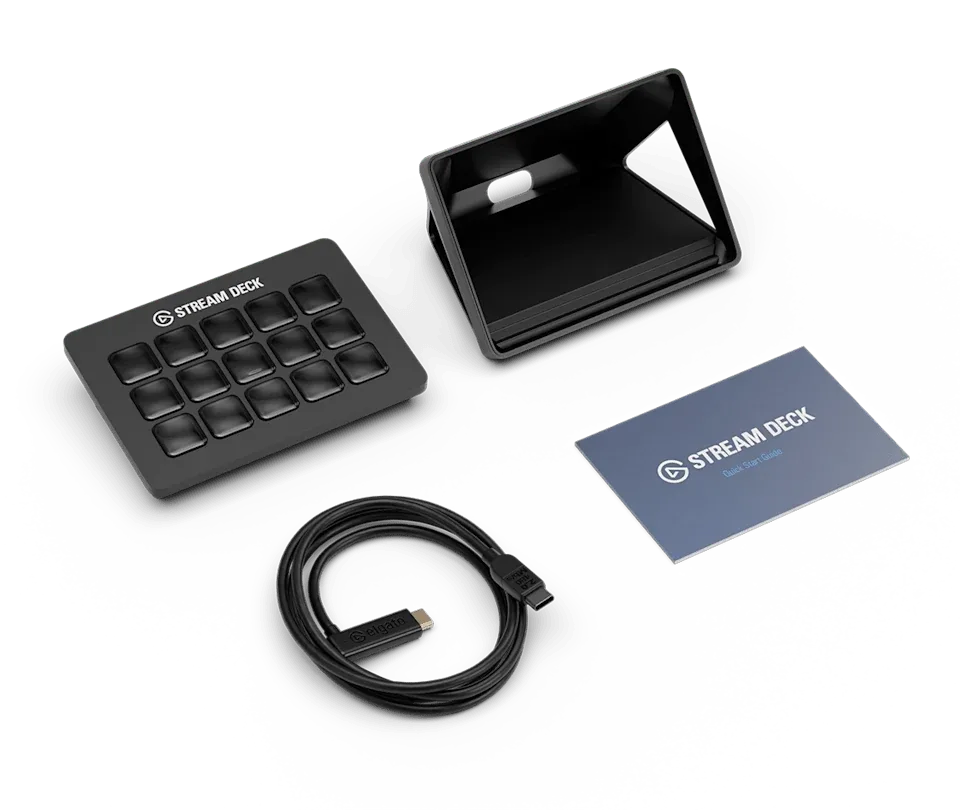
Elgato Stream Deck MK.2 — black, classic keys
Fifteen visible keys; this link selects classic keys.
Check options on Amazon →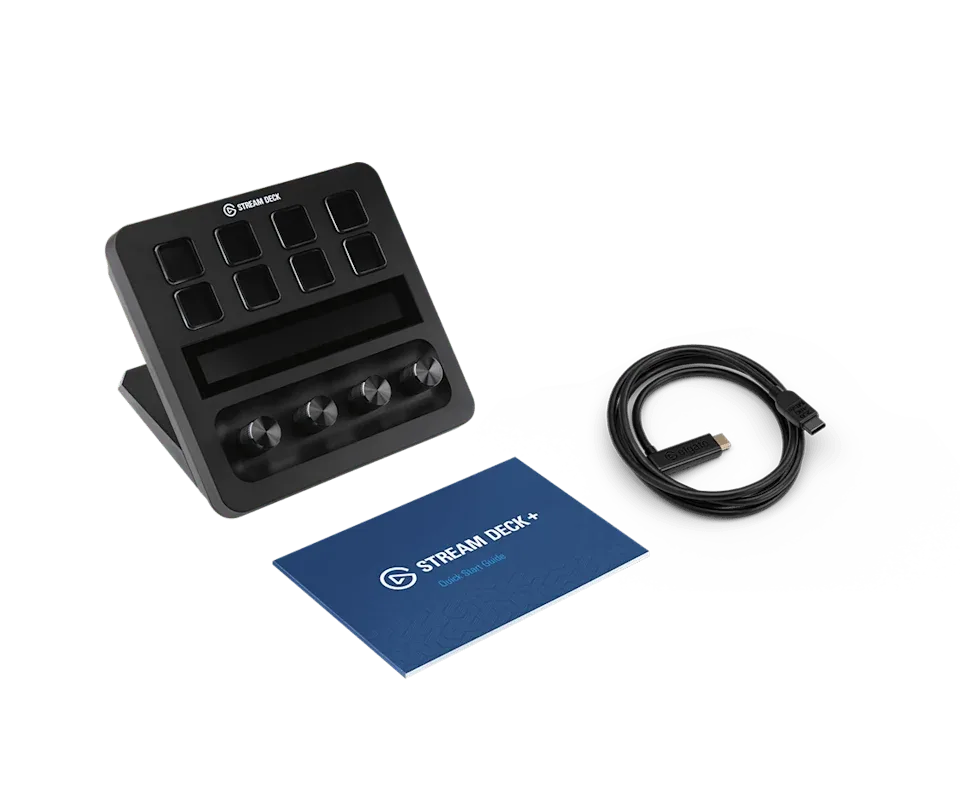
Elgato Stream Deck + — black
Eight keys and four dials; verify the actions you want.
Check options on Amazon →As an Amazon Associate, Decively earns from qualifying purchases, at no additional cost to you. Prices and availability can change.
Stream Deck for productivity: what can it do?
The strongest case for Stream Deck for productivity is a routine you already repeat. A writer might open a research folder and notes; an office worker might launch a task board and calendar; an editor might group frequently used commands.
Think in terms of small actions rather than an entire job happening automatically. Launching a spreadsheet does not check its figures. Opening a meeting link does not guarantee the right microphone, camera or mute state.
In her Tom’s Hardware Neo review, Sarah Jacobsson Purewal found it approachable but still dependent on customization. The review also describes an editor assigning daily web tools and applications to its keys. That is useful firsthand context, not a controlled measurement of productivity gains.
Before choosing Stream Deck for productivity, write down what each button would do. If your list consists mainly of shortcuts you already perform comfortably, a separate pad may add little. If the same commands are hard to find across several applications, a labelled layout becomes more compelling.
Hotkeys and plugins solve different tasks
A hotkey sends a keyboard shortcut. A plugin integrates with a particular app or service and may expose actions or status that a shortcut cannot. Elgato’s hotkey-versus-plugin guide explains the distinction.
With Stream Deck for productivity, check which application receives a shortcut. A command intended for your editor may do something different in the foreground browser. Some apps support global shortcuts; do not assume every command does.
Plugins can provide deeper control or feedback, but support varies by plugin, application and operating system. An app appearing in Marketplace is not proof that every feature you want is supported. Check the action, required version, permissions and any account or payment requirements.
For meeting controls, verify the actual meeting app’s state. A decorative mute icon, or a hotkey toggle that gets out of sync, is not confirmation that your microphone is muted. Test your chosen integration in a private meeting before relying on it at work.
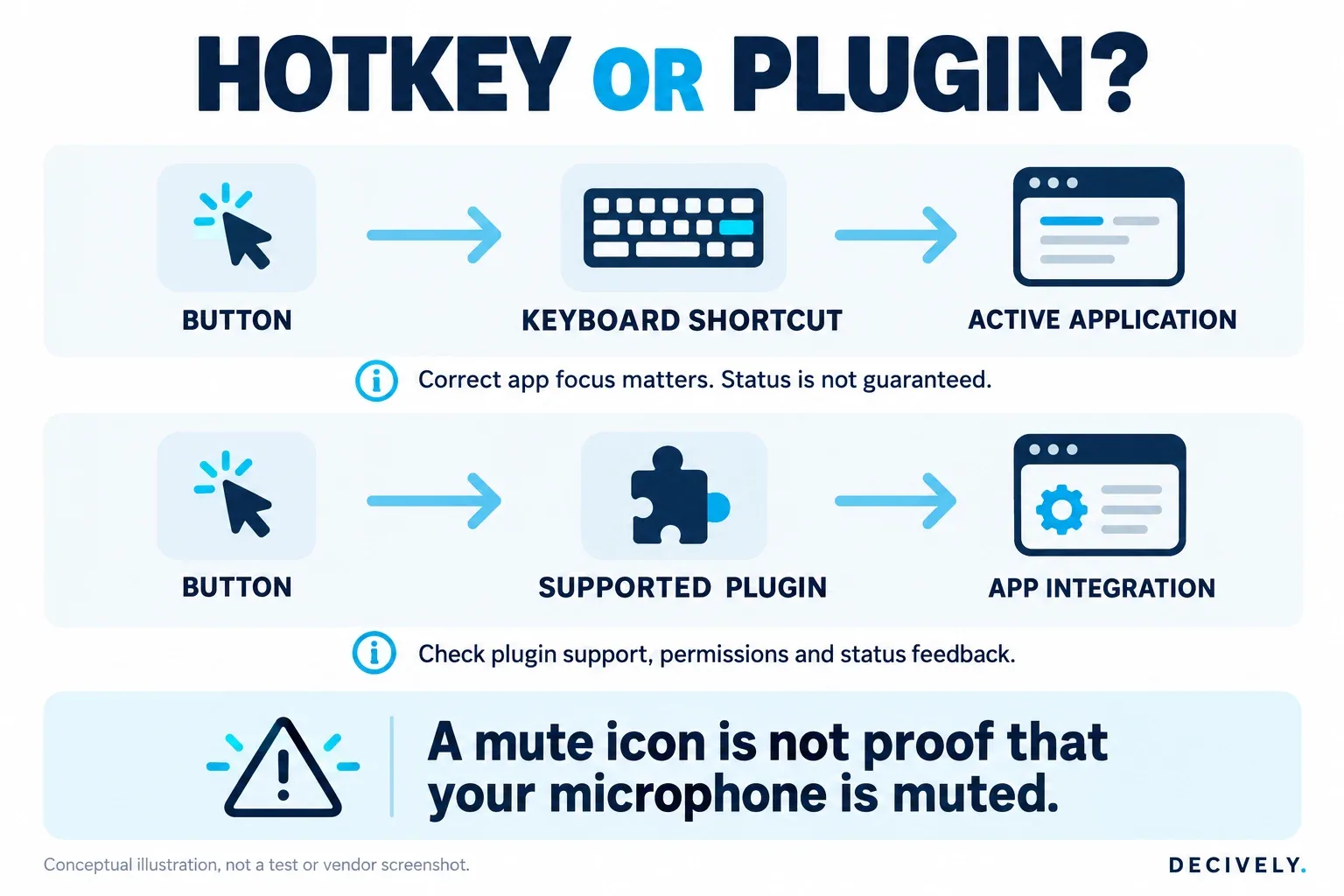
Conceptual comparison of keyboard shortcuts and app integrations. Feedback depends on the specific plugin; a mute icon alone is not proof of microphone state. View diagram at full size →
For example, Elgato’s current Stream Deck product page describes its official Zoom plugin and meeting controls. Check the plugin’s current required Zoom version and your organization’s settings before buying; this does not establish identical Teams or browser-meeting support.
Plan an eight-button work layout first
Here is our example layout for evaluating Stream Deck for productivity. It deliberately mixes simple launch actions with commands that need more checking. It is not a downloadable tested profile or a promise that every item is built in.
Start your Stream Deck for productivity layout with the first four actions and add the rest only when useful. Name keys by the result you expect, such as “Project folder”, rather than an obscure icon. Avoid putting actions that send messages or close work next to frequently pressed navigation controls.
On a small screen, swipe the table sideways to read every column.
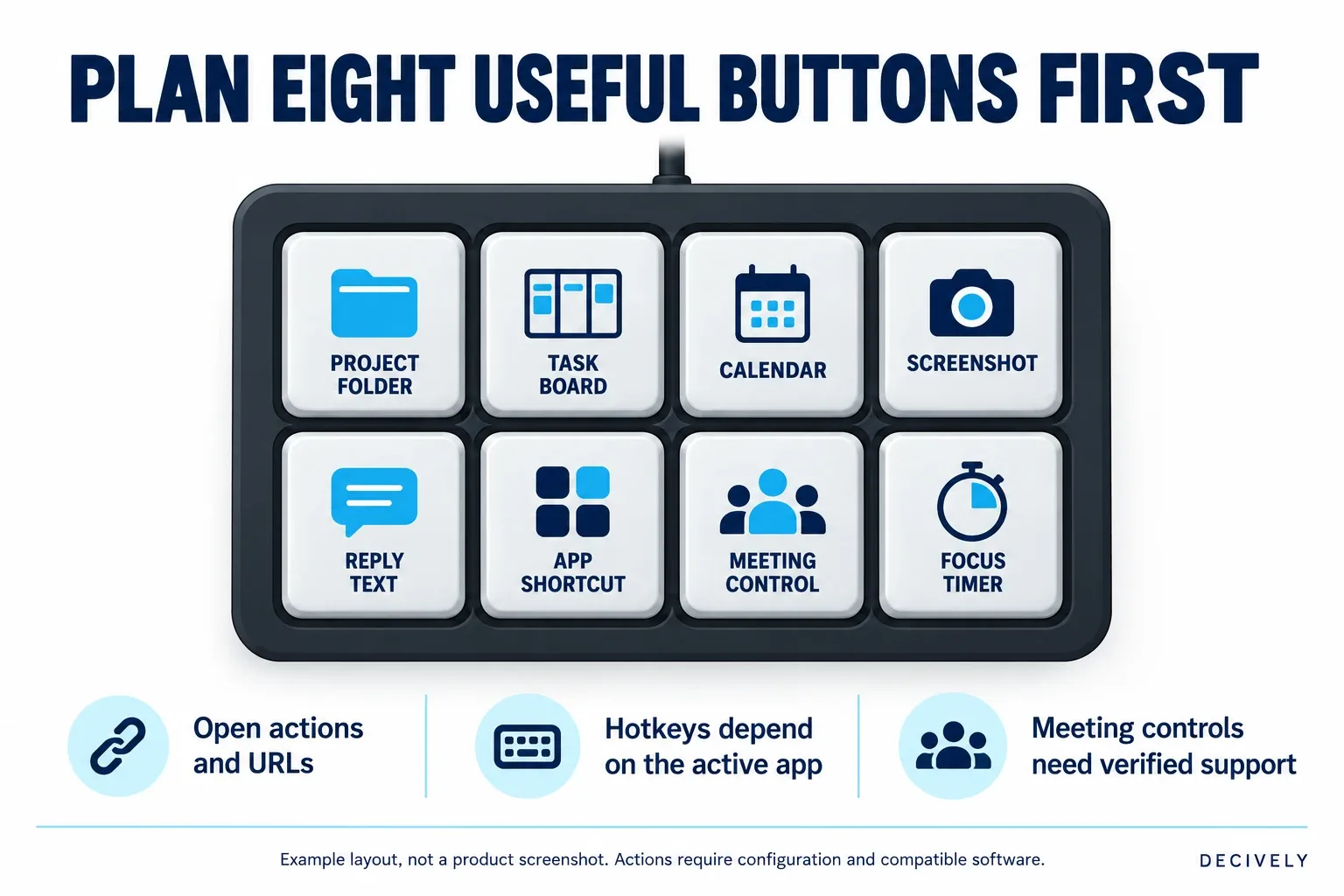
Decively example layout: two rows of four actions. Illustrative labels, not a screenshot or measured workflow. View diagram at full size →
When setting up Stream Deck for productivity, use the screenshot shortcut documented for your operating system; do not copy a Windows combination blindly to macOS. Elgato’s hotkey setup guide shows how to assign a combination in the Stream Deck app.
This makes the Stream Deck for productivity purchase decision tangible: eight genuinely useful buttons suggest Neo. If you need several more actions visible without switching pages, compare MK.2. A list dominated by adjustments rather than commands points toward checking the + and its dial support.
Profiles and Multi Actions: useful, with limits
A Stream Deck for productivity can use Smart Profiles to switch layouts when a chosen application comes into focus. That lets one device show writing commands in one app and editing commands in another. Elgato’s Smart Profiles guide notes that they do not work with UWP applications and are deactivated while the Stream Deck configuration window is open.
For Stream Deck for productivity, keep the first profile small enough to understand. A large library of downloaded profiles can create more remembering and maintenance than it removes. Match profiles to the correct OS and device format.
Setting up Stream Deck for productivity may include a Multi Action that chains several configured steps. Our proposed “Start project” sequence opens a folder, a task-board URL and a notes file. Test each step independently before combining them; application startup and foreground focus can affect what follows.
Elgato documents adjustable Multi Action delays. A short delay is not automatically better: a step that fires before the destination is ready can fail. A sequence of actions is not proof that every application reached the state you intended.
Stream Deck for productivity: compatibility checks
Current Elgato product pages list Windows 11 or newer and macOS 13 or newer for these devices. Older packaging and reviews may show earlier minimums. Use the current software download and your required plugins as the buying check, rather than treating an old minimum as a permanent support promise.
A Stream Deck for productivity also needs permission to run its desktop software. On a managed work computer, confirm installation and plugin policies before spending money. For Windows on Arm or a nonstandard setup, verify the current software and integrations explicitly; a USB connection alone is not enough.
Check ports and the supplied cable for the exact bundle. Neo has a fixed USB-C cable; MK.2 and + use detachable cables. Elgato’s current + page lists a USB-C 3.0 port in its requirements. Do not assume every retailer’s older bundle has the same host connector as the latest manufacturer package.
A Stream Deck for productivity remains a wired controller for a supported computer, not a standalone computer or wireless keypad. If you want to move between two machines, plan the connection and profiles rather than assuming one purchase automatically controls both at once.
For an alternative ecosystem, our Logitech MX Keypad buying guide covers its developer-focused approach and software requirements. Choose by the actual commands and integrations you need, rather than an AI label or key count alone.
AVAILABLE ON AMAZON · AFFILIATE LINKS
Compare the exact models on Amazon
Check the selected model, color and key type, current software requirements, seller and return terms. Choose for the controls your workflow actually needs.
Elgato Stream Deck Neo — white
Eight visible keys for a compact work layout.
Check options on Amazon → Elgato Stream Deck MK.2 — black, classic keys
Fifteen visible keys; this link selects classic keys.
Check options on Amazon → Elgato Stream Deck + — black
Eight keys and four dials; verify the actions you want.
Check options on Amazon →As an Amazon Associate, Decively earns from qualifying purchases, at no additional cost to you. Prices and availability can change.
When does Stream Deck for productivity earn its place?
Evaluate Stream Deck for productivity by counting the repeated actions you would actually move to it. Then allow for setup and occasional maintenance. A visible button is a convenience, not evidence that you will work faster overall.
Our hypothetical example: 40 uses per working day × 3 seconds saved = 120 seconds, or two minutes daily. If setup took one hour, the simple time break-even would be 30 working days, excluding maintenance. These are invented planning inputs, not device measurements or promised savings.
For Stream Deck for productivity, substitute your own numbers. If moving your hand to the pad takes as long as pressing a familiar keyboard shortcut, the saving can disappear. You may still value clear labels or easier access, but that is a different benefit.
Include the current delivered hardware price, any paid assets you choose and subscriptions required by the apps you control. The Stream Deck software is a free download; it does not make third-party services free. Check return terms and the selected color, key type and seller before ordering.
Try the workflow before adding hardware
Elgato’s Stream Deck Mobile offers six keys free on iOS and Android and requires a connected computer setup. It is a useful way to investigate actions and profiles before buying a physical pad. It does not reproduce the feel of hardware buttons.
For a Stream Deck for productivity trial, choose six actions from our layout and use them during normal work. Keep the ones you return to and remove the rest. If only two survive, your existing keyboard shortcuts or bookmarks may be sufficient.
Do not fill a profile with passwords, private tokens or actions that send sensitive content without review. Prefer opening the right tool or inserting a draft over making one accidental button press consequential. Keep the configuration understandable enough to maintain.
Quick buying questions
Can I use Stream Deck for productivity without streaming?
Yes. App launches, hotkeys, profiles and supported integrations are useful beyond broadcasting. The decision is whether you have repeatable actions worth putting on separate buttons. We have not measured a universal productivity gain.
Neo or MK.2 for office work?
Neo suits a compact layout with eight visible actions. MK.2 is worth comparing when fifteen visible keys avoid repeated page changes. More keys help only if you use them; both still need configuration.
Is Stream Deck + the best office choice?
Not automatically. For Stream Deck for productivity, its dials are the reason to choose it. If your work mainly involves launching apps or triggering commands, the fifteen-key MK.2 may be the more relevant layout. Verify support for the adjustments you want.
Can it replace my keyboard or run apps by itself?
No. It complements a supported computer and keyboard; the desktop app and relevant integrations do the work. It is also different from Valve’s Steam Deck gaming handheld.
Research notes and primary references
This guide to Stream Deck for productivity was researched October 27, 2026. Decively has not physically tested the devices, verified the example layouts on accounts or measured time savings. Product specifications and software behavior are sourced to linked Elgato documentation.
Tom’s Hardware provides the attributed independent Neo hands-on perspective, published May 2025. Its older OS requirements and software observations are historical context, not a substitute for current support checks. We have not established a controlled three-model productivity benchmark.
The layout, proposed project-opening sequence and break-even example are Decively editorial illustrations. Manufacturer product photos show Neo white, classic-key MK.2 black and Stream Deck + black; supplied accessories may vary by bundle. AI-generated cover and diagrams are conceptual, not photographs of testing or real app screenshots.
Amazon links were matched to the exact model and selected variant, then checked for the decively-20 tracking parameter without clicking affiliate destinations. Offers, availability and local listings can change. Related primary guidance: profile compatibility by OS and device and hardware comparison.