Research-based comparison, checked 1 October 2026. Decively has not hands-on tested either mouse. Official product links below are not affiliate tracking links. Read our affiliate disclosure.
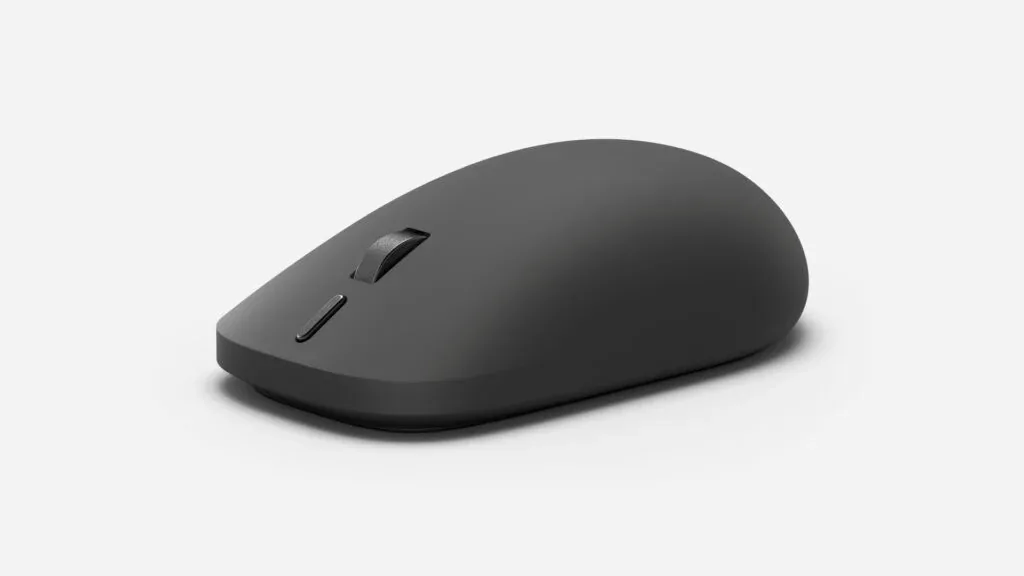
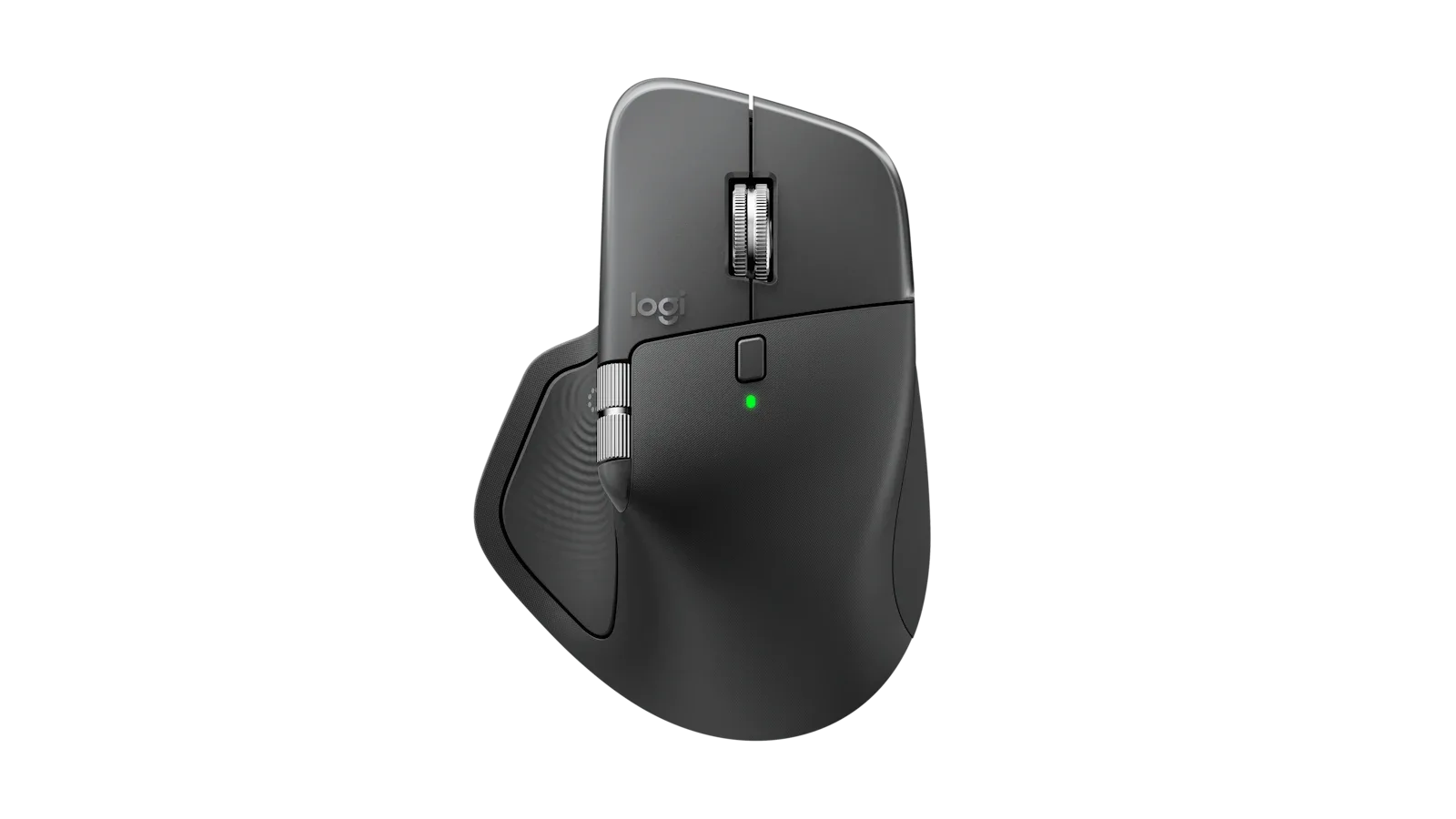
Featured image: Logitech MX Master 4 in Graphite. Official product image supplied by Logitech; the MX Master 3S is not pictured.
Quick verdict: keep a good 3S; buy the 4 for a reason
The Logitech MX Master 4 vs MX Master 3S decision starts with a simple question: are you replacing a mouse, or replacing a habit? If your 3S is comfortable and working properly, buying the 4 just because it is newer is difficult to justify.
Our editorial recommendation: keep a healthy 3S unless haptic feedback solves something specific in your daily work. For a first-time buyer, the 4 becomes more appealing when the price gap is modest and you can use its software features.
Already own a 3S?
Try its current Actions Ring support before spending money. A new shortcut workflow does not necessarily require a new mouse.
Buying your first MX Master?
Compare the exact bundle and checkout price. An included receiver, a comfortable grip and usable shortcuts matter more than the model number.
MX Master 4 vs MX Master 3S: the differences that matter
Both are right-handed productivity mice with an 8,000-DPI maximum sensor setting, MagSpeed scrolling and a thumb wheel. Those shared features remain the foundation of the comparison. The 4 adds haptics and changes the physical controls; it does not make the 3S obsolete.
The table uses Logitech specifications. Weight is the stated product weight, not a Decively measurement. Check MX Master 4 specifications and MX Master 3S specifications.
| Feature | MX Master 4 | MX Master 3S |
|---|---|---|
| Maximum sensitivity | 8,000 DPI | 8,000 DPI |
| Declared weight | 150 g | 141 g |
| Buttons | 8 | 7 |
| Haptic feedback | Supported actions | No haptic hardware |
| Actions Ring | Via Options+ | Via Options+ |
| Thumb wheel | Yes | Yes |
| Rated battery life | Up to 70 days | Up to 70 days |
Manufacturer specifications and battery claims; real-world results vary. Actions Ring support checked against current Logitech documentation.
Haptics are new. Actions Ring is not exclusive.
The clearest hardware difference is the 4's Haptic Sense Panel: tactile feedback for supported actions. That can be useful when a small vibration confirms a selection or a software event. Whether it earns a place in your workflow depends on what you actually do.
But do not buy the 4 simply to unlock Actions Ring. Logitech's current Actions Ring resources include a guide specifically for the MX Master 3S. The shortcut overlay and the physical haptic hardware are different things: the 3S can use the former without gaining the latter.
For a 3S owner, the sensible first experiment is free: update Options+, assign a handful of commands you use repeatedly, and see whether you reach for them after a week. If the ring feels like another menu to manage, adding vibration will not automatically make it essential.
Make the shortcut earn its place
Pick three repeated actions from one application. Map them, use them during normal work, and keep only the ones that save an actual interruption. Avoid building an elaborate shortcut system before finding a real need.
Check the computer before choosing the mouse
Advanced app customisation runs through Logi Options+ on Windows and macOS. Basic pointer support on another platform is not a promise that every plugin, gesture or shortcut works there. A company laptop that blocks software installation can change the value of either model.
Logitech's haptics documentation also distinguishes Options+ features and supported plugins from native Windows integration. Native Advanced Haptics requires a supported Windows 11 update from the end of March 2026 onwards, plus appropriate firmware updates. Do not assume every app vibrates simply because the mouse has a motor.
Before paying, check the operating system, the exact application you need and whether IT allows Options+. For an older Mac or a Windows 10 machine, read the current connection requirements carefully: Logitech lists different minimums for Bluetooth and Bolt on the 4.
Personal Windows or Mac
Look up the feature in the current software documentation. Supported hardware, operating system and application all need to line up.
Managed work computer
Ask whether the required software and firmware updates are permitted. Otherwise, judge the mouse mainly on its basic controls and fit.
Comfort can outweigh the feature list
Logitech specifies 150 g for the 4 and 141 g for the 3S. The extra nine grams may be a small difference on paper, but neither is aimed at someone seeking a very light mouse. They also have different shapes and surface finishes; an existing comfortable grip is valuable.
A mouse is not a shoe you can size from a table. If your hand fits the 3S, that is evidence about your own setup. If you are shopping for the first time, favour a retailer with a practical return route and check whether reaching the thumb controls feels natural.
There is no reason to turn an ergonomic marketing label into a health promise. Persistent discomfort needs a broader look at desk height, posture, movement and the input device that suits you.
What independent hands-on reviewers noticed
RTINGS: useful controls, software caveats
RTINGS' MX Master 4 testing praises its work-oriented controls but flags small-hand fit, software-dependent customisation and the lack of onboard memory. It also finds the low polling rate a poor match for competitive FPS gaming.
Peter Wolinski: the finish is a trade-off
In his Tom's Guide review, Peter Wolinski describes the 4's harder plastic as less comfortable than the 3S's softer rubber, while still liking aspects of the design. That is one reviewer's experience, not a universal verdict.
These are external firsthand reports, not Decively testing. Together they suggest something more useful than a star score: try the grip and check the software restrictions before treating the upgrade as automatic.
Same battery headline, familiar scrolling
Logitech rates both models for up to 70 days per charge under its stated conditions. The 3S setup guide explains its adaptive scrolling and battery estimate; the 4 launch announcement gives the matching battery headline. Actual runtime varies with use.
That means battery life alone is a weak upgrade argument. The same is true of the maximum DPI number: it tells you how far sensitivity can be adjusted, not how much better your spreadsheet or photo edit will become.
Logitech describes the 4 as having stronger connectivity, but that is a manufacturer claim, not a Decively range test. If your 3S already connects reliably, solve the problem you have rather than buying insurance against one you do not.
Price and bundles: compare like with like
At the research check on 1 October 2026, Logitech's US store listed the standard MX Master 4 at $119.99 and the MX Master 3S Bluetooth Edition at $89.99 on promotion. The displayed difference was $30; it is a dated US price snapshot, not a promise for another country or future checkout.
The standard 4 includes a USB-C Bolt receiver and no charging cable. The 3S listing used for that price is explicitly Bluetooth Edition; Logitech's specification panel says the receiver is for Standard Edition only. Do not treat those boxes as identical.
The MX Master 4 for Mac is another bundle to check: it is Bolt-compatible but does not include the receiver, according to RTINGS' variant comparison. Buying the standard 4 for a compatible Mac is worth considering if a receiver matters to you.
UK, Canadian, Australian and European readers should compare local delivered prices, taxes, bundle contents and returns. A sale price attached to another colour or edition can reverse the apparent value.
Check the MX Master 4 at Logitech · Check the MX Master 3S at Logitech
| Edition | Displayed price | Receiver |
|---|---|---|
| MX Master 4 standard | $119.99 | USB-C Bolt included |
| MX Master 3S Bluetooth Edition | $89.99 sale | Not included |
| MX Master 4 for Mac | $119.99 | Not included |
Prices can change. Verify local taxes, delivery, colour and exact bundle at checkout.
Which one should you buy?
This is our decision framework, not a performance ranking. Start with the row that matches your situation, then verify the price and compatibility details above.
| Your situation | Our starting recommendation | What to verify |
|---|---|---|
| Happy 3S owner | Keep the 3S | Try current Actions Ring first |
| New buyer using supported creative apps | Consider the 4 | Relevant haptics and fit |
| Budget-focused office buyer | Shortlist the discounted 3S | Bundle and return policy |
| Software blocked at work | Check IT restrictions first | Usable controls without Options+ |
| Small hands or left-handed use | Investigate a different shape | Comfort and control reach |
| Competitive FPS gaming | Research a gaming mouse | Weight and measured latency |
Questions before you upgrade
Is the MX Master 4 worth upgrading to from the 3S?
Not automatically. Our recommendation is to keep a comfortable, reliable 3S unless you have a clear use for the 4's haptics or prefer its changed controls and finish.
Can the MX Master 3S use Actions Ring?
Yes. Logitech currently provides an MX Master 3S Actions Ring guide. Check the current Options+ version and setup instructions; this software feature does not add haptic hardware.
Is the MX Master 4 a gaming mouse?
It is primarily a productivity mouse. RTINGS' testing highlights limitations for competitive shooters. If fast-paced gaming is your main purpose, research a dedicated gaming model instead.
Do both models work with Mac?
Yes, with compatible systems, but OS requirements and receiver bundles differ. Check the exact product edition and current Options+ requirements before ordering.
Our recommendation: buy the missing capability
For a happy 3S owner, keeping it is the strongest default. For a new buyer, the 4 is worth investigating when haptics, its revised controls or the standard receiver bundle justify the local premium. If those changes will go unused, a discounted 3S remains a reasonable shortlist candidate.
The most useful next step is not a bigger spec sheet. Name the daily task that your current mouse makes awkward. If you cannot name one, you probably do not need an upgrade yet.
Explore our product comparison guides and buying guides, or read how Decively approaches research.
Sources and update notes
Checked 1 October 2026. This comparison combines official specifications and software documentation with the attributed independent testing above. Prices and supported integrations may change. We have not measured battery runtime, wireless range or comfort ourselves.
Logitech MX Master 4 · Logitech MX Master 3S · Actions Ring · Haptics support · Options+ release notes.