A mouse that vibrates when a window snaps into place sounds like a small upgrade. It might be. But if you spend the day arranging slides, moving files and dividing a screen between apps, those small interactions are the work. The new Surface Mouse asks whether feeling them makes a useful difference.
This is a buying guide to the Surface Mouse (2nd Edition) announced on 23 September 2026, not the original Surface Mouse, Surface Arc Mouse or Surface Precision Mouse. It is a pre-release assessment based on official specifications and attributed early hands-on reports. Decively has not tested it. Research checked: 3 October 2026. Microsoft announcement.
Quick verdict: shortlist it for Windows, wait for the longer test
The most convincing buyer is someone who wants a straightforward, ambidextrous office mouse and will actually use supported Windows haptics. The less convincing buyer is someone whose current mouse already fits well and whose daily apps do not need them. A new way to acknowledge an action does not automatically make an upgrade worthwhile.
Worth watching
You work in Windows and want tactile confirmation without committing to a large productivity mouse. Try it in your own software once retail units arrive.
Probably wait
You need established long-term reliability, a demonstrated battery result or proof that a particular third-party app supports the feedback you want.
Keep your current mouse
A comfortable mouse that already does your work remains a sensible choice. Replace it because of a specific limitation, not simply because haptics are new.
What the specifications mean at your desk
Microsoft’s UK specification sheet lists the following. These are manufacturer specifications, not results from a Decively test.
| Feature | Specification and buying implication |
|---|---|
| Connection | Bluetooth 6.0; host Bluetooth 4.0 or higher Your PC does not need Bluetooth 6.0 simply to connect |
| Device switching | Up to three devices Useful for multiple computers; not a shared cursor across them |
| Controls | Four buttons, including customisable action button Check how much customisation you need |
| Scroll | Mechanical vertical wheel Do not assume horizontal thumb-wheel controls |
| Battery | Two included AAA alkaline batteries; up to six months Replaceable cells rather than a USB charging routine |
| Weight | 115g including batteries Compare feel, not just a product photograph |
| Dimensions | 112.5 × 63.2 × 36.4mm Measure against a mouse you already find comfortable |
| Sensor | 1000dpi; adjustable 400–2400dpi Office-oriented specification; do not infer gaming performance |
Haptics depend on the operating system and the app
Microsoft’s compatibility notes restrict advanced haptics to Windows 11 and supported apps. They list Snap Assist, window resizing, drag-and-drop and PowerPoint, with some third-party support. Basic mouse use is supported on other compatible operating systems; advanced action-button and AI experiences require Windows 11. Customisation uses the Surface app.
That distinction matters more than the Bluetooth version. A mouse can pair successfully while its headline feature remains unavailable in your setup. If you move between a Windows laptop and another operating system, judge it as two experiences rather than assuming feature parity.
Haptics are physical feedback, not an AI service by themselves. A shortcut that opens Copilot is also not proof of unlimited AI access. We would choose this mouse for control and fit, then assess any AI service separately.
Before ordering: name the exact action you want to feel, in the exact application you use. Windows snapping and supported PowerPoint interactions are a clearer case than a vague promise that every creative app will respond. Check the current compatibility list and required updates.
Early hands-on impressions are encouraging, but narrow
Jason England’s Tom’s Guide hands-on report describes feeling tactile cues when snapping windows and aligning objects. He was enthusiastic about the feedback during a short demonstration. That is firsthand evidence that the feature can be noticeable; it is not a measured productivity gain or a month of everyday ownership.
A separate Windows Central first look praised the soft-touch feel and near-silent, satisfying clicks after a brief trial. Its author also noticed feedback while interacting with Windows. Those impressions support trying the mouse, but cannot establish comfort over a full workday.
We did not find a reliable long-term owner study for this unreleased second edition. Reviews of the original Surface Mouse and Arc Mouse cannot fill that gap. Battery endurance, surface wear and wireless reliability remain questions for retail-unit reviews.
Our reading of the early evidence is simple: there is a plausible benefit for people who want confirmation under their hand. How often that matters is personal. A convincing demonstration should earn the product a trial, not a universal recommendation.
Prices and release dates: compare the store you will use
The stores below showed pre-orders when checked on 3 October 2026. Microsoft announced general availability from 13 October in select markets. Some local pages display a late-evening 12 October timestamp. Those page timestamps do not establish that you will receive an order that evening.
These are standard listed prices, not discounted eligibility offers. Confirm stock, delivery and tax treatment at checkout. Ireland is one European example, not a single price for every European country.
| Store | Listed price | Displayed release timestamp |
|---|---|---|
| United States | US$79.99 | 13 October 2026, 4:00 AM |
| United Kingdom | £74.99 incl. VAT | 12 October 2026, 23:00 |
| Canada | CA$119.99 | 13 October 2026, 4:00 AM |
| Australia | AU$129.95 incl. GST | 12 October 2026, 11:00 PM |
| Ireland | €89.99 incl. VAT | 12 October 2026, 23:00 |
Direct, non-affiliate store sources: US, UK, Canada, Australia, Ireland. No commission link has been invented for this product.
Surface Mouse or Logitech MX Master 4?
Do not buy a haptic mouse just to own a haptic mouse. Start with the jobs your current pointer makes awkward. The new Surface model has a symmetrical design, whereas the MX Master family is worth investigating when you want a more extensive productivity control setup.
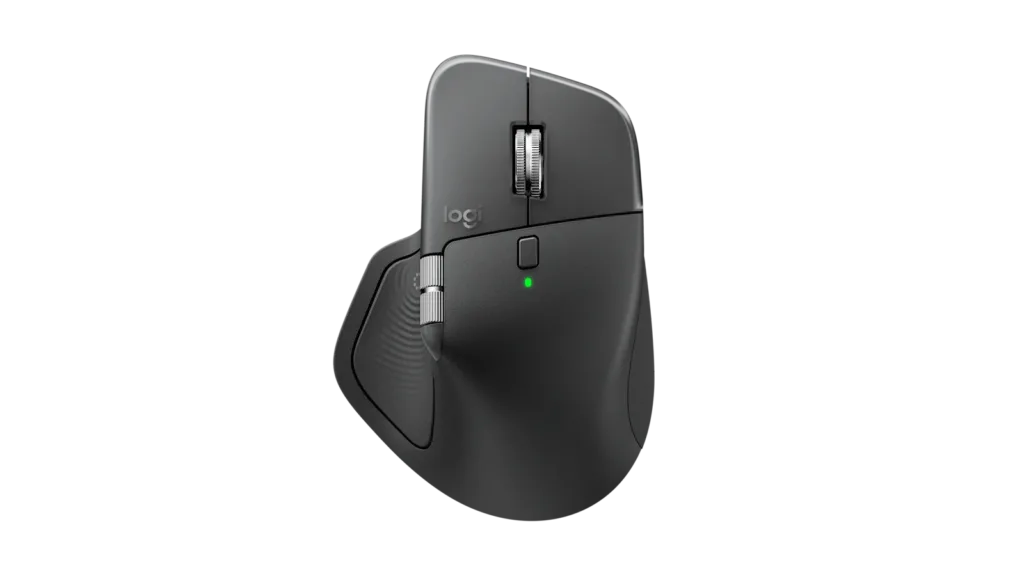
Logitech lists the MX Master 4 at US$119.99 and describes MagSpeed scrolling, Actions Ring shortcuts, adjustable haptics and Logi Options+ customisation. These are different reasons to pay more, not proof that Microsoft’s implementation is better or worse.
If you would not use the additional controls, a larger feature list may buy complexity rather than value. If you rely on shortcuts and specialised scrolling, do not assume Microsoft’s four-button layout will substitute for them.
For the broader upgrade decision, read our MX Master 4 vs MX Master 3S guide. Keeping an existing mouse and waiting for retail comparisons is a legitimate third option.
A useful trial should answer five questions
| Check | A practical test |
|---|---|
| Fit | Work through an ordinary session and check reach, pressure and grip |
| Haptic usefulness | Use the same supported task with feedback enabled and disabled |
| App support | Test your own app and version, not just a launch demonstration |
| Switching | Move between your actual paired devices and resume work |
| Value | Compare your delivered local price with keeping your current mouse |
Do not treat a short store demonstration as proof of all-day comfort. If possible, test your normal pointing speed and desk surface. The question is whether it improves your routine enough to justify the cost.
Our buying-guide approach explains why use case and total cost come before a universal “best” label.
Common questions
Is the Surface Mouse 2nd Edition available now?
At the 3 October research check, the regional stores were taking pre-orders. General availability was announced for 13 October 2026 in select markets; confirm delivery in your own store.
Does it require a Surface computer?
The listed connection requirement is a Bluetooth-capable host, not a Surface-only pairing rule. Advanced haptics require Windows 11 and supported apps; basic pairing alone does not unlock them.
Is it rechargeable?
The specification lists two AAA alkaline batteries, included, rather than a rechargeable battery. The six-month figure is a manufacturer maximum, not an independent endurance result.
Is it a good choice for a Mac?
Judge it primarily as a basic mouse there. Microsoft reserves its advanced haptic and action-button/AI features for Windows 11. If you mainly use a Mac, compare alternatives on confirmed macOS functionality.
Should I pre-order?
Only if the confirmed features and local terms already match a specific need. Otherwise, wait for retail reviews that address battery, app support and extended comfort.
Our recommendation and research notes
The Surface Mouse (2nd Edition) is an interesting Windows accessory because its appeal is practical: confirmation for actions you already perform. We would shortlist it for a compatible office setup and wait for a real trial before replacing a comfortable mouse. Haptics need to be useful, not merely noticeable.
Research checked on 3 October 2026. Official links establish announced capabilities, regional prices and release status; independent demonstrations supply their authors’ initial impressions. Decively did not measure performance or test a review unit. There are no ratings, fabricated testimonials or affiliate buttons in this guide.
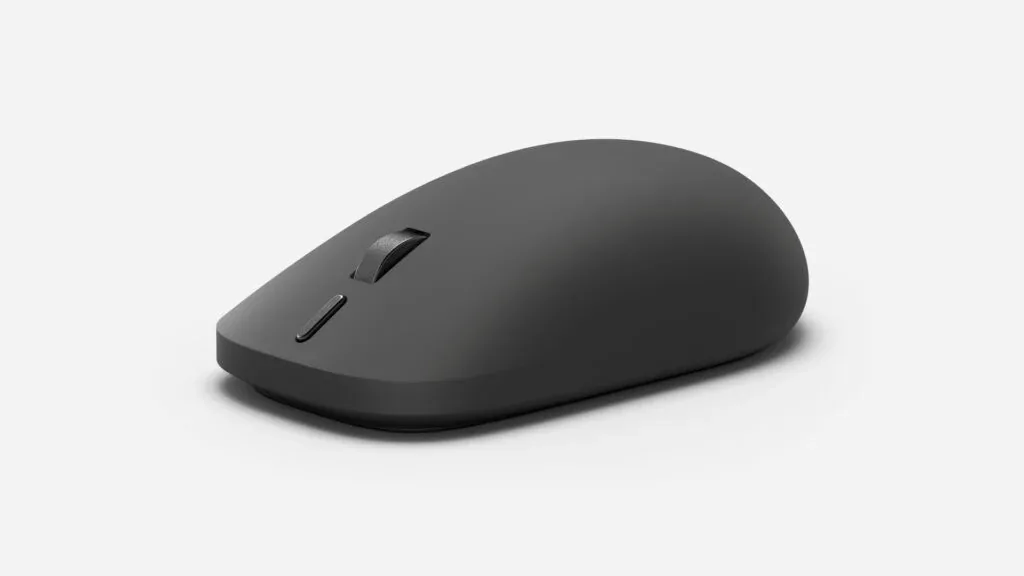
Product image: Microsoft, from its 23 September announcement. Used to identify the announced mouse, not to imply a Decively product shoot. Read how we approach research.