Quick verdict: useful if your shortcuts need a home
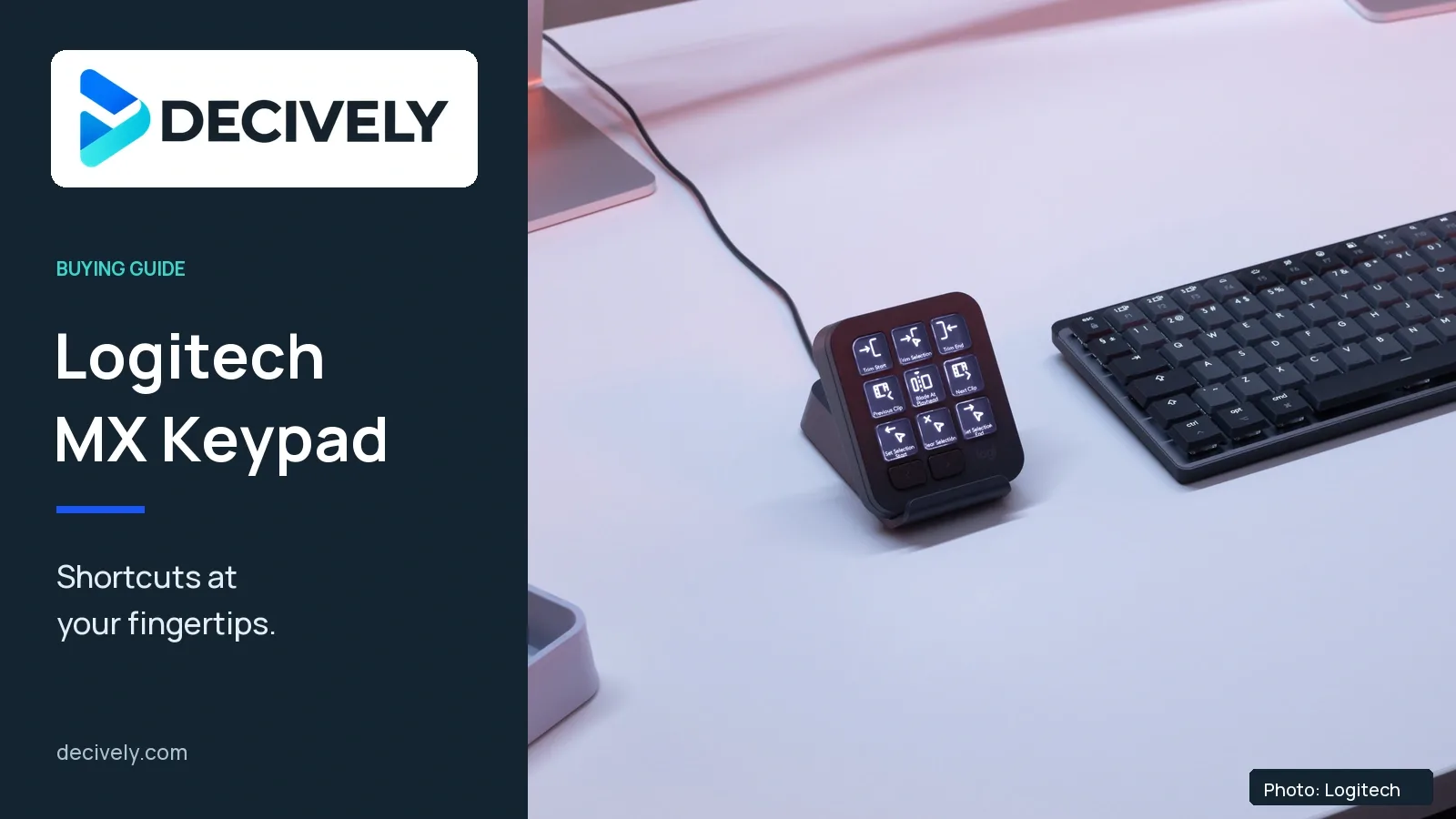
The Logitech MX Keypad makes sense for developers who repeat commands across several apps and want clearly labelled physical controls. Its strongest feature is app-aware shortcuts; its biggest compromise is dependence on Logi Options+ and a permanent USB-C cable. Skip it if installing extra software is a problem, you need wireless operation, or your existing shortcuts already work well.
Logitech launched it on September 8, 2026 at $99.99 US / €99.99. Those are launch prices, not a guaranteed current deal. The US and UK stores listed stock when checked; availability elsewhere needs a local check.
Research-based buying guide, checked October 7, 2026. Decively has not tested this product.
What the keypad actually does
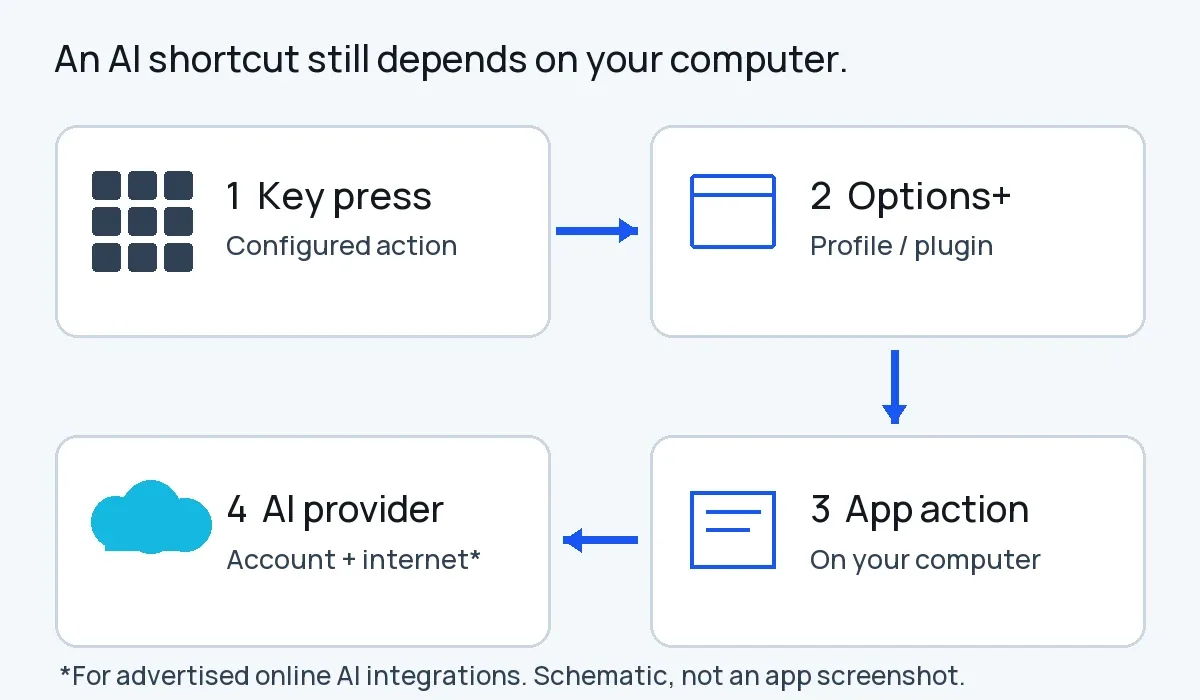
Original Decively schematic. AI runs through your computer and provider; this is not an app screenshot.
Nine colour LCD keys can trigger configured commands, saved prompts and app actions. Logitech’s app-aware profiles change the controls as the active application changes. That could mean coding commands in VS Code, then meeting controls in Zoom—provided the relevant profile and actions are available.
The AI still runs through your computer and the relevant provider. The keypad is an input device, not a standalone AI computer. Logitech requires an internet connection and third-party accounts for its advertised AI integrations. Buying the hardware does not remove those providers’ plan limits or charges.
Logitech says three months of GitHub Copilot Pro+ are included, redeemable through Options+. Treat this as a temporary bundle: check the offer conditions rather than valuing the device as permanently free AI access.
Choose the assistant before choosing its controls; our Codex vs Claude Code comparison covers that separate decision.
Check these requirements before ordering
One important mismatch: Logitech’s product specification lists macOS 13 or later, while its current Options+ download page says macOS 14 or later. Mac users on 13 should confirm a supported installation path before buying. The product specification also excludes Windows ARM64 systems.
For a managed work laptop, confirm that IT permits Options+ and the plugins you intend to use. A compatible USB port alone does not establish that the whole workflow will work.
Early hands-on reports: useful, but expect setup
In his September 16 hands-on report, The Register’s Richard Speed found the keypad useful for writing and VS Code work. He also found Options+ unintuitive and highlighted the cable requirement. That is independent experience with a supplied review unit, not a Decively test or proof of a measured productivity gain.
An early r/logitech owner reported that a Marketplace integration did not behave as expected and built a custom plugin instead. This is one anecdote, not evidence of a widespread fault. It does reinforce a practical check: verify the specific actions you want, not just the app’s name on a compatibility list.
Logitech’s own development blog acknowledges that agent-status interfaces are still evolving across tools. Future ecosystem improvements should not be counted as working features today.
MX Keypad or Stream Deck?
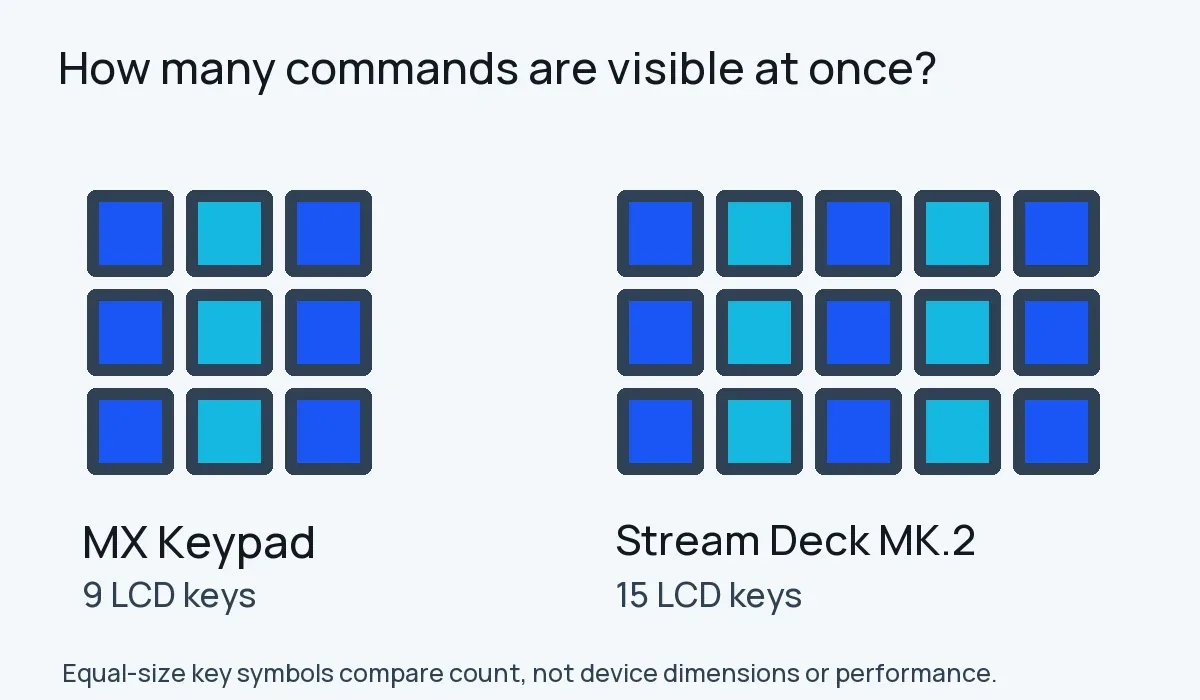
Original Decively key-count diagram. Symbols compare visible keys, not product dimensions or performance.
Choose MX Keypad for its developer-focused workflow and Options+ integration. Choose an Elgato Stream Deck MK.2 if you need more commands visible at once: Elgato specifies 15 LCD keys, compared with Logitech’s nine.
Both need their software ecosystems. Compare the exact plugin and action you rely on before switching. More keys do not automatically mean better automation, and an existing Stream Deck owner should look for a concrete missing capability before buying another pad.
If the mouse is also due for replacement, see our MX Master 4 vs MX Master 3S comparison. These are separate purchase decisions.
The buying decision
Consider it if…
You repeatedly launch the same commands, can install Options+, and have verified the required plugins on your actual computer.
Skip it if…
You need wireless operation, use an unsupported work computer, or would spend more time maintaining profiles than using them.
Our verdict: buy it to solve a specific workflow problem, not because it has AI branding. Write down your most-used actions first. If their supported mappings are genuinely useful, the keypad has a clear job; otherwise, it is another device to configure.
Two questions worth clearing up
Is the MX Keypad wireless? No. It connects by USB-C; The Register’s review confirms the wired setup.
Is it the MX Creative Console? No. This guide covers the standalone MX Keypad, not the Creative Console bundle with a separate dialpad.
Sources: Logitech’s launch announcement, US/UK product specifications, current Options+ download page and development blog; The Register’s hands-on report; one r/logitech owner report; Elgato’s MK.2 documentation. Specifications, company claims, external experiences and our buying interpretation are kept separate.