
Choose the workflow before the subscription
The best CRM for small business is the one your team will keep current: who the customer is, where the opportunity stands, and what happens next. A long feature list is less useful than a reliable follow-up routine.
Our shortlist is HubSpot for a free two-person starting point, Bigin by Zoho for a compact pipeline and relatively low paid entry cost, and Pipedrive for a sales-focused workflow when you can budget for paid seats. These are conditional recommendations, not a universal ranking.
This buying guide compares published plans and documentation checked October 27, 2026. Decively has not hands-on tested these accounts, measured ease of use or verified sales improvements. Prices are US-dollar reference points; we separate list prices, annual billing and temporary offers. There are no affiliate links in this article.
Best CRM for small business: our three starting points
Choose CRM for small business by the job, rather than by the biggest software brand. A freelancer tracking a handful of proposals and a three-person sales team may reasonably choose different plans.
When comparing CRM for small business, our selection criteria are straightforward: clear customer records, ownership of follow-ups, a usable sales pipeline, a sensible upgrade path and a way to take your data out. We give more weight to these than to a large bundle of AI features.
On a small screen, swipe the table sideways to read every column.
These are editorial buyer profiles, not results from a usability contest. Use the official pages to inspect the current package: HubSpot free tools, Bigin editions and Pipedrive plans.
CRM for small business: which features matter?
A CRM keeps related people, companies, opportunities and activities together. A contact is a person; a deal is a potential sale; an activity might be the call or task needed to move that sale forward. Keeping those separate makes reporting more meaningful.
Good CRM for small business starts with a modest set of requirements. You should be able to find the right customer, see the last meaningful interaction, assign the next action and identify proposals that have stalled. Everything else needs a reason to exist.
A spreadsheet can still be enough for one person with a simple customer list and few active opportunities. Consider moving when shared ownership, scattered conversations or missed follow-ups make that arrangement difficult to maintain. Software will not decide your sales stages for you.
On a small screen, swipe the table sideways to read every column.
Before selecting CRM for small business, write five must-haves and a maximum team budget. Include the people who will update it daily. A tool chosen only by the account owner can fail if the rest of the team finds the required routine impractical.
Free CRM for small business: compare the actual limits
A free plan can be a useful long-term choice. A trial is different: it may show features you lose when it ends. Do not build your entire process around a trial-only function and discover the restriction after importing every customer.
On a small screen, swipe the table sideways to read every column.
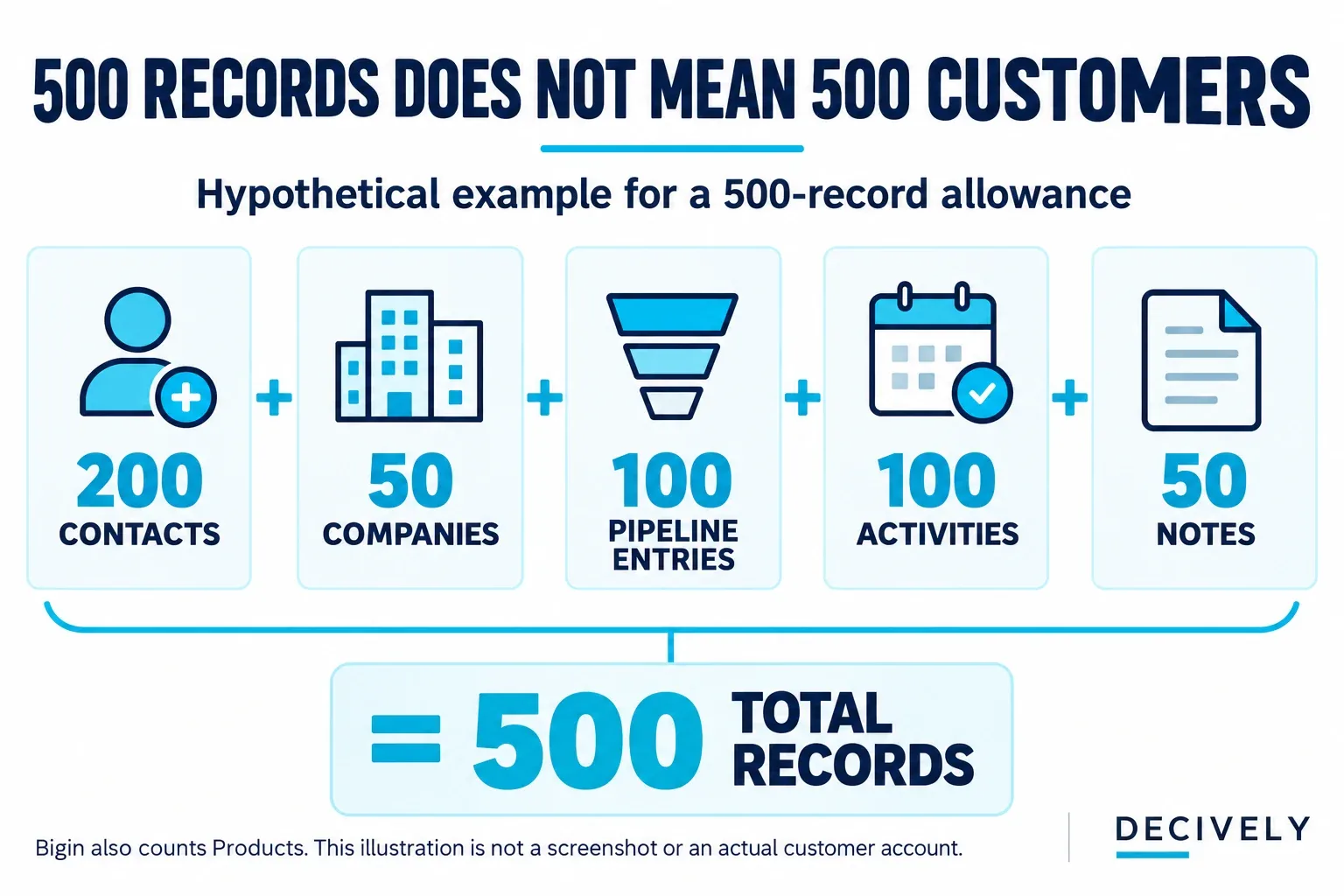
Illustrative Bigin record mix: 200 contact people can occupy a 500-record allowance once company, pipeline, activity and note records are included. Products also count; none are included in this example. View diagram at full size →
The limits above come from the current HubSpot free-plan FAQ, Bigin pricing FAQ and Pipedrive pricing page. Confirm them for the account you create; older comparison articles may describe previous plans.
Bigin’s 500-record cap deserves special attention when comparing CRM for small business. Its record-storage documentation counts rows in Contacts, Companies, Pipelines, Activities, Products and Notes.
Our hypothetical example uses 200 contacts + 50 companies + 100 pipeline entries + 100 activities + 50 notes = 500 records. That would use the stated allowance with only 200 contact people. This is an illustrative dataset, not a measured customer account.
For a two-person team, Bigin’s single free user is already a reason to evaluate paid seats. For someone choosing free CRM for small business, the record definition and user allowance matter more than the word “free” alone.
HubSpot: start free, but price the upgrade you need
HubSpot is our first option to investigate when two people want to try a shared customer database without immediately buying seats. Its official free FAQ lists Gmail and supported Outlook connections. The broader platform can be useful if marketing and service tools later become relevant.
The caution is scope. “HubSpot” is a platform with different products and seat arrangements, not one flat subscription. A low introductory banner should not stand in for the price of the required feature at renewal.
When comparing CRM for small business, test the exact tasks you need in the free account first. Keep a list of what is blocked, then price that list rather than upgrading because the next tier looks more professional. Do not assume advanced sequences, reporting or automation are included because they appeared in a demo.
Consider this CRM for small business if the free limits suit you and the broader ecosystem is valuable. Skip a paid upgrade if you only need a simpler pipeline that another product provides for less. Our cost table below uses the published Sales Hub Starter catalog starting rate, not a promotional offer.
Bigin: a focused pipeline with a clear paid step
Bigin is our candidate for readers who want a narrower customer-management workflow rather than a large suite. Express lists three team pipelines, 50,000 records and email integration. Its advertised price is $7 per user per month billed yearly, or $9 with monthly billing.
Those features make it worth considering as CRM for small business when the free record or user limit is too small. However, a paid edition does not mean unlimited everything. Confirm that the exact trigger, email behavior and reporting you need belong to that edition.
In particular, distinguish instant workflows from date-based actions. Bigin’s edition comparison places advanced date/time automation in Premier. An instruction such as “email this customer three days after a proposal” deserves a specific plan check, not an assumption that any automation allowance covers it.
Shortlist Bigin as CRM for small business if your process is compact and its paid feature set fits. Check a different platform, or the fuller Zoho CRM product, if your requirements outgrow that scope. Bigin and Zoho CRM are related but separate products; their plan tables are not interchangeable.
Pipedrive: check whether Lite really meets the job
Pipedrive is our paid option to evaluate when a team wants a dedicated sales pipeline. Its current plan-feature documentation lists customizable pipelines and data import/export across the new plans. Do not substitute an older Essential or Advanced plan comparison for Lite and Growth.
The important buying distinction is email. The official inbox comparison shows no email-sync inbox on Lite and one personal inbox on Growth. A team inbox is a separate, higher-tier capability.
When choosing CRM for small business, that can make Growth the relevant budget even if Lite’s advertised starting price attracted you. Pipedrive’s pricing page also places email nurturing sequences and automations in Growth. Paying for Lite is not a workaround for needing those capabilities.
Shortlist this CRM for small business when the pipeline workflow earns its ongoing seat cost. Skip it if a permanent free tier is essential, or if you would pay for a sales product mainly to send newsletters. The goal is a useful working process, not a more expensive place to store names.
CRM for small business: from inquiry to customer
Here is an original example for a three-person design studio selecting CRM for small business. A new website inquiry becomes a contact linked to the prospect’s company. A separate opportunity records the proposed project, estimated value and owner.
The stages are New inquiry, Qualified, Proposal, Decision and Won. Use Lost or Not now when appropriate instead of leaving every old opportunity open. Define what must be true before moving between stages: sending a quote is different from the client accepting it.
Every open deal gets an owner, next action and due date. For example, “Alex — confirm the revised scope — Friday” is actionable. A note saying “follow up soon” is not a dependable handover. This routine is the foundation of useful CRM for small business, regardless of vendor.
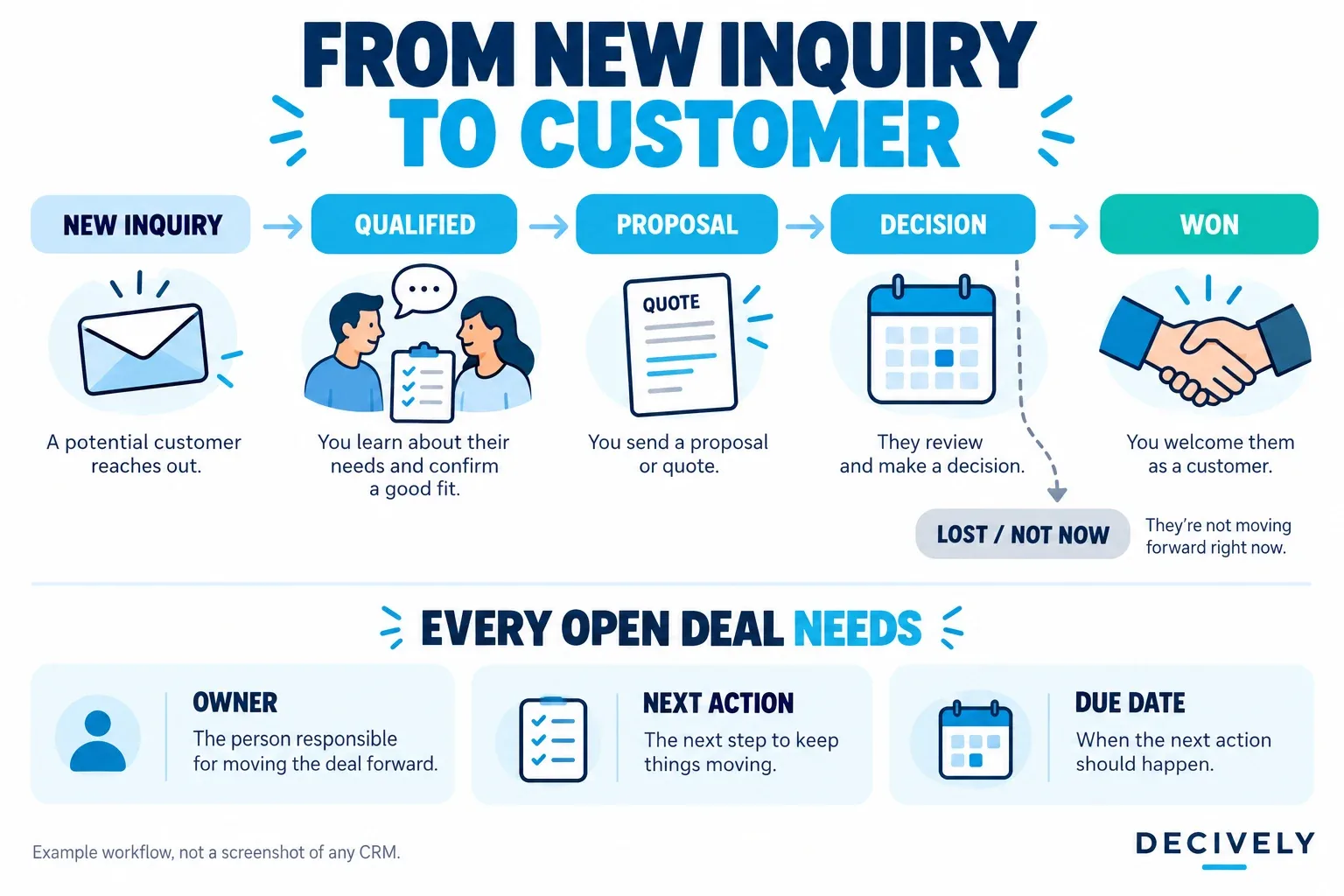
Decively conceptual workflow illustration. This is an example process, not a screenshot of any CRM or evidence of measured performance. View diagram at full size →
After a deal is won, decide where delivery and invoicing happen. A CRM opportunity is not automatically an accounting invoice. Our invoicing software guide for freelancers covers that separate decision.
For newsletters and audience campaigns, compare subscription management and sending tools rather than treating a sales mailbox as an email-marketing platform. See our email marketing guide for beginners. Linking the systems can be useful, but an integration may need another subscription.
What does CRM for small business cost for a team?
Budget CRM for small business using the required plan for all working users. The following calculations use published USD starting rates checked October 27, 2026. Taxes, add-ons, implementation work and currency conversion are excluded. These plans are not feature-equivalent.
Annual-billed rates are monthly equivalents, not permission to pay one month and cancel. HubSpot’s row uses its catalog starting monthly rate projected over 12 months; the Bigin and Pipedrive rows use annual-billing rates. Confirm the actual contract and renewal quote before buying.
On a small screen, swipe the table sideways to read every column.
Pricing references: HubSpot Sales Hub product catalog, Bigin Express pricing and Pipedrive Lite and Growth pricing. Multiplication is our arithmetic, not a personalized vendor quote. HubSpot’s live offers can be lower, with different eligibility or renewal terms.
Our three-person example shows the consequence: Pipedrive Growth is $900 more per year than Lite at these annual rates. That difference may be reasonable if email sync and sequences are essential. It is wasted spending if the team only needs a pipeline and manual tasks.
For monthly flexibility, Bigin Express’s published $9 rate makes three seats $27 per month before extras, compared with a $21 monthly equivalent on annual billing. When budgeting CRM for small business, include the commitment you are comfortable making, not just the lowest displayed number.
Test CRM for small business before committing
Use ten fictional or appropriately approved sample contacts and a few representative opportunities. This is our proposed evaluation routine, not a benchmark Decively has performed. Keep the same tasks across products so that a polished demo does not decide the purchase.
When comparing CRM for small business, test creating a contact and company, assigning a deal to a colleague, finding an overdue task, using your actual email connection and exporting the sample. Record which actions require a paid tier. A feature you cannot access on your intended plan does not count.
Check export scope carefully. HubSpot explains that record exports contain property values and associations, while activity information can require other routes. Pipedrive notes that activities, notes and files must be exported separately. Do not assume a contacts CSV is a complete exit copy.
Before connecting the real mailbox, review what the connection accesses, who can see customer history and who can export it. Check the vendor’s current security, data-location and contractual information against your requirements. We are not claiming that one plan automatically satisfies every business’s compliance needs.
Finish by asking the people who will use the CRM to perform the routine themselves. The best CRM for small business should make the next action easier to find without creating so much administration that updates stop.
Quick answers before you choose
What is the best free CRM for small business?
Start by comparing user and record allowances. HubSpot is worth investigating for a two-person free setup; Bigin Free suits a smaller single-user dataset. Pipedrive’s free trial is a way to evaluate a paid subscription. There is no universal winner without knowing your workflow.
Does a freelancer need a CRM?
Not necessarily. A maintained spreadsheet can be enough for a small client list. CRM for small business becomes more attractive when several opportunities need dated follow-ups, customer conversations are scattered or another person needs to take over a relationship.
Should I pay extra for AI features?
Only after the basic workflow works. A generated email or summary still needs checking. Price usage allowances and the required tier against an actual recurring task; do not treat an AI label as proof that the team will save time or sell more.
Which would we shortlist first?
For a free two-person experiment, HubSpot. For a focused low-cost paid pipeline, Bigin Express. For a team that wants Pipedrive’s sales workflow, evaluate Lite against Growth’s email capabilities before choosing. In each case, confirm the current plan and try the same representative tasks.
Research notes and official references
This is a research-based buying guide to CRM for small business, checked October 27, 2026. Product limits and prices come from the linked vendors’ pricing pages, product catalogs and support documents. We have not signed up for, hands-on tested or scored these products for this article.
Buyer profiles, the design-studio workflow, trial routine and budget calculations are Decively editorial analysis. They are not customer case studies or measured productivity results. We have not verified a controlled independent three-product benchmark, so this guide makes no speed, usability or revenue ranking.
HubSpot, Bigin and Pipedrive can change plans, offers, feature entitlements and regional prices. This is a dated snapshot, not a live quote. The article contains ordinary external reference links and no affiliate links.
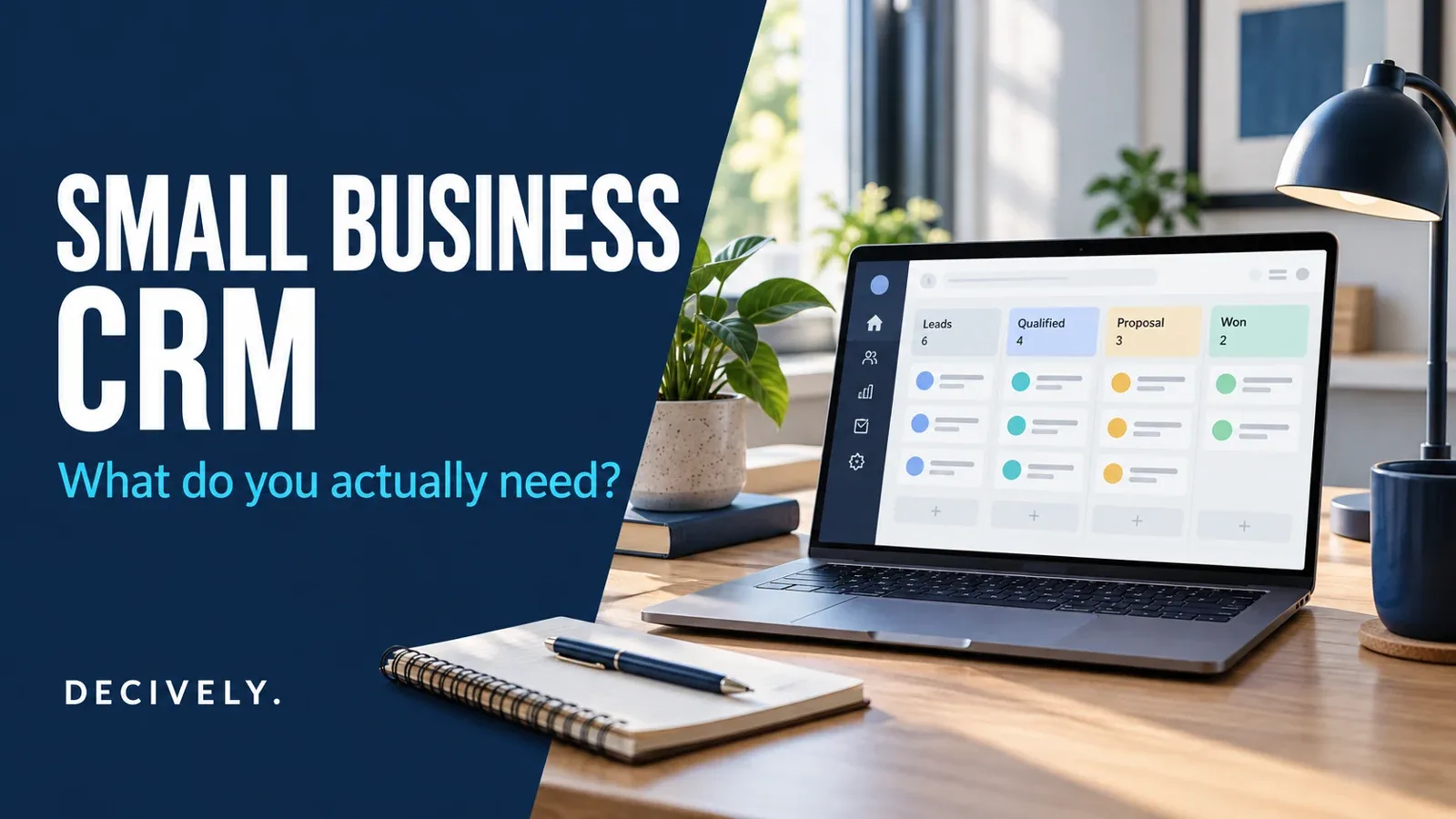
The cover and two explanatory diagrams were generated for Decively as conceptual editorial illustrations. Neither shows a tested account or an actual vendor interface. Trademarks belong to their respective owners; no vendor endorsement is implied.