Quick verdict: buy the workflow, not the speed claim
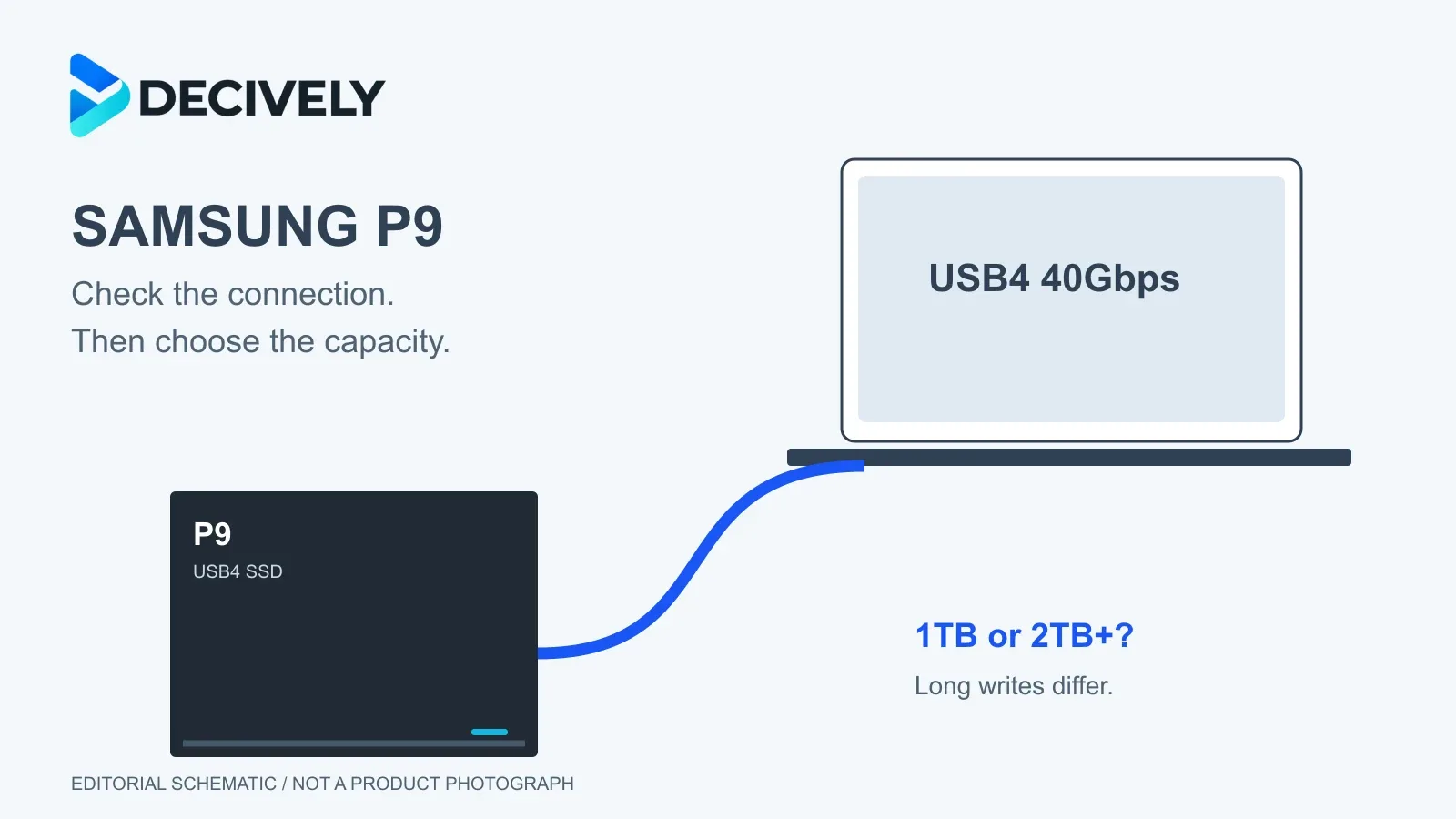
The Samsung P9 portable SSD is worth considering for frequent large video transfers or editing from external storage—provided your computer can use USB4 at 40Gbps. For documents, occasional backups or a slower USB port, paying for its headline speed is difficult to justify. The less obvious decision is capacity: Samsung’s own long-write figures favour 2TB and larger models.
Research-based buying guide, checked October 6, 2026. Decively has not tested the P9. This covers the USB4 portable SSD, not Samsung’s P9 Express microSD card.
A USB-C socket is not enough
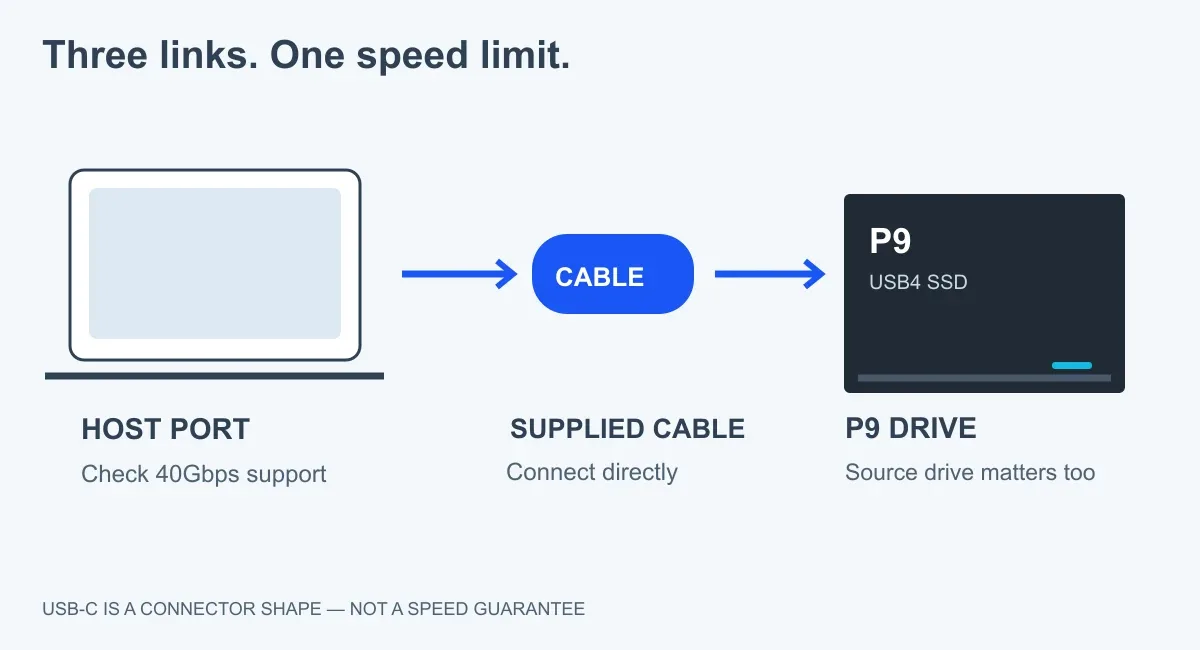
Original Decively schematic. The slowest link limits the transfer; this is not a measured benchmark.
Check your computer’s port specification for USB4 40Gbps, then use the supplied cable and connect directly. USB-C describes the connector, not its speed. A slower port or hub can remove much of the reason to buy this drive. Samsung’s P9 support guidance and USB-IF’s cable guidance both make that distinction.
The source matters too. Copying from a slow memory card or another slow drive will not suddenly reach 4,000MB/s because the destination can. Small files and large sequential transfers also produce different results.
The 1TB model has a long-write trade-off
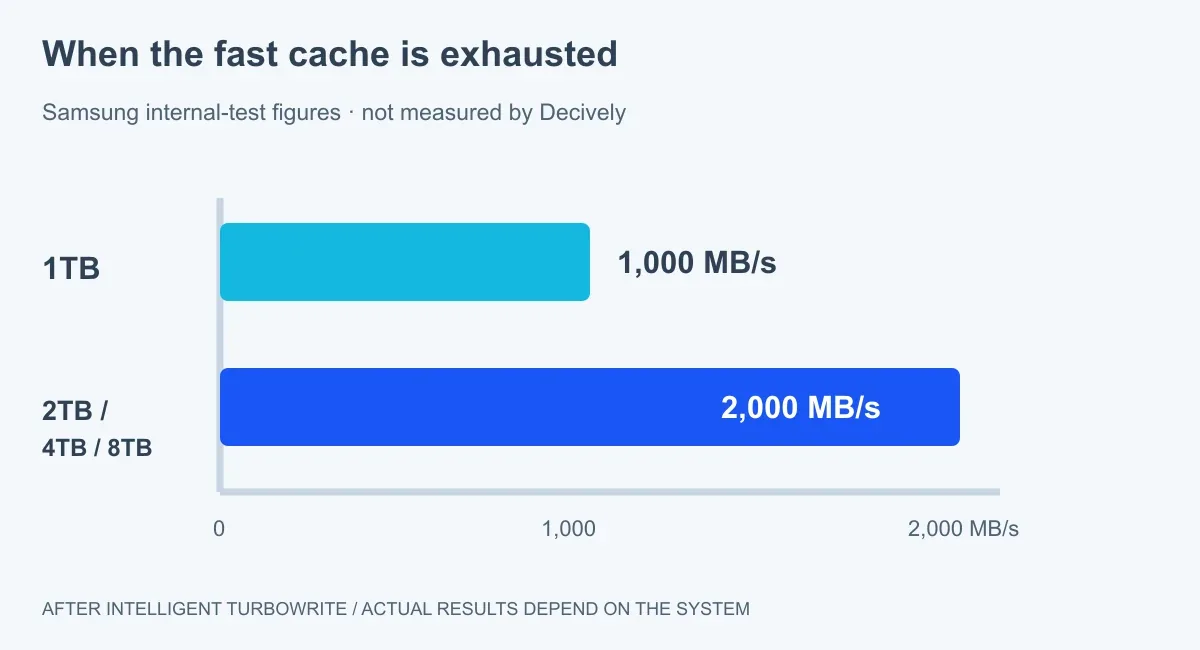
Samsung internal-test figures after Intelligent TurboWrite. Same zero baseline; these are manufacturer claims, not Decively measurements.
Samsung advertises up to 4,000MB/s reads and 3,800MB/s writes for the range. However, the UK 1TB specification lists 3,700MB/s writes. More importantly, its product-page footnote says that after Intelligent TurboWrite, writes settle at 1,000MB/s for 1TB versus 2,000MB/s for 2TB, 4TB and 8TB, under Samsung’s test conditions.
That makes the 2TB step potentially useful for sustained large transfers, beyond simply buying more space. It does not prove every copy will run twice as fast: cache size, temperature, free space and the host still matter. We found launch reporting, but no reliable exact-model independent long-write benchmark in this research pass.
DPReview’s launch coverage identifies sustained-throughput creator workflows as the intended use. It is announcement reporting, not a hands-on P9 test; older T9 or P9 Express tests cannot fill that evidence gap.
Price and availability change the answer
*Samsung internal tests after Intelligent TurboWrite. MSRP is Samsung’s announced US launch pricing, not a live Amazon quote. Taxes, local pricing and availability differ.
Samsung announced the P9 in August and confirmed its September launch on September 23, 2026. On October 6, the Samsung US page marked all four capacities out of stock. UK and Singapore product pages exist; that does not establish immediate stock in Canada, Australia or every European market.
Also consider Samsung’s T9 if its current price is substantially lower and its performance suits your work. Samsung rates the 4TB T9 at up to 2,000MB/s over USB 3.2 Gen 2×2. Check the host port for that interface too. Neither drive is automatically good value just because it has a higher speed number.
Who should buy it—and who should wait?
Consider P9
You regularly move large projects, have a verified fast connection and need portable working storage. Compare 2TB or larger if sustained writes are a priority.
Wait or spend less
Your port is slower, transfers are occasional, or you need measured thermal and sustained-speed results before investing.
For direct camera recording, verify the camera, codec, cable, power and file-system requirements first. Samsung’s 12K example used an 8TB drive with a Blackmagic URSA Mini Pro 12K at specific RAW settings; it is not universal camera compatibility.
For a simpler storage problem, see our iPhone external-storage guide. For the wider selection process, read Decively’s buying-guide approach.
Before you order
Will it reach 4,000MB/s on my laptop? That is Samsung’s maximum sequential-read claim, not a guarantee. Confirm the exact port, cable and source drive.
Is it a complete backup solution? No single drive is. Keep another copy of important files; encryption and drop resistance do not prevent every form of loss.
Should I buy now? Only if the connection, capacity, local stock and price fit a real workload. Otherwise wait for exact-model independent testing or choose a less expensive drive.
Research checked October 6, 2026. Sources: Samsung US launch announcement and live product listing; Samsung Semiconductor’s September launch update; Samsung UK, Singapore and Ireland P9 specifications and footnotes; USB-IF cable guidance; DPReview launch reporting. No independent P9 test results or owner experiences are presented as Decively testing.