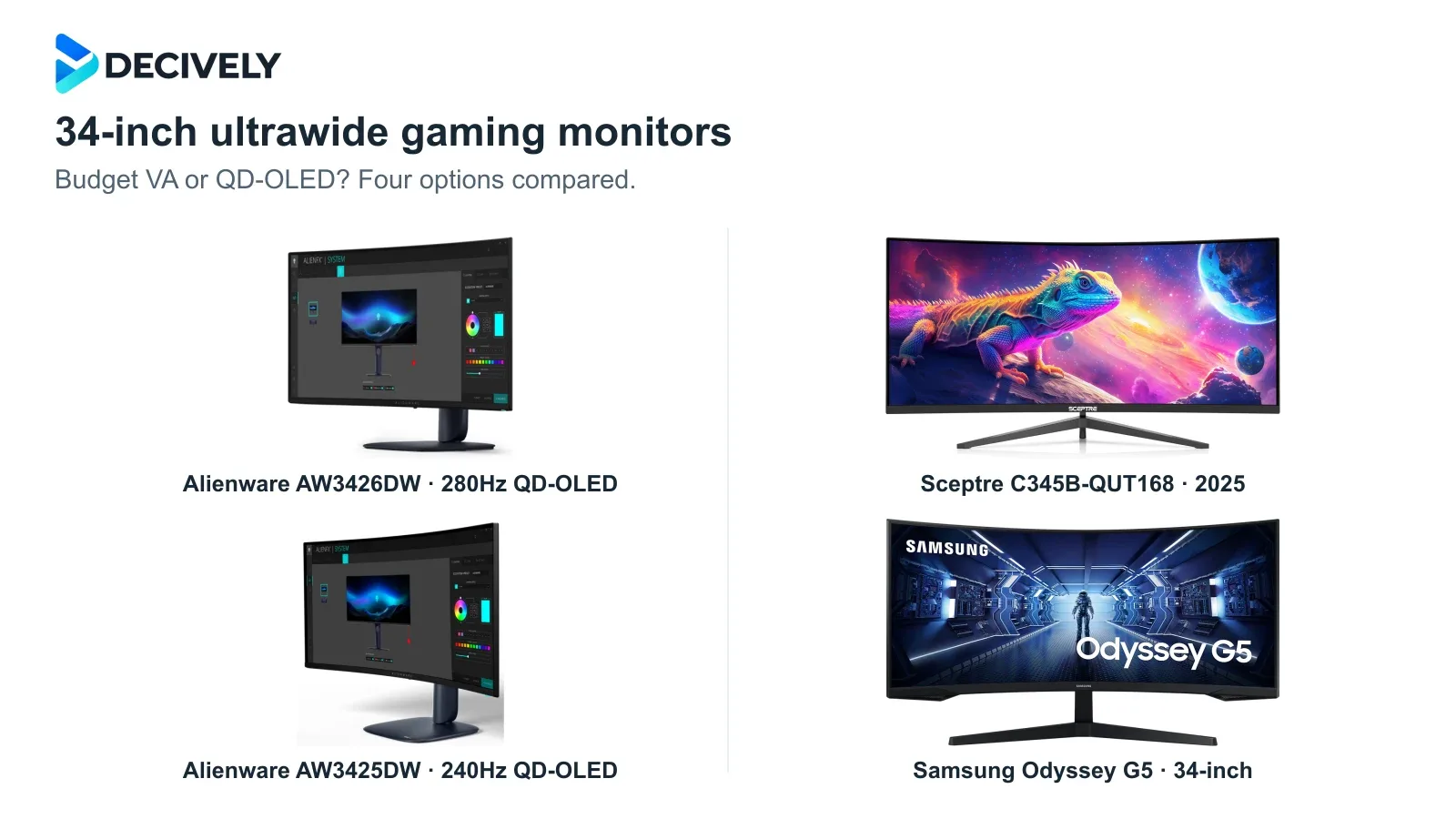
A 34-inch ultrawide can make a compatible PC game feel much more expansive. Choosing the best ultrawide gaming monitor means looking beyond refresh rate: these affordable VA and premium QD-OLED options differ in motion clarity, HDR, screen care and connection limits.
Quick verdict
Our OLED pick: Alienware AW3426DW. Choose it for a gaming-first setup when the price gap is manageable. Its newer panel improves text rendering as well as raising the refresh ceiling to 280Hz.
Lower-cost OLED: AW3425DW, but only at a meaningful discount. Its 240Hz panel remains compelling for gaming. At similar prices, we would take the AW3426DW.
Budget candidate: Sceptre C345B-QUT168, 2025 version. Consider it when it is substantially cheaper than OLED. Verify the 180Hz version; exact-model independent motion measurements are limited.
Samsung Odyssey G5 is a conditional buy. Its tight 1000R curve may appeal, but documented motion and VRR drawbacks make it a clearance-price option rather than our default recommendation.
Affiliate links. As an Amazon Associate I earn from qualifying purchases.
Four ultrawides, four buying conditions
Will your games and GPU benefit from ultrawide?
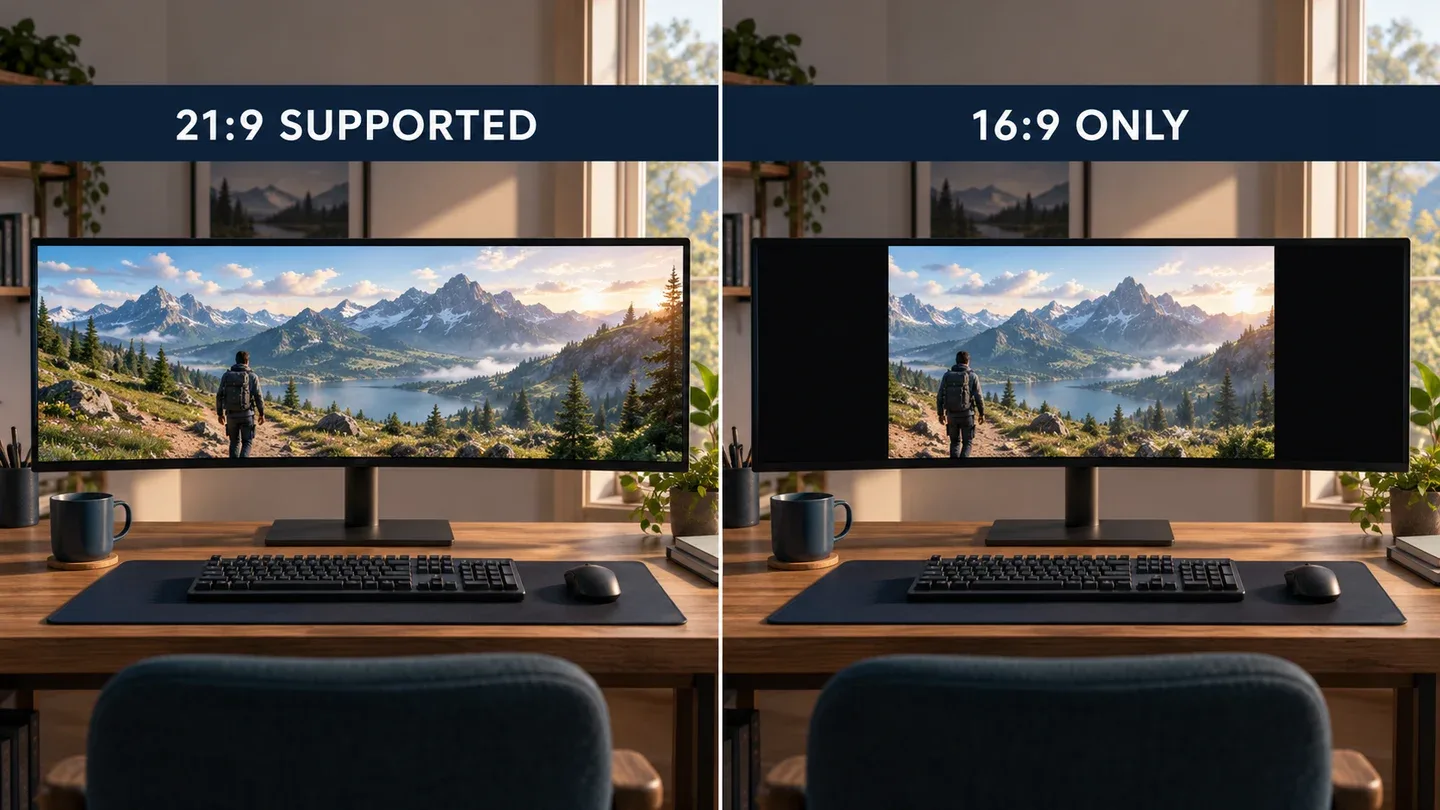
Generated illustration of generic displays showing full-width ultrawide support versus a centered 16:9 picture. Not photographs of these models or a performance comparison.
Check your actual games first. A supported 21:9 picture can show more horizontal scenery, but some games, competitive modes and cutscenes use 16:9. Expect side bars or other compromises. PS5 and Xbox Series X|S do not output native ultrawide gaming, so a 16:9 monitor is usually a better console-first purchase.
Budget for pixels, not just inches. At native resolution, 3440 × 1440 contains about 34% more pixels than 2560 × 1440. That is not a prediction of a 34% frame-rate loss: performance depends on the game, settings, upscaling and GPU. Look for benchmarks at the actual ultrawide resolution.
A 280Hz panel does not create 280fps. If your demanding games run around 90–120fps, the OLED benefit is largely response behavior and contrast, not using its maximum refresh rate. Confirm your GPU output, cable and selected display mode before assuming you will reach the advertised ceiling.
What you gain—and what you give up
AW3426DW: the OLED we would choose at similar prices
Tim Schiesser’s TechSpot testing found much cleaner text from the new RGB-stripe layout and improved HDR performance compared with AW3425DW. The gain is not a blanket brightness transformation: large bright scenes still trigger OLED brightness limits. That is a more useful expectation than reading its peak-nit claim as sustained whole-screen brightness.
It is a good fit for varied PC gaming with some desktop work. Dell’s US listing includes three-year coverage for OLED burn-in, subject to its warranty terms; verify seller eligibility and regional service. Warranty coverage does not eliminate burn-in risk or make permanent static dashboards the ideal workload.
Sceptre C345B-QUT168: verify the revision and port
The current linked listing identifies the 2025 model. Sceptre’s corresponding page specifies 180Hz through DisplayPort and only 100Hz through HDMI at 3440 × 1440. The same basic name also appears on an older 165Hz version, so check the selected version and the unit delivered.
Its appeal is obtaining the wide workspace for less money. We did not find robust independent response-time measurements for this exact 2025 revision. The advertised “1ms” blur-reduction figure is not proof that dark transitions are clean. Do not transfer tests of the different C345B-QUN168 to this model.
AW3425DW: the discount needs to matter
RTINGS’ original testing supports its fast OLED motion and deep blacks, while identifying text fringing and sensitivity to bright-room conditions. It is still a reasonable gaming purchase when the saving is meaningful and a clearer desktop is not your priority.
Both Alienwares offer HDMI 2.1 and DisplayPort 1.4, but their USB-C ports are for accessories, not video input and laptop charging. Choose the AW3425DW for its lower total cost—not because a 240Hz label alone proves better value.
Odyssey G5 34: buy the curve, with realistic limits
This is the LC34G55TWWNXZA, not a newer 27- or 32-inch G5. RTINGS found strong dark-room contrast, but mediocre fast-motion handling and bugs affecting VRR and input lag in its tested unit. It also reported that FreeSync did not work over HDMI.
Those findings concern an older test sample, not a promise that every current unit behaves identically. They are enough to make us cautious about recommending it for competitive play. Consider it only if you specifically want the pronounced 1000R curve and the price compensates for the compromises.
Which should you order?
Choose VA to limit spending or avoid OLED-specific static-image concerns. The Sceptre is the budget candidate here, with revision checks essential. Its lower price should leave a real saving after any stand or arm upgrade; our monitor arm guide explains mount and weight checks.
Choose QD-OLED for a gaming-first upgrade. AW3426DW is our preferred direction when the price difference is small; AW3425DW makes sense at a worthwhile discount. Follow panel-care prompts and avoid leaving fixed HUDs or desktop elements displayed unnecessarily.
Compare current offers for the exact versions. None is a universal winner across every game, room and price. The Amazon links target US listings; delivery, seller returns and warranty service vary by destination. For a separate work screen, see our dual-monitor laptop connection guide.
Research notes
Researched 19 October 2026. Decively has not tested these monitors. This guide combines exact-model manufacturer specifications with attributed original testing. Samsung findings are from RTINGS’ older C34G55T sample; Sceptre 2025 motion performance remains unverified. We do not infer current bestseller ranks, worldwide sales or guaranteed frame rates. Product imagery: Samsung, Sceptre and Dell; composition: Decively.
Dell AW3426DW — official specifications and US warranty Dell AW3425DW — official specifications Sceptre C345B-QUT168 (2025) — exact revision and input limits Samsung LC34G55TWWNXZA — exact-model specifications TechSpot — Tim Schiesser’s AW3426DW measurements RTINGS — original AW3425DW testing RTINGS — original C34G55T testing RTINGS — console and ultrawide compatibility tests