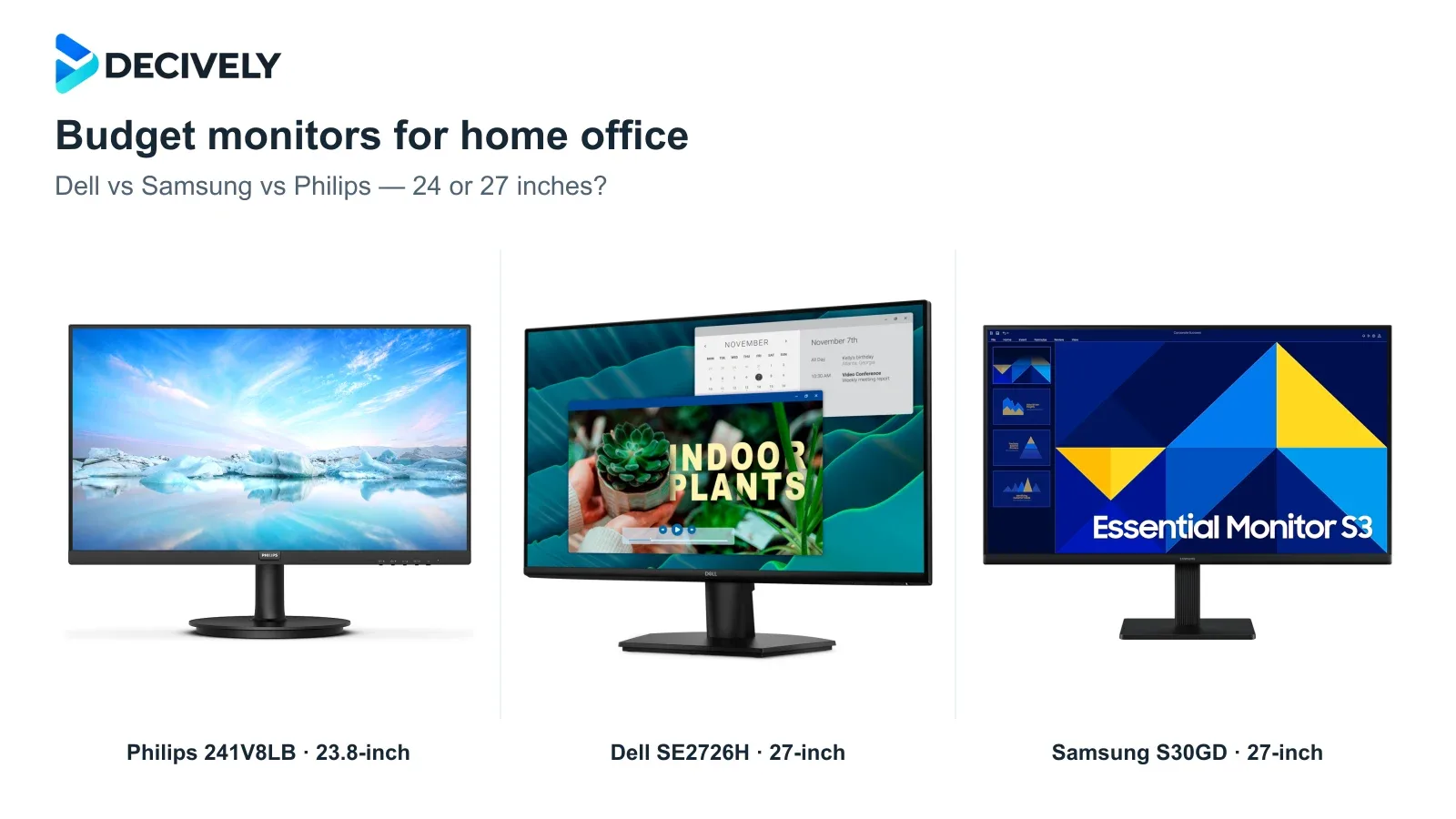
The best budget monitor for a home office is the one that fits your desk, text size and connections. These three Full HD options cover basic work well on paper, but a larger screen does not automatically create more workspace.
Quick verdict
Choose Philips 241V8LB for a compact desk. Its 23.8-inch Full HD panel packs the same pixels into a smaller area than the two 27-inch options. It is our practical starting point for a budget text-focused setup.
Choose Dell SE2726H for a larger display and two HDMI devices. The 27-inch IPS panel and up-to-144Hz refresh rate are useful extras when priced close to the Samsung. The stand only tilts.
Choose Samsung S30GD when its price or VGA input makes it the better fit. The exact LS27D304GANXZA is a 27-inch, 100Hz IPS monitor. It has HDMI and VGA—not DisplayPort or USB-C.
Affiliate links. As an Amazon Associate I earn from qualifying purchases.
Dell vs Samsung vs Philips: the useful differences
24 or 27 inches: what changes at Full HD?
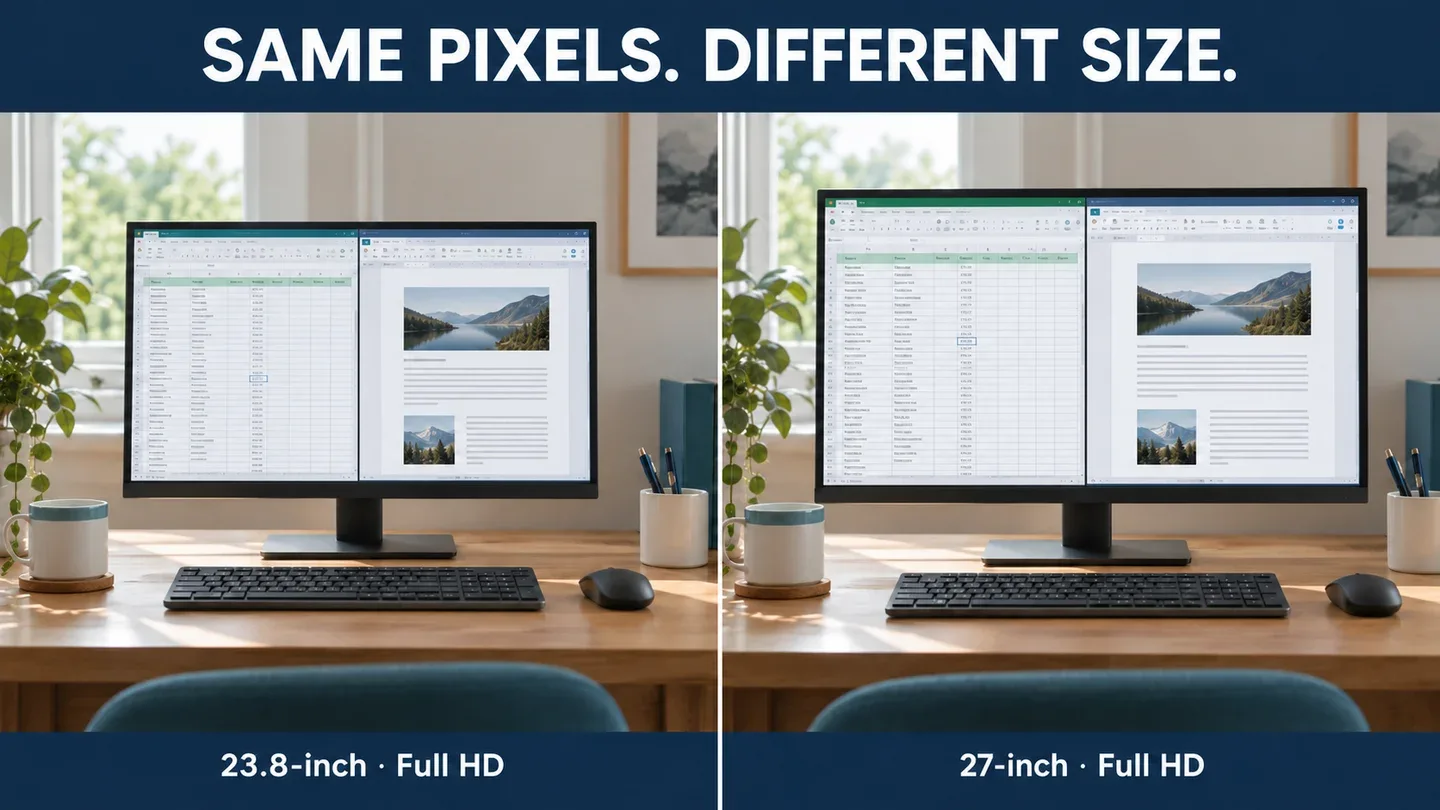
Generated illustration of generic screens showing the same intended workspace at different physical sizes. Not photographs of these models, a measured scale drawing or a text-clarity test.
All three have 1920 × 1080 pixels. With the same software scaling and window layout, moving from 23.8 to 27 inches makes a document or spreadsheet physically larger; it does not add more rows or columns. That can be useful if you prefer bigger interface elements.
The tradeoff is lower pixel density. RTINGS’ photographed 24-versus-27-inch comparison illustrates the effect on text when resolution stays at 1080p. Those test monitors are not these three models, so this supports the size/resolution principle rather than a product-specific sharpness ranking.
For a shallow desk and small text, start with the 23.8-inch option. If you want a 27-inch display to fit more work, consider 2560 × 1440 instead: it has about 78% more pixels overall. Actual usable space still depends on scaling. Do not pay extra for 27-inch Full HD expecting that upgrade.
Which budget monitor fits your setup?
Philips 241V8LB: the compact starting point
The smaller width leaves more room for a laptop, papers or a second screen. Its higher pixel density is the key reason to consider it for close document work. Philips specifies a VA panel; that does not by itself establish measured color accuracy or response performance.
Use HDMI for the advertised Full HD 100Hz mode; Philips’ /27 datasheet qualifies its maximum resolution as HDMI-only. The stand is basic, so include a riser or compatible arm in your cost comparison if you need a higher screen position.
Dell SE2726H: useful if you need two HDMI inputs
Two HDMI inputs let you leave a work laptop and another HDMI device connected, then select the input. That is input switching, not a keyboard-and-mouse KVM. The 144Hz ceiling is a welcome extra for scrolling and casual use, provided your computer and adapter support it.
It remains a 27-inch 1080p display with a tilt-only stand. We would buy it for its connections and current price rather than treating “144Hz” or its advertised “1ms MPRT” as evidence of sharper text or independently tested gaming performance.
Samsung S30GD: buy the right variant at the right price
This is the 27-inch LS27D304GANXZA. Its VGA input may help with an older PC, while HDMI is the straightforward choice for a modern laptop. Be careful with generic “Samsung S3” reviews: specifications for other variants do not establish this model’s ports or features.
If it costs noticeably less than the Dell and you only need one HDMI connection, the Samsung is a sensible larger-screen candidate. At a similar price, we favor the Dell’s extra HDMI input and higher refresh ceiling. Neither improves the pixel count over the compact Philips.
Three checks before ordering
Connect without surprise extras. An HDMI laptop output is simplest. With USB-C, confirm video-output support and budget for a suitable adapter if needed; these monitors still require separate laptop charging. Keep your laptop audio or headset available for calls.
Include positioning in the budget. Measure screen width and space behind the stand. A low purchase price is less attractive if a riser or arm makes the complete setup cost similar to a height-adjustable alternative. Our monitor arm guide covers the mounting checks.
Choose the lowest-cost setup that meets the need. Philips for a compact Full HD desk; Dell for a larger panel and two HDMI sources; Samsung for a worthwhile saving or a VGA requirement. For two separate displays, check our laptop dual-monitor connection guide. The Amazon links target US listings; verify delivery, seller returns, included cables and local warranty coverage.
Research notes
Researched 19 October 2026. Decively has not tested these monitors. This is an editorial comparison of exact-model specifications, connection requirements and display-size tradeoffs. RTINGS supplies independent photographed size/resolution comparisons, not tests of these exact products. We found insufficient reliable exact-model testing to rank their color accuracy, motion or long-term reliability. No changing Amazon prices, customer ratings or current bestseller positions are reproduced. Product imagery: Philips, Dell and Samsung; composition: Decively.
Dell SE2726H — official specifications and box contents Samsung LS27D304GANXZA — exact-model specifications Philips 241V8LB/27 — official US product page Philips 241V8LB/27 — detailed manufacturer datasheet RTINGS — photographed 24-inch and 27-inch comparison RTINGS — text clarity and pixel-density testing methods