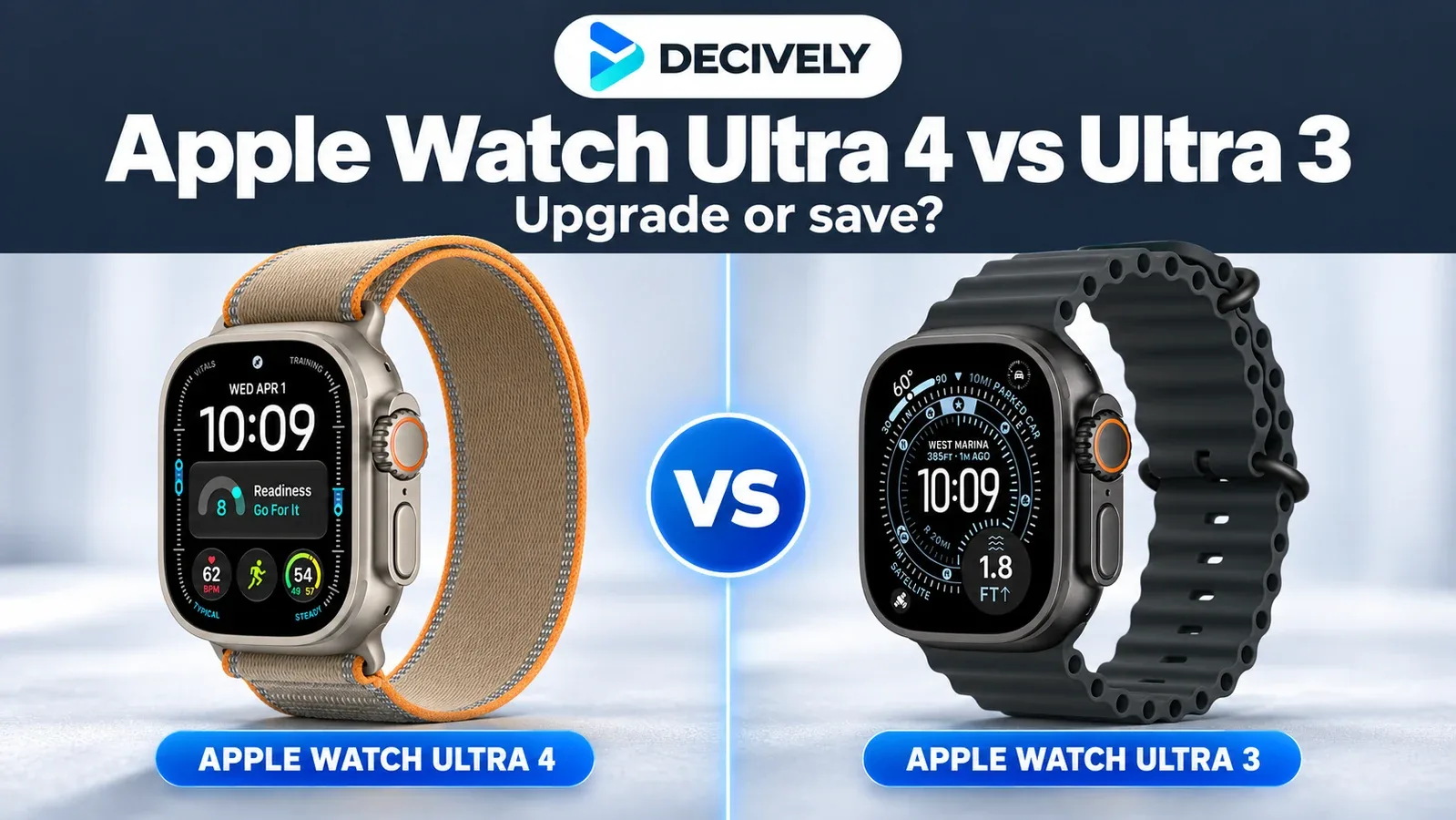
A newer Ultra is not automatically a better purchase. This Apple Watch Ultra 4 vs Ultra 3 comparison focuses on what changes your day: charging, long workouts, recovery insights and the price gap.
Apple Watch Ultra 4 vs Ultra 3: quick verdict
Buying your first Ultra? In the Apple Watch Ultra 4 vs Ultra 3 comparison, choose Ultra 4 when the price gap is small and you want native Readiness or extra endurance. A substantially cheaper Ultra 3 remains appealing for ordinary workouts, navigation and a large display.
Already own Ultra 3? The Apple Watch Ultra 4 vs Ultra 3 decision starts with your longest activity: keep the watch if it comfortably finishes it. Upgrade when charging interrupts your routine or the new recovery tools would influence your training. Both are large, iPhone-only watches.
As an Amazon Associate I earn from qualifying purchases. Affiliate disclosure.
Apple Watch Ultra 4 vs Ultra 3: the differences that matter
The Apple Watch Ultra 4 vs Ultra 3 choice does not bring a bigger screen. Apple's two specification sheets list the same 49 × 44 × 12mm case dimensions. Fit matters more than the small weight difference: try a 49mm watch before paying for either generation.
Apple Watch Ultra 4 vs Ultra 3 battery life: compare workout modes

Illustration of everyday use versus a long workout, not an Apple product photograph or a battery test. Maximum workout modes reduce some tracking features.
For Apple Watch Ultra 4 vs Ultra 3 battery comparisons, note that Ultra 4's 45-hour setting sacrifices alerts, splits and some metrics. Extended Workout also removes running-form metrics. For a race where you need full feedback, start with the 18-hour figure. Apple publishes these conditions on its battery page; its older Ultra 3 battery documentation specifies the different sampling settings.
The everyday-use evidence for Apple Watch Ultra 4 vs Ultra 3 is limited: Tom's Guide's Ultra 4 reviewer reported comfortably reaching two days. That supports the broad endurance claim, but is not a controlled Ultra 3 comparison. Cellular use, music, cold and long workouts can change your result.
Both specification sheets say approximately 45 minutes from empty to 80%. The improvement is the claimed use recovered from a short top-up: 15 minutes adds up to 18 hours on Ultra 4, versus 12 on Ultra 3. Ultra 4's test uses its included newer A3277 fast-charge cable; do not assume an older charging setup gives the same result.
Apple Watch Ultra 4 vs Ultra 3: health and Readiness
In Apple Watch Ultra 4 vs Ultra 3, the newer sensing system enables more frequent background readings on Ultra 4. Its main buying benefit is native Readiness: a 0–10 score combining activity, vitals and sleep. Apple's support guide limits that app to Series 12 and Ultra 4, ages 13 and up, and requires initial overnight data. Updating Ultra 3 to watchOS 27 does not add it.
For Apple Watch Ultra 4 vs Ultra 3 heart-rate accuracy, the independent evidence is encouraging, not universal. TechRadar's 30-minute hilly run recorded an Ultra 4 average of 160bpm against 158bpm from a Frontier X2 chest monitor. DC Rainmaker's separate outdoor-cycling dataset shows 119.46bpm against 118.77bpm from a Polar H10. Close averages do not prove every interval or every wrist was tracked correctly; neither test establishes a direct Ultra 3 disadvantage.
Readiness is a wellness aid, not medical clearance to exercise. Both generations already offer ECG, sleep-apnea and hypertension notifications where eligible. Blood Oxygen, age requirements and availability vary by model and country, so do not buy on the assumption that every health function works worldwide.
Apple Watch Ultra 4 vs Ultra 3: GPS and outdoor tools
Dual-frequency GPS is shared in Apple Watch Ultra 4 vs Ultra 3. In Nick Harris-Fry's Tom's Guide half-marathon test, Ultra 4 logged 13.31 miles and produced a route similar to the Coros reference. He did not treat the official 13.1-mile distance as proof of error, because runners took wider turns and weaved. Ultra 3 was not in that test: it cannot justify a claimed generational accuracy win.
For Apple Watch Ultra 4 vs Ultra 3 outdoor use, both offer offline maps, Backtrack, an Action button and satellite communication. Satellite service depends on country, open-sky conditions and the specific feature; Messages and Find My have carrier-plan requirements. It is not a worldwide replacement for phone coverage. If those existing outdoor tools meet your needs, the longer workout window is the clearer reason to upgrade.
Shared watchOS features and the promises to wait for
In Apple Watch Ultra 4 vs Ultra 3, both generations support watchOS 27. Its single-tap Smart Stack gesture and other interface updates are not exclusive reasons to buy Ultra 4. Apple's compatibility chart requires an iPhone 11 or later with iOS 27 for Ultra 4; Ultra 3 started with iOS 26 and needs iOS 27 for the newer watch software. Neither pairs with Android.
When weighing Apple Watch Ultra 4 vs Ultra 3, treat Live Rewind and Siri Recap as announced later-2026 beta features, not a finished benefit today. Siri AI is a separate rollout requiring an Apple Intelligence-enabled device and a supported language. Apple's current watchOS page says English rollout; the launch documentation says it was not initially available on watchOS in the EU. A compatible iPhone does not automatically qualify for every AI feature.
Apple Watch Ultra 4 vs Ultra 3: which should you buy?
Choose Ultra 4 in the Apple Watch Ultra 4 vs Ultra 3 comparison if longer events or native recovery guidance are central to your routine and the extra cost is manageable. Match the seller, warranty and included band before comparing offers. The linked US configuration is Natural Titanium with a Sand Trail Loop, M/L.
Choose Ultra 3 when the saving in Apple Watch Ultra 4 vs Ultra 3 is large enough to outweigh those benefits. The linked configuration is Black Titanium with a Black Ocean Band, One Size. For used or renewed offers, check condition and battery information; a worn battery can erase the endurance saving.
International readers should check delivery, import costs, warranty and carrier compatibility on the destination listing. For lower-cost alternatives, start with our Best Value Smartwatches guide.
Apple Watch Ultra 4 vs Ultra 3: common buying questions
Does Ultra 3 get Readiness through watchOS 27?
No. Apple's current support guide lists native Readiness on Series 12 and Ultra 4. Shared watchOS support does not remove that hardware restriction.
Does Ultra 4 have more storage?
Both list 64GB storage. The chip changes from S10 to S11; that does not mean the listed storage capacity doubles.
Is Ultra 4 worth replacing a working Ultra 3?
For existing owners weighing Apple Watch Ultra 4 vs Ultra 3, usually only a specific endurance or Readiness need justifies replacement. If your current watch lasts through your activities, the meaningful decision is whether those additions justify the replacement cost.
Research notes
Researched 14 October 2026. This Apple Watch Ultra 4 vs Ultra 3 comparison is research-based; Decively has not physically tested these watches. Apple figures are manufacturer claims. Named reviewers and datasets supply the independent results, under different protocols. There is not yet a long-term Ultra 4 ownership record comparable with Ultra 3.
Product imagery: Apple Newsroom and Apple catalogue. Editorial composition: Decively. The Ultra 3 catalogue photograph shows the same Black Titanium/Ocean Band configuration; its source page is refurbished, which does not describe the condition of the linked Amazon offer. The added Ultra 4 card image is from Apple Newsroom; the Ultra 3 card uses the product image from the linked Amazon listing.
Apple — Ultra 4 technical specifications
Apple — Ultra 3 technical specifications
Apple — Ultra 4 launch and rollout conditions
Apple — current battery test conditions
Apple — Ultra 3 outdoor-workout battery conditions
Apple — Readiness requirements
Apple — watchOS 27 compatibility and shared features
Apple — iPhone compatibility
Apple — satellite requirements
TechRadar — original hilly-run heart-rate test
DC Rainmaker — original outdoor-cycling dataset
Tom's Guide — original half-marathon GPS test
Tom's Guide — Ultra 4 review and everyday battery observations