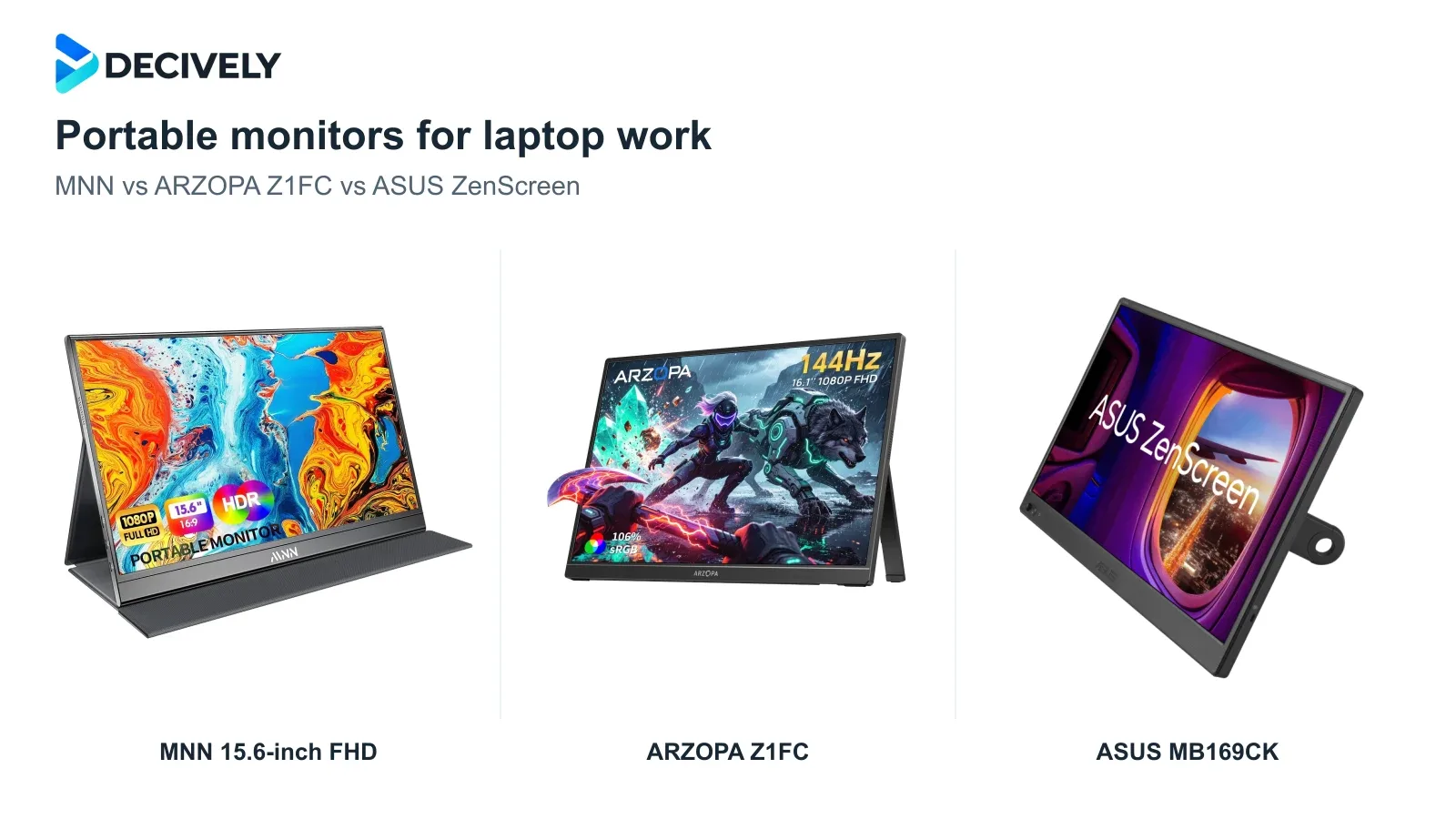
The best portable monitors for laptop work should make email, documents and spreadsheets easier to manage away from your desk. These three popular Full HD options serve different needs; the right connection matters as much as the screen.
Quick verdict
Our default pick: ARZOPA Z1FC when its price premium is modest. Its built-in kickstand and 144Hz screen make it the most versatile choice here for work plus occasional gaming. It has no Adaptive Sync.
Choose MNN 15.6-inch when it is clearly cheaper and you mainly want documents or email beside your laptop. Its folio stand is less adjustable, and independent testing found limited color performance.
Choose ASUS ZenScreen MB169CK if the detachable 360° kickstand, portrait positioning and tripod socket justify the extra cost. It remains a 1080p/60Hz screen; paying more does not buy more workspace.
Affiliate links. As an Amazon Associate I earn from qualifying purchases. Amazon may show local alternatives; check the exact model, bundle, seller, delivery and returns before ordering.
MNN vs ARZOPA vs ASUS at a glance
Will it work with your laptop?
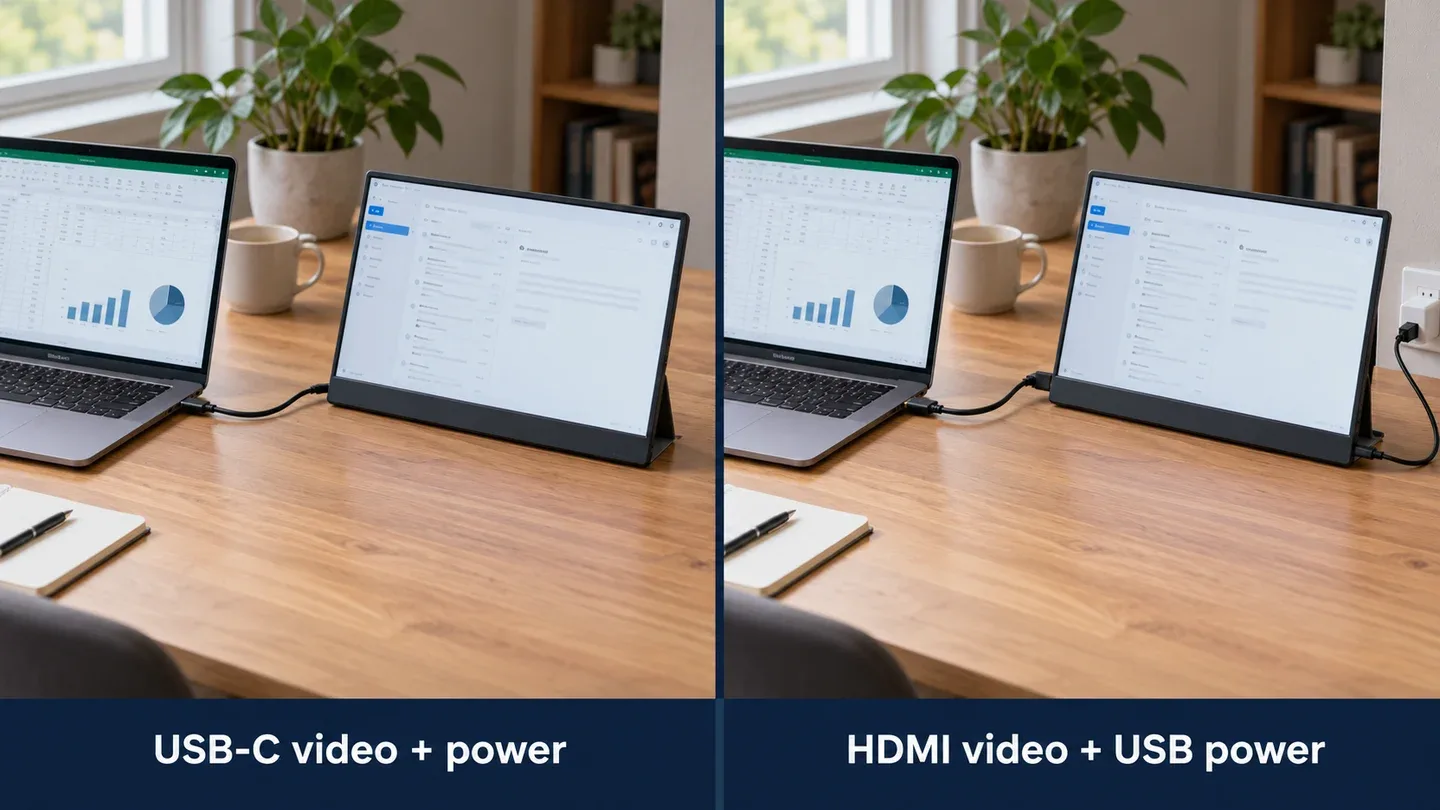
Generated connection illustration using generic equipment. USB-C can carry video and power only with a compatible port and cable; HDMI requires separate USB power.
USB-C with video output: check your exact laptop's specifications for DisplayPort Alt Mode or supported Thunderbolt/USB4 display output. Use a full-featured USB-C video cable. A charging-only USB-C port or cable will not send an image.
HDMI-only laptop: use an HDMI-to-Mini-HDMI cable for the picture and USB-C for the monitor's power. HDMI does not power these screens. Pack the correct cable: Mini HDMI is different from full-size HDMI and Micro HDMI.
Black screen, flicker or restricted brightness? Connect the monitor to a suitable USB supply as its manual directs. A laptop port may provide insufficient power, especially at higher brightness. The ASUS manual shows an external supply of at least 10W; this is monitor power, not laptop charging. For more displays, see our laptop dual-monitor connection guide.
Which portable monitor fits your work?
MNN: basic extra space at the right price
ServeTheHome's M156F01 test found weak color coverage and accuracy, but useful extra screen space for ordinary tasks. That makes the MNN a sensible email, reference-document or spreadsheet companion, rather than a portable photo-editing display.
The cover protects the screen and supplies two main viewing angles. Check that those angles suit your desk; a folio is less flexible than an adjustable kickstand. Choose MNN when the saving over the Z1FC is meaningful.
ARZOPA Z1FC: the strongest mixed-use option
The integrated kickstand supports landscape and portrait use without folding a folio. The 144Hz refresh rate can make scrolling and motion smoother when your computer actually outputs 144Hz, but it does not fit more spreadsheet cells than 1080p/60Hz.
PCWorld measured 337 nits on the carrying-case version, while explicitly excluding the untested no-case version from its image-quality results. Treat that as context, not a guarantee for this bundle. Its test also found poor HDR and no Adaptive Sync; the current ARZOPA specification table confirms no FreeSync.
ASUS MB169CK: buy it for the stand
The screw-in 360° kickstand and rear tripod socket offer more positioning options for document work. ASUS lists an anti-glare surface, 250-nit brightness and 0.78kg weight without the stand. It is not an independently tested picture-quality winner in this comparison.
ASUS supplies orientation software for automatic rotation on Windows and macOS; do not assume hardware portrait support means automatic rotation without software. Check the regional accessory bundle: ASUS lists a sleeve and cables, while the manual describes the power adapter as optional.
What to check before ordering
Compare the complete travel kit. A bare-screen weight is not the weight in your bag: add the cover or stand, cables and any required charger. MNN weight figures vary across its listing and manual, so they do not support a reliable lightest-model ranking. The linked Z1FC listing does not establish that a protective sleeve is included.
Keep expectations matched to the job. All three are 1080p screens suited to ordinary second-screen tasks. If very small text, color-critical work or outdoor sunlight is the priority, this shortlist is a compromise. Choose the Z1FC for its stand and smoother motion, the MNN for a worthwhile saving, or the ASUS for positioning features you will actually use.
Research notes
Research checked 18 October 2026. Decively has not tested these monitors. Specifications come from manufacturer documentation and the exact listings; independent observations are attributed to ServeTheHome and PCWorld, with bundle limits stated. Product imagery: MNN, ARZOPA and ASUS; composition: Decively.
MNN — original M156F01 manual, hosted copy ServeTheHome — MNN M156F01 hands-on testing ARZOPA — Z1FC specifications and connection guidance PCWorld — Z1FC test and bundle limitation ASUS — MB169CK specifications ASUS — MB169CK connection and accessory manual