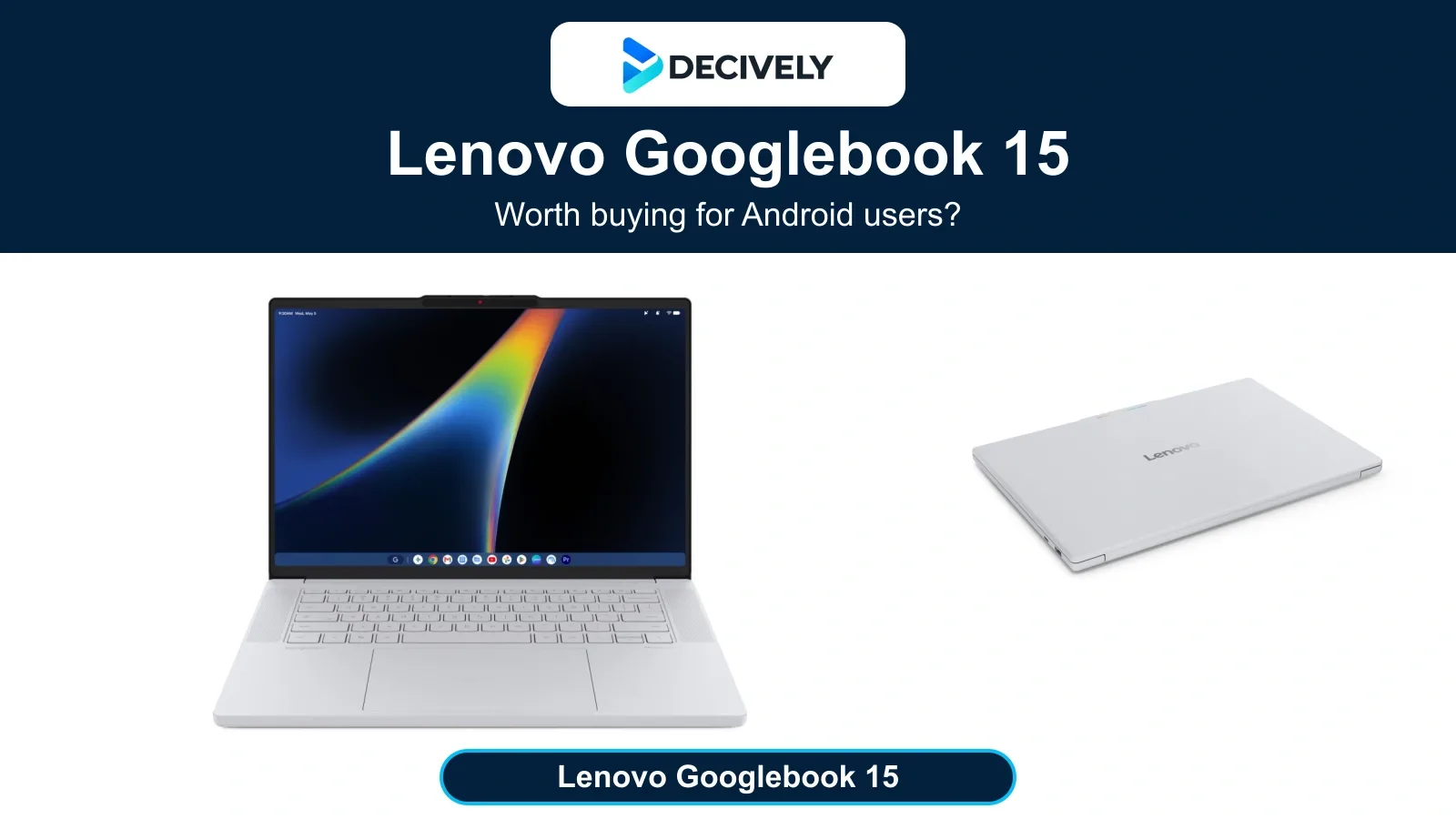
The Lenovo Googlebook 15 launched on October 4, 2026, from an announced US $1,099.99. Its buying question is simple: does your work fit Googlebook OS?
Quick verdict: who is it for?
This is a researched buying guide, not a Decively hands-on review. The useful upgrade is a better daily workflow; built-in Gemini alone is not enough reason to replace a laptop that already does your job.
The hardware that matters
Lenovo specifies 500-nit brightness and a haptic touchpad. Those are specifications, not independently measured display results. In his October 5 first impressions, Paul Thurrott praised the screen and found the keyboard and touchpad worked well early on. That supports the hardware’s appeal, not a long-term reliability verdict.
Battery life: plan around measured use
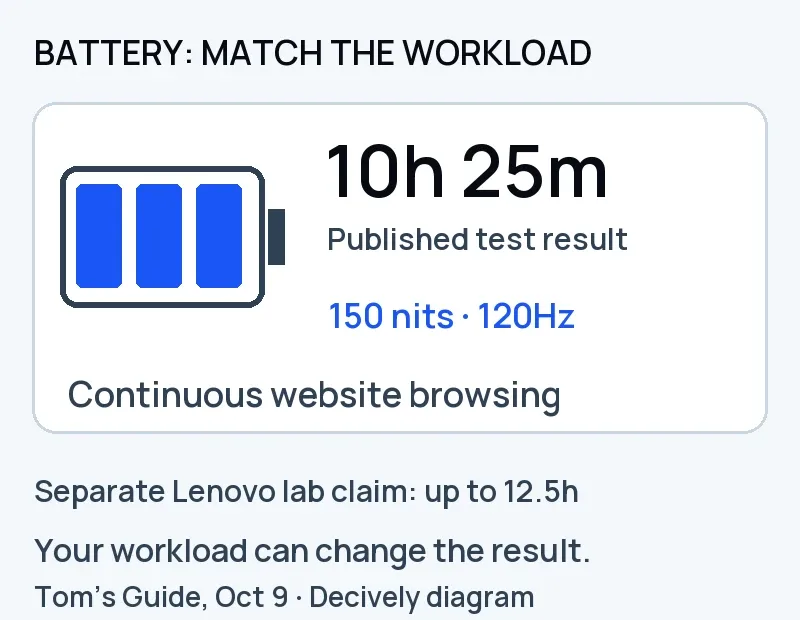
Original Decively diagram of Tom’s Guide’s October 9 result. Different workloads prevent a direct comparison with Lenovo’s separate laboratory claim.
Lenovo claims up to 12.5 hours under internal laboratory conditions. Tom’s Guide’s October 9 report lists 10 hours 25 minutes for this model in continuous website browsing at 150 nits and 120Hz, with Bluetooth and location disabled.
The workloads differ, so this is not a controlled claim-versus-test comparison. October 7 figures were initially single runs. October 9 describes a three-run method but does not specify Lenovo’s completed run count. Treat the result as early evidence.
Decively’s buying interpretation: do not budget the same runtime for brighter screens, video meetings or heavier apps. Keep charging access in mind if an uninterrupted working day is essential.
Android integration: check your actual phone
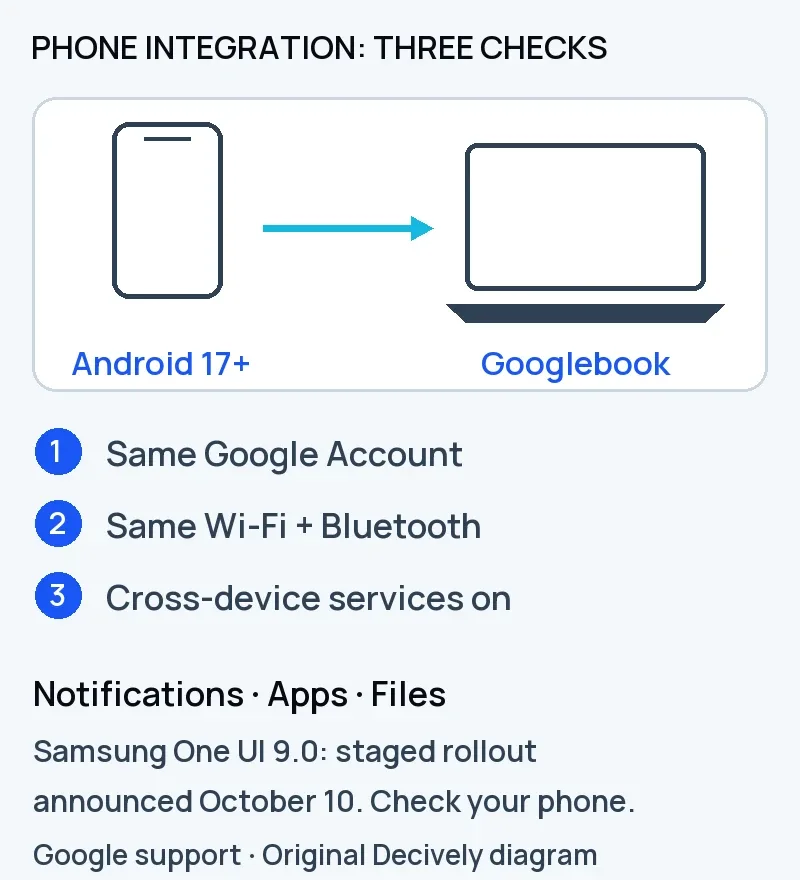
Original Decively schematic. Google announced a staged Samsung One UI 9.0 rollout on October 10; app and content restrictions still apply.
Google’s support instructions require Android 17 or later, the same Google Account, Bluetooth, Wi-Fi and a shared Wi-Fi network for notification syncing. Permissions and cross-device services must be enabled; some notification types do not sync.
On October 10, Google announced that Better Together features were rolling out to Samsung phones on One UI 9.0 / Android 17. That is a rollout over several days, not confirmation that every eligible Samsung phone has them today.
Cast My Apps streams supported phone apps; Google excludes some sensitive or copyright-protected content. If your phone cannot meet these conditions, reduce the value you assign to the integration. An Android brand name alone does not establish compatibility.
App compatibility comes before AI
Google told Android Authority on October 7 that 96.6% of its top 10,000-plus most-used Android apps were available and worked on Intel Googlebooks. This is Google’s compatibility claim, not a Decively test or a guarantee for your particular app.
Google documents a Linux development terminal. Googlebook OS is not Windows. Check the exact versions of your office software, creative tools, games, VPN and peripherals, including plug-ins and file workflows. An Android or web version may not replace a desktop workflow.
If Windows compatibility is the deciding factor, also read our Surface Laptop Ultra buying guide rather than choosing a platform solely for its AI features.
What the AI bundle really adds
Google describes Magic Pointer as contextual Gemini help and Rambler as dictation that restructures spoken notes. Those are useful ideas for repetitive work; output still needs checking.
Google’s offer provides eligible buyers with 12 months of Google AI Pro, followed by paid renewal unless cancelled. Age, language, country and internet requirements apply. Check eligibility and renewal terms rather than pricing the subscription as permanently free.
The announced US price is a launch reference, not a live offer. Local stock, configurations, taxes and warranty differ; a platform launch in a country does not prove that your preferred Lenovo configuration is on sale there.
Before buying: a three-minute checklist
The Lenovo Googlebook 15 is worth considering when those checks pass and the large screen improves your everyday work. If one essential workflow fails, wait. A premium display cannot fix the wrong software platform.
Two quick answers
Does it replace a Windows laptop? Only if your necessary workflows are supported on Googlebook OS. The Intel processor does not establish Windows app compatibility.
Is it worth buying just for Gemini? Usually not if your existing laptop already meets your needs. The stronger case is the combination of hardware and verified phone integration.
Research notes
Researched October 11, 2026. Specifications and offer terms: Lenovo’s September 28 announcement. Battery measurements: Tom’s Guide, October 9. Hardware impressions: Paul Thurrott, October 5. App claim: Google’s statement to Android Authority, October 7. Phone requirements and rollout: Googlebook Help and Google’s October 10 community announcement. Additional official reference: Googlebook’s AI features. Source links checked 13 October 2026.