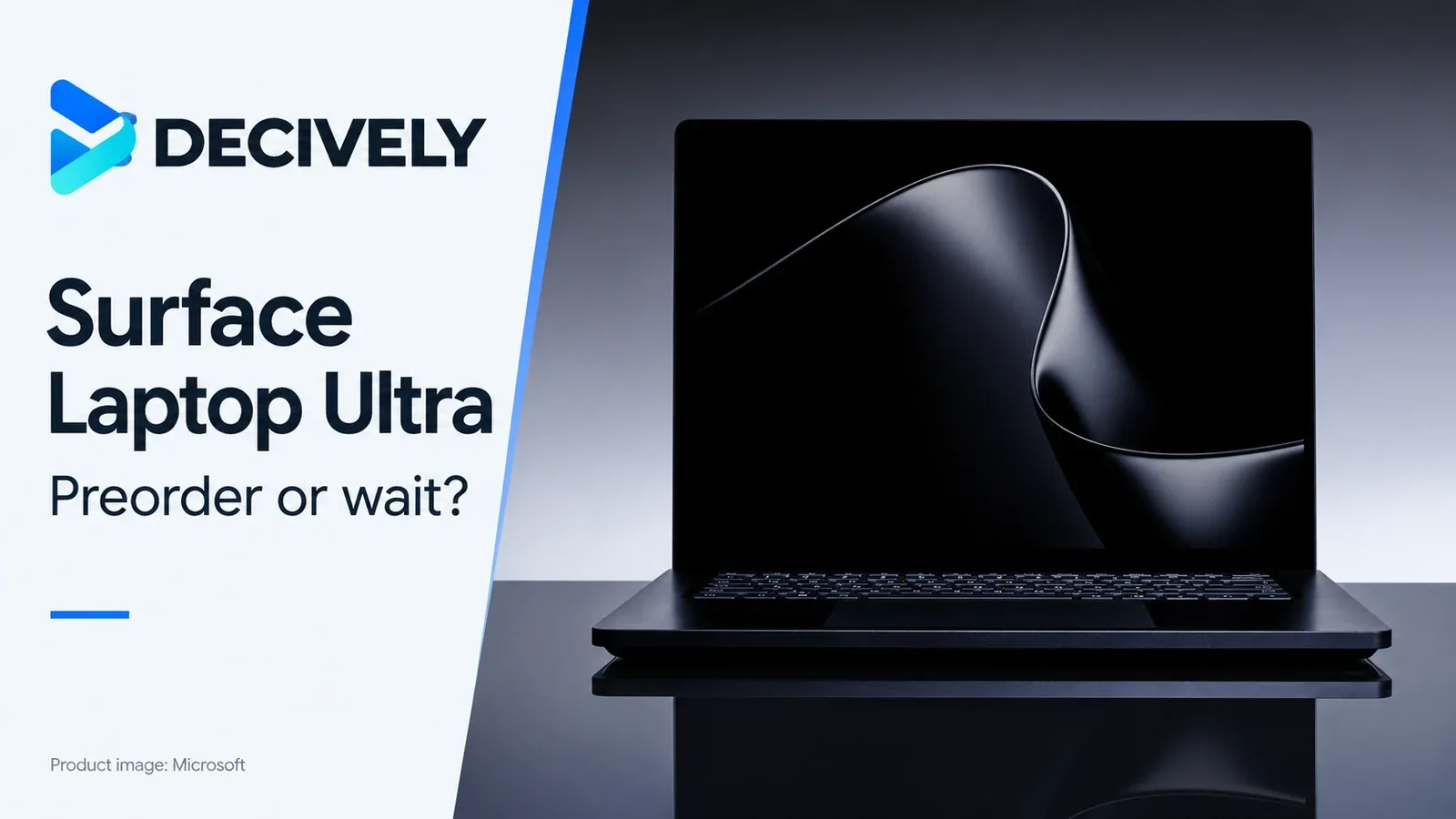
Product image: Microsoft. Used with permission from Microsoft. Editorial composition: Decively.
The Surface Laptop Ultra is now available to preorder, but its best reason to exist is more specific than “a faster Windows laptop”: running demanding AI and creative workloads on a machine you can carry.
Microsoft opened preorders on October 7, with availability beginning October 16. Its announced US starting MSRP is $2,599; that is the entry configuration, not the advertised 128 GB model. Prices and configurations vary by market.
Quick verdict: preorder only for a workload you can name
Consider it if you already use local AI models or GPU-accelerated creative tools and can verify that your software supports its Arm platform.
Wait if you need measured battery life, sustained performance or confirmation that specialist plugins and peripherals work. Skip it if your main activities are browser tabs, documents, meetings and cloud chatbots.
Our buying view: the combination of NVIDIA acceleration and a large shared memory pool is interesting. Buying expensive hardware for an unspecified future AI workflow is harder to justify.
This is a launch buying guide based on official documentation and credited early hands-on reporting. Decively has not tested the laptop.
What you are actually buying
Microsoft’s US Business store separately starts at $2,749.99 and lists configurations from 24 GB to 128 GB memory. Do not compare that Business starting price with the consumer announcement as though they were the same offer.
Local AI: memory matters more than the headline
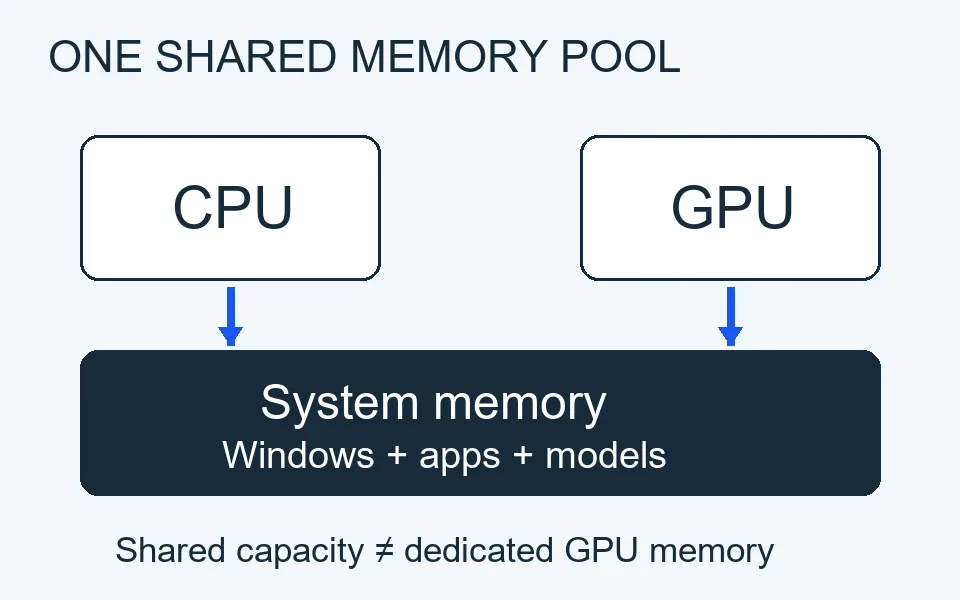
Shared capacity is not dedicated GPU memory; this diagram does not depict allocation proportions.
NVIDIA describes RTX Spark as combining up to a 20-core Grace CPU and 6,144-core Blackwell RTX GPU, with a 600 GB/s connection. CUDA support is the practical attraction for people whose tools already use NVIDIA acceleration.
The shared memory design can accommodate workloads that exceed the graphics memory of conventional laptops. It does not give the GPU exclusive access to every advertised gigabyte: Windows, applications and CPU workloads also need space.
The “one petaflop” figure is theoretical sparse FP4 performance, according to Microsoft’s launch footnote. It is not a prediction of response speed in your preferred model.
Before choosing a configuration, identify your model, quantization, context length and acceptable response speed. A demonstration that a large model fits is not evidence that your everyday workflow runs comfortably. Local processing also does not make every application offline: cloud features remain dependent on the software you use.
Check your software before your shopping basket
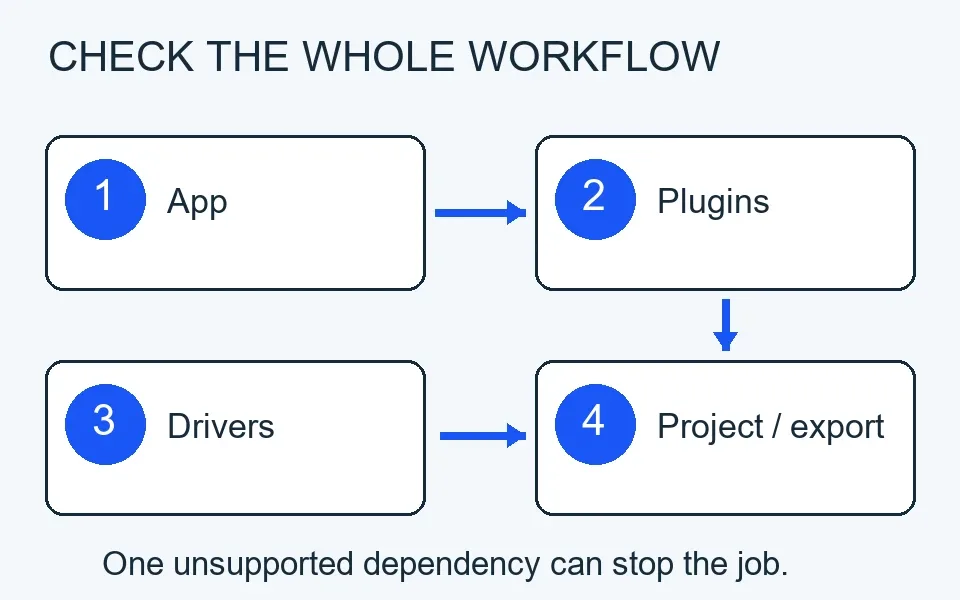
Confirm every dependency, not just whether the application launches.
The laptop uses Windows on Arm. That makes compatibility a buying condition, especially when expensive hardware supports a specialised workflow.
Microsoft Learn explains that x86 and x64 applications can run through emulation, with performance overhead. Kernel-mode drivers and user-mode print drivers require native Arm64 versions.
Check four things: your main application, its plugins, any licensed utilities, and the drivers for connected equipment. An application launching successfully is only the first check; your full project and export process must also work.
NVIDIA support does not automatically remove those dependencies. If one essential tool remains unsupported, a conventional Windows workstation may be the safer purchase.
The screen and ports are useful; the battery still needs evidence
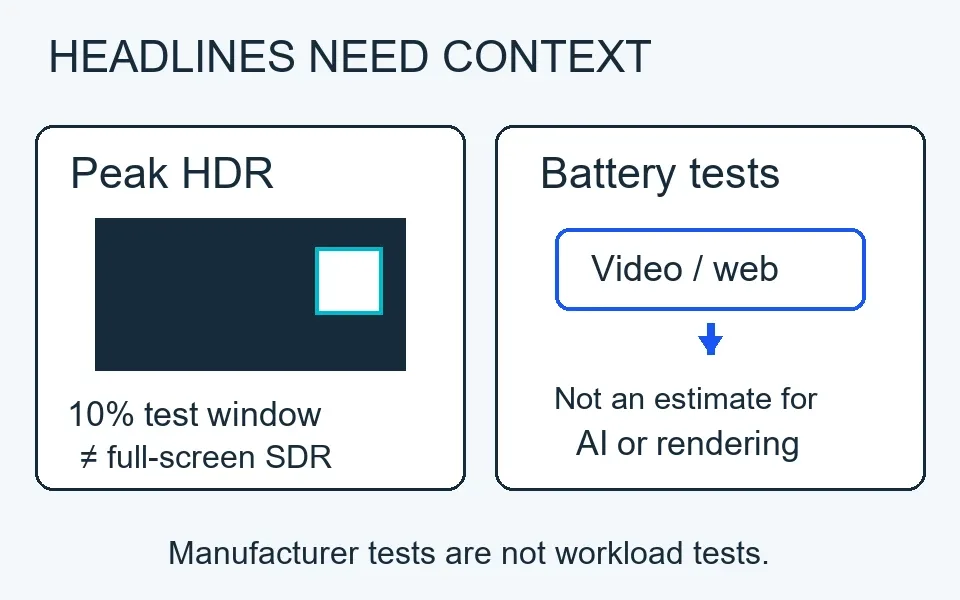
Conceptual illustration, not measured brightness, battery life or relative performance.
Microsoft’s consumer specification footnotes put the 2,000-nit claim in context: peak HDR over a 10% window. Sustained brightness and SDR brightness are lower. That distinction matters more than repeating “2,000 nits” without qualification.
The touchscreen supports touch, but not Surface Pen or Surface Slim Pen input. Choose a different device if drawing directly on the display is central to your work.
Microsoft lists three USB-C ports, USB-A, HDMI, an SD card reader and a headphone jack. The magnetic charging cable releases from a USB-C port that remains usable for data and video, according to the launch announcement.
Microsoft’s Business FAQ quotes up to 15 hours of local video playback and 12 hours of active web use. Consumer test notes describe preproduction 64 GB hardware, 150-nit brightness and controlled workloads. Those results are not a battery estimate for continuous local AI inference or rendering.
In early hands-on reporting, Tom’s Guide’s Jason England described a demanding Unreal Engine scene running both connected to power and unplugged. That is encouraging demonstration evidence, not a controlled battery endurance test or proof of sustained retail-unit performance.
Preorder or wait?
Preorder only when: your required applications and drivers are confirmed, the selected memory capacity fits a known workload, and you accept the uncertainty around independent endurance and long-session tests.
Wait when: you are choosing it mainly for “all-day” battery, replacing a dependable production machine, or assuming all software will work because it runs Windows.
Choose a simpler laptop when: your AI use happens in a browser and your current machine already handles the rest of your work. Local compute should solve an actual constraint.
For US, UK, Canadian, Australian and European buyers, confirm the local configuration, delivery date and warranty. The US launch price does not establish regional pricing.
Research checked October 8, 2026. Evidence: Microsoft’s October launch announcement and Surface specifications; NVIDIA’s October RTX Spark explanation; Microsoft’s Business store and Windows on Arm documentation; Jason England’s early hands-on report for Tom’s Guide.
For the broader decision framework, see Decively’s buying guides and our AI & Software hub.