The short answer: choose around the constraint
Monitor arm alternatives can make a small apartment workspace easier to use, but they solve different problems. A freestanding VESA stand avoids a desk clamp. A riser creates storage underneath while raising the screen. A wall mount removes the desktop base, provided installation is allowed.
Before choosing an alternative support, our monitor arm buying guide can help establish whether a compatible desk or wall mount is workable in your space.
Start by identifying what prevents an arm from working: no suitable desk edge, no rear clearance, a shared dining table, or a rental restriction. Then compare the space left for your keyboard and mouse. A replacement stand that takes more room than the original is not a space-saving upgrade.
This is a research-based buying guide using manufacturer documentation and current product listings, not hands-on testing. As an Amazon Associate, Decively earns from qualifying purchases at no extra cost to you.
Monitor arm alternatives for small apartments: what do you need to fix?
No place for a clamp: a rear apron, drawer or unsuitable desktop may rule out a clamp mount. An independent stand is a possible answer without altering the furniture.
No room behind the desk: an articulated arm can push a monitor forward when its joints cannot fold. A wall bracket or a suitably compact stock stand may preserve a better viewing position.
A desk used for other tasks: a stand or riser can be moved when you need the table back. A wall mount suits a workstation with a permanent location.
These are useful monitor arm alternatives only if they address your actual constraint. A small apartment does not automatically require a new mount.
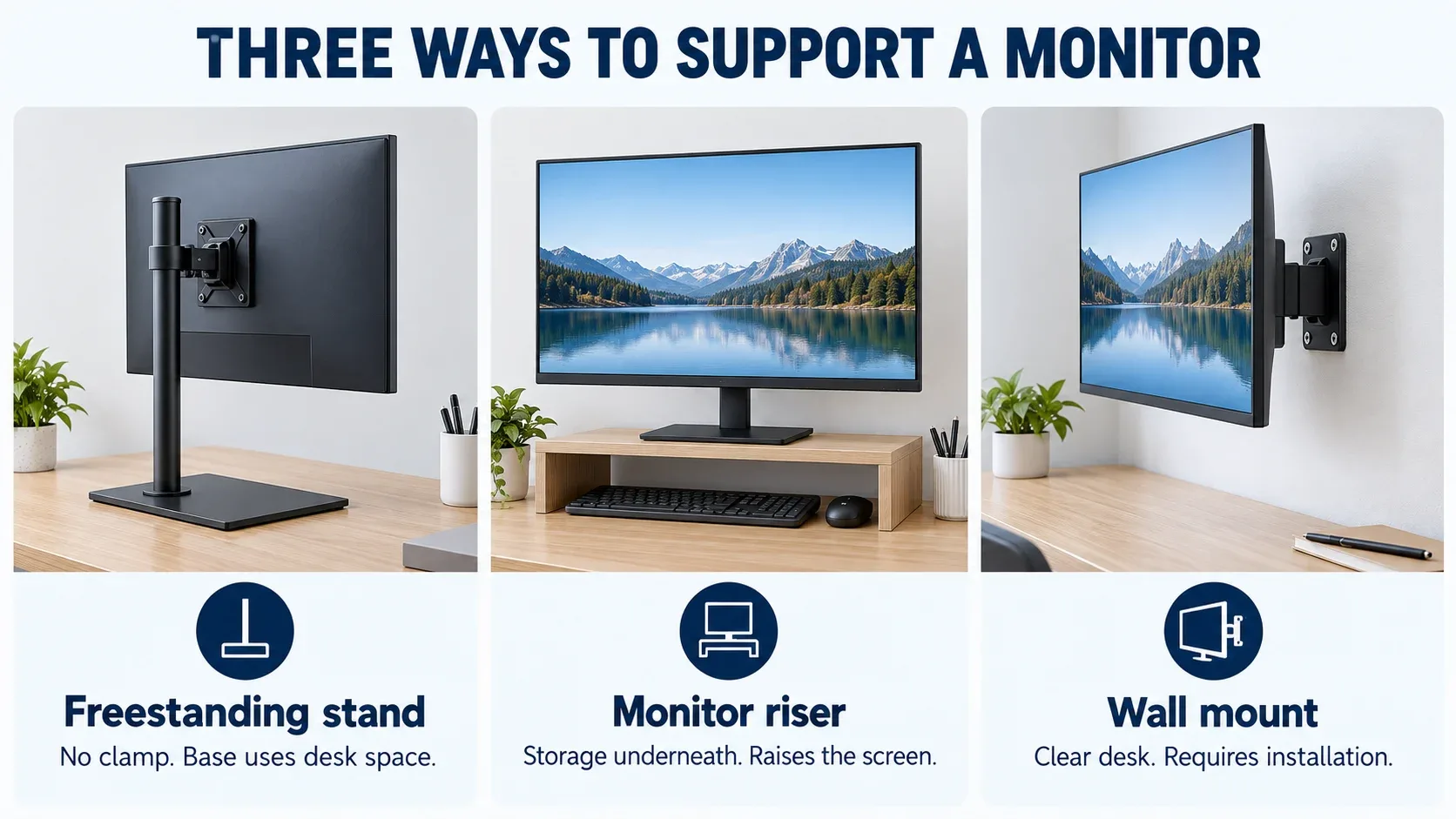
Concept illustration of three support types. These are generic examples, not photographs or dimensioned drawings of the recommended products.
Measure usable space before comparing products
Measure your current stand’s width and depth, the available desk area and the screen’s position relative to your chair. Mark a proposed replacement footprint with paper or removable tape. Keep room for normal keyboard and mouse movement rather than counting the entire desk as usable.
For a wall mount, allow for the bracket, monitor thickness and the way rear-facing connectors and cables bend. The bracket’s profile alone is not the distance between the wall and the front of the screen.
Also check screen height. OSHA’s workstation guidance recommends the top of the display at or below eye level. A riser can worsen a screen that is already too high; our guide to lowering your monitor explains the relevant measurements.
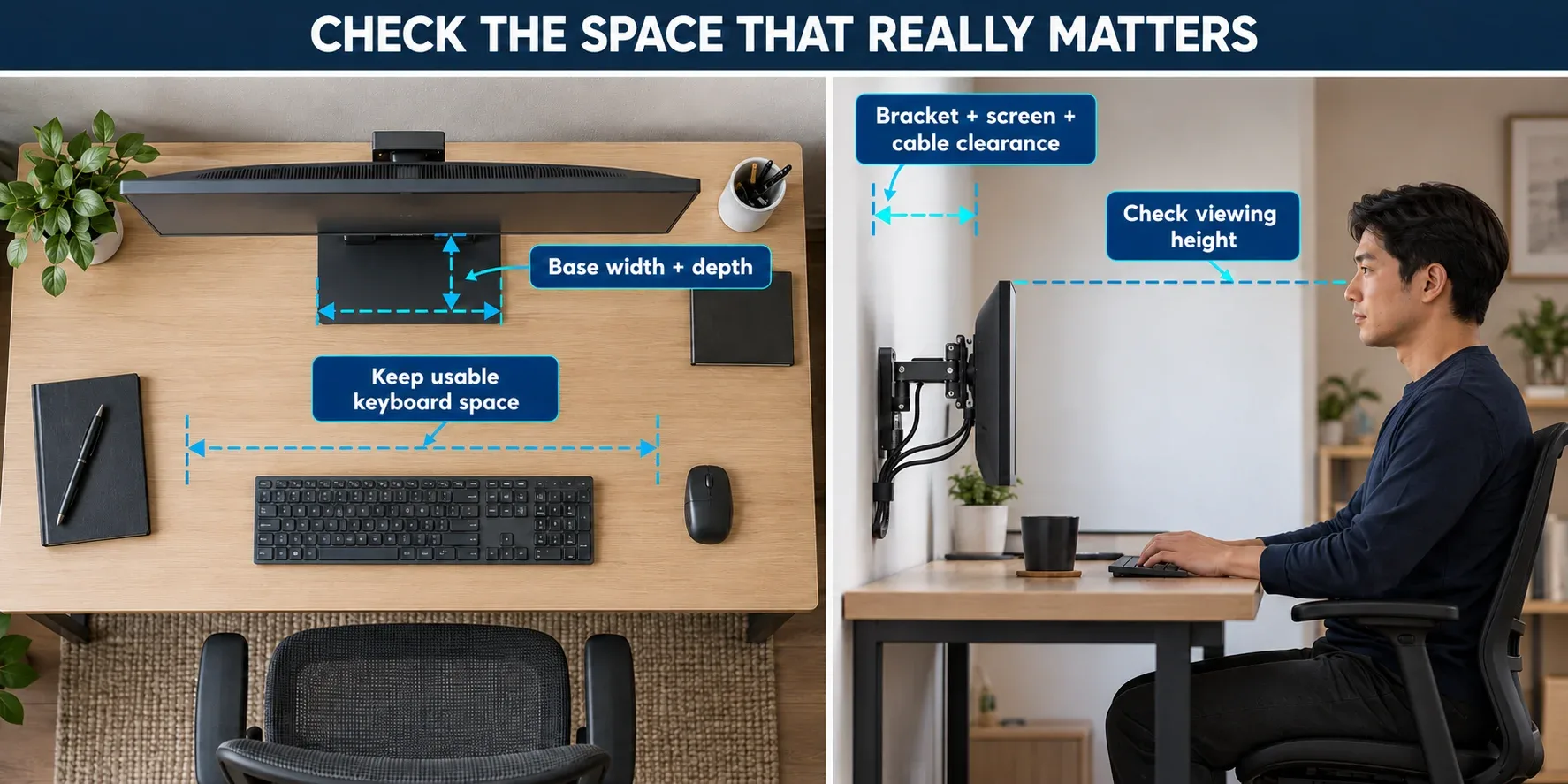
Measure the stand footprint, working area, viewing height and cable clearance. Concept diagram, not a product-specific installation drawing.
Three monitor arm alternatives to consider
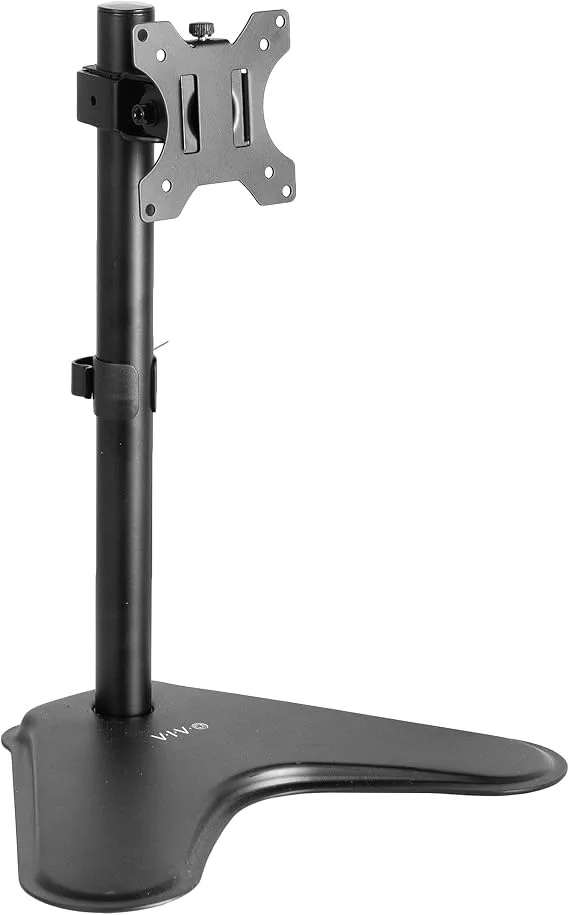
VIVO STAND-V001H: when your desk cannot accept a clamp
This freestanding steel VESA stand replaces the original monitor base. VIVO lists regular screens from 13–32 inches, ultrawides up to 38 inches, a 22 lb (10 kg) maximum load and 75 × 75 / 100 × 100 mm VESA patterns. Height adjustment is manual along its pole.
The important small-space figure is the 15.5 × 11-inch base envelope (about 39.4 × 27.9 cm). That is substantial. Compare it with your existing base before choosing it: the benefit may be adjustment or compatibility rather than more desk space.
Consider it for an unsuitable clamp location or a screen missing its original stand. Support the display during adjustment and follow VIVO’s assembly instructions, including their balance and tipover precautions.
Amazon Basics monitor riser: when storage is the priority
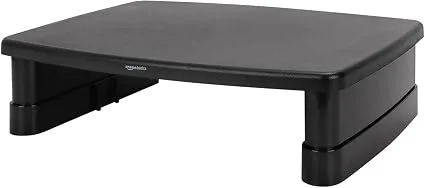
This ABS-plastic riser keeps your monitor on its existing stand. The selected listing gives three platform heights: 2.87, 4.2 and 4.8 inches (about 7.3, 10.7 and 12.2 cm), with a maximum supported load of 22 lb (10 kg).
Check the tapered top platform carefully. The listing describes approximately 11.6 × 11 inches at the center, with narrower sides. The monitor’s feet must be properly supported; a load rating does not make an oversized base fit.
The open area underneath can hold small accessories. Do not assume a full-size keyboard fits there without measuring its width and the clear opening. Among monitor arm alternatives, this is an organization option: it does not remove the monitor base and always raises the screen.
VIVO MOUNT-VW01A: when the desktop needs to stay clear
This compact wall bracket supports manufacturer-listed 17–32-inch screens up to 17.6 lb (8 kg), with 75 × 75 / 100 × 100 mm VESA patterns. VIVO specifies a 2-inch (5.1 cm) bracket profile and approximately 6.3 inches (16 cm) of height adjustment.
It removes the freestanding base from the desktop. Its limited positioning suits a fixed workstation better than someone who needs the large reach of an articulated desk arm. Check rear ports, cable clearance and whether the screen can reach the height you need.
Get permission before altering rented walls and follow the model’s installation instructions for your actual wall construction. It is not an adhesive, no-drill solution. Recessed monitor backs may require hardware not included in the selected Amazon listing.
AVAILABLE ON AMAZON · AFFILIATE LINKS
Compare the options for your space.
Check the model, base dimensions, mounting requirements and current availability. These links open the three products discussed above.
Amazon Basics adjustable monitor riser
Open storage underneath · adds screen height
View on Amazon →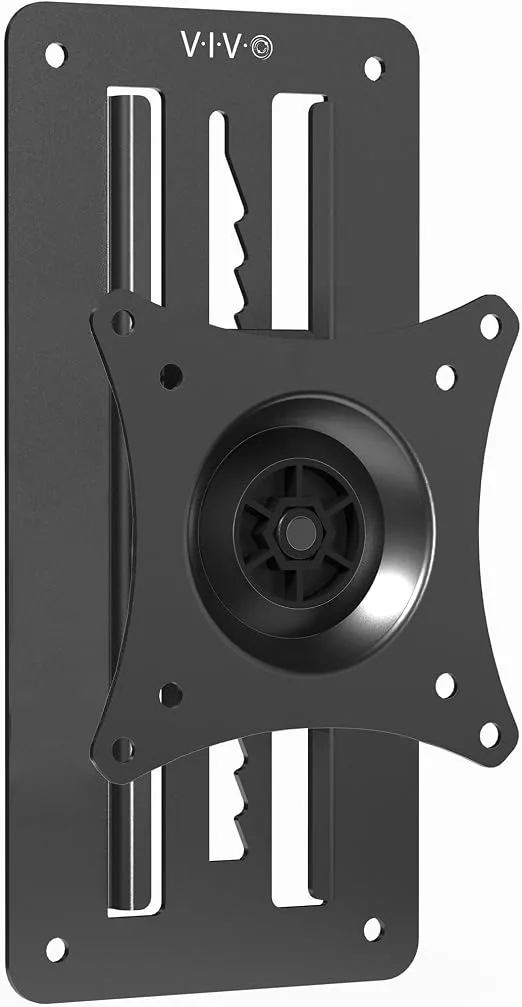
Which option fits your space?
No clamp or wall installation
Start with the existing stand. Consider a freestanding VESA replacement if its footprint and adjustment improve the setup.
Clutter beneath a low screen
A measured riser can add storage and useful height. Check platform support and the clear opening underneath.
A permanent desk with an approved wall
A compact wall mount can clear the desktop. Installation, screen position and rear cable clearance decide the fit.
When keeping the original stand is the better choice
Sometimes the best monitor arm alternatives are already in the room. Remove an unnecessary riser, reposition the screen or tidy cables before replacing a base that fits safely and reaches a useful height.
An arm can still be appropriate if you need frequent repositioning and your desk supports the mount. Our best monitor arms for small desks guide covers weight, VESA, clamp and folding-clearance checks. Compare that route with the alternatives rather than treating either as universally better.
Common questions about monitor arm alternatives
Which monitor arm alternatives work for renters?
A freestanding stand, an open riser or the original monitor stand can work without drilling into a wall. Choose by the screen’s fit and required height; a riser is unsuitable if it makes the display too high.
Will a replacement stand always save space?
No. Compare base dimensions and the usable area left around the monitor. For some desks, a large replacement base uses more room. A wall mount removes that base but introduces installation requirements.
Buy for the space you actually gain
The useful monitor arm alternatives for small apartments are the ones that leave a workable viewing position, enough keyboard space and a suitable support method. Measure first, keep the original stand if it works, and buy only when the replacement improves a specific part of the setup.
Sources and buying checks
VIVO STAND-V001H specifications · VIVO MOUNT-VW01A specifications · OSHA monitor positioning guidance
Product limits were checked against manufacturer documentation and the selected Amazon listings. Listing variations can change; confirm the exact model before ordering.