THE DECISION, FIRST
The quick verdict.
Starlink is worth researching when fixed broadband is slow, unreliable or simply not available at the address. It is a satellite service with its own dish, router and monthly plan, not a mobile-phone hotspot. Decively has not installed a kit or run a speed test, so this is a desk review of Starlink’s United States pages, specifications and help articles as they stood on 24 September 2026. Prices below are United States list prices. The address you enter can change the plan, the hardware offer and the final checkout.
BEST FOR
Homes and travellers without dependable fixed broadband
KEY TRADE-OFF
You need a clear view of the sky, and the equipment is not a free gift
EVIDENCE
Official Starlink pages checked on 24 September 2026, not a Decively field test
01 / THE FIT
Is Starlink right for you?
The useful question is not whether satellite internet is exciting. It is whether the connection you can already get is good enough. Where cable or fibre is solid, Starlink is usually the more complicated and less predictable option. Where those networks do not reach, or they fail often, Starlink’s published residential and roam plans are a practical alternative to research before you order.
Consider it if…
- Your home has no workable cable, fibre or fixed wireless service.
- You need a connection that can move with an RV, a work trip or a temporary site, and you accept Roam’s data rules.
- You can place the dish where it has a wide, clear view of the sky.
- You are a new Starlink customer and you want the referral service credit described below.
Look elsewhere if…
- A reliable fibre or cable plan is already available at a comparable monthly price.
- The roof, balcony or yard is heavily blocked by trees, buildings or a shared restriction that prevents a clear sky view.
- You need a contractually guaranteed speed for a specific upload, such as a studio workflow.
- You already have, or previously had, a Starlink account. Starlink says existing and returning customers are not eligible for the referral credit.
02 / THE TRADE-OFFS
What works. What gives.
Reasons to consider it
- United States residential plans on Starlink’s current pages include unlimited data, with service starting at $55 a month.
- The Standard kit is designed as a self-install. Starlink says it arrives with what you need to get online in minutes, and the app guides orientation.
- On the US residential page, Residential 200 Mbps and Residential Max include professional home installation. The 100 Mbps listing does not.
- Starlink says the hardware is built to melt snow and to cope with sleet, heavy rain and harsh wind.
- Roam adds in-motion use in select areas and a standby mode that can pause full service.
- Eligible new customers can receive one free month of service through the referral link. That credit is not a free kit.
Limitations to weigh
- Starlink says published speeds are maximums, are not guaranteed, and slow down when the network is congested.
- Residential 100 Mbps and 200 Mbps cap downloads at those rates and, on the current US pages, are only offered in select areas.
- The dish needs a clear sky. Obstructions are a performance problem, not a cosmetic one.
- The Standard specification sheet lists average power use of 75–100 watts. That is an ongoing electricity cost.
- Hardware is a separate purchase unless your address is shown the “no upfront hardware cost” offer. The referral month does not make the equipment free.
- Plan price, hardware price, tax and shipping are confirmed only at checkout for that service address.
03 / RESIDENTIAL OR ROAM
The practical choice, compared.
These are the United States prices shown on Starlink’s service-plans page and US residential page on 24 September 2026. Both pages are priced in US dollars. Enter your address before you treat either column as your quote.
OPTION A
Residential
Best for: A household that wants service at one fixed, land-based address.
Published US service price: Residential 100 Mbps from $55 a month, Residential 200 Mbps from $85 a month, Residential Max from $130 a month.
Main advantage: Unlimited data on the published residential plans, with higher listed speeds and professional installation on the 200 Mbps and Max listings.
Main compromise: It is tied to the service address. The 100 and 200 Mbps plans cap download speed and are not offered everywhere.
OPTION B
Roam
Best for: Travel, RVs, camping, boats and other use away from a single home address.
Published US service price: Roam 100 GB at $55 a month, Roam 300 GB at $80 a month, Roam Unlimited at $175 a month.
Main advantage: You can pause service with standby mode and, in select areas, use it in motion.
Main compromise: The 100 GB and 300 GB plans drop to unlimited low-speed data after the high-speed allotment. International, coastal and in-motion use have extra limits.
Residential Max is the plan Starlink associates with speeds up to 400+ Mbps and with an additional Starlink Mini for use away from home. The US page lists that Mini as an additional kit. It does not say the Mini is free, so confirm that line in checkout rather than assuming it is included at no charge.
04 / THE DETAILS
What matters in everyday use.
How does Starlink work?
Follow the data path from your device to a Starlink satellite and out to the wider Internet.
Start with your device
When you open a website, your phone or computer sends the request to the Starlink router through Wi-Fi or Ethernet.
Sends the request.
Passes it to the dish.
Sends the signal skyward.
Routes the data.
Delivers the request.
Installation and equipment
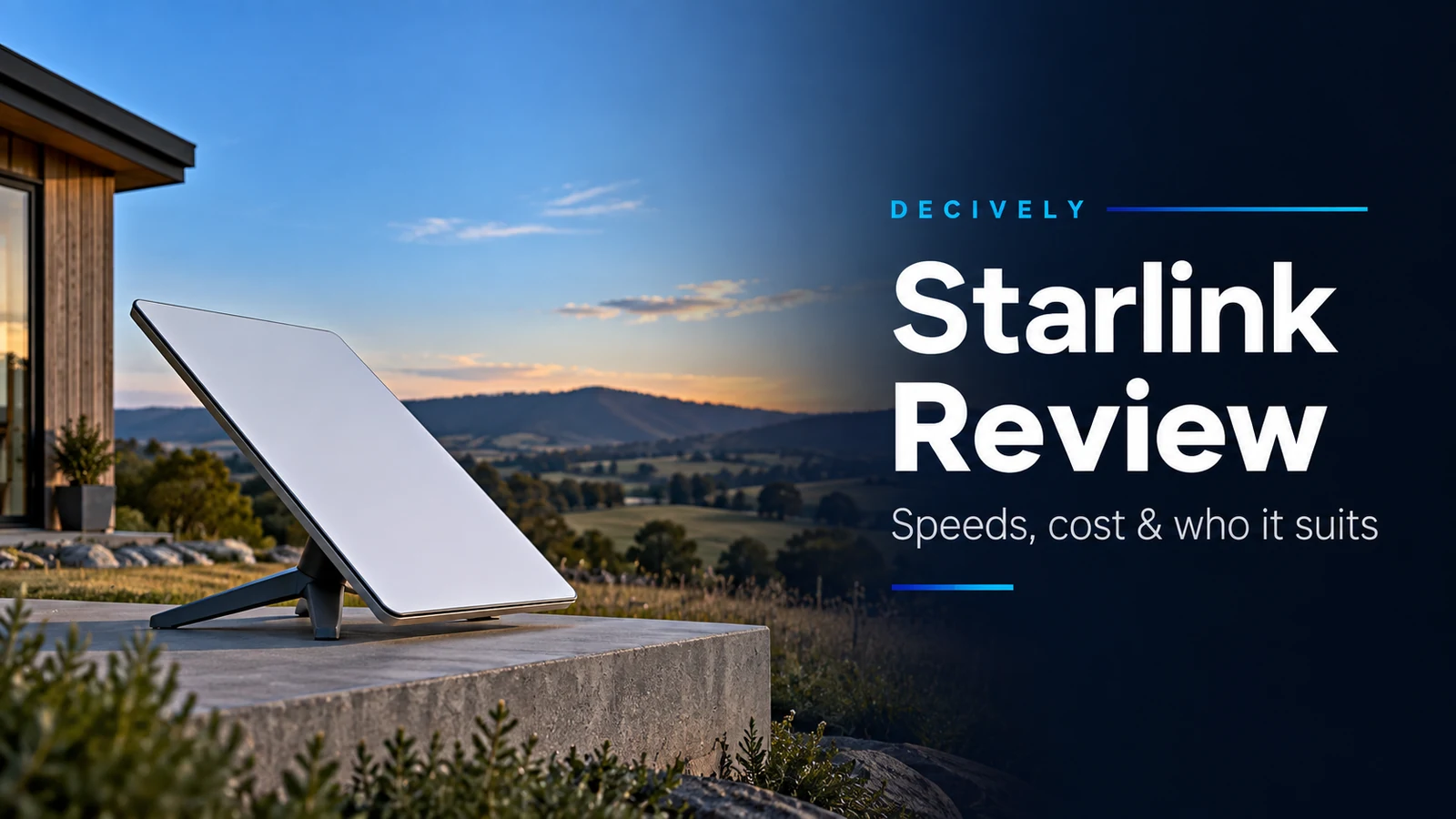
Starlink’s US pages describe setup as plug-and-play. The current Standard specifications page says the kit includes the antenna, a kickstand, Router 3, a 15 metre cable, an AC cable and a power supply, and that this is what you need to get online in minutes. The published Standard specifications describe an electronic phased-array antenna with a 110° field of view, software-assisted manual aiming, an IP67 weather rating, snow-melt capability up to 40 mm an hour, and average power use of 75–100 watts. The router is Wi-Fi 6, with two Ethernet ports and a stated coverage of up to 3,200 square feet. Mounts for a permanent clear view are sold separately after you order.
The practical sequence on Starlink’s own material is: check the address on the availability map, order the kit for that address, use the Starlink app and the setup guide to find an unobstructed view of the sky, connect the cable and power, then activate in the app. Residential 200 Mbps and Residential Max currently include professional home installation on the US residential page. The 100 Mbps plan does not list that inclusion. A newer Starlink V5 kit is described as smaller and more power-efficient than V4, with speeds up to 375+ Mbps, but only in select areas as production expands. Do not assume V5 is the kit your address will receive.
Speeds, latency and reliability
On the US residential page, Starlink says speeds reach up to 400+ Mbps in most places, and that Residential Max is the plan for the maximum available speed and the highest residential priority. The same page says those figures are maximums, are not guaranteed, and will be slower during congestion. Residential 100 Mbps and Residential 200 Mbps are hard caps, not typical-speed labels, and they are limited to select areas.
Starlink’s service-plans specification sheet, which is a separate public PDF, says users typically see downloads between 25 and 220 Mbps, with most users over 100 Mbps, uploads between 5 and 20 Mbps, and latency between 25 and 50 milliseconds on land in most regions. It says latency on the ocean can exceed 100 milliseconds, and that congestion or heavy use can push results below those ranges. The monthly prices printed in that PDF are older than the $55, $85 and $130 residential prices on the US website, so use the PDF for the published performance range, not for what you will pay.
Reliability, in Starlink’s own words, comes from a large satellite constellation and hardware meant to keep working in snow, sleet, heavy rain and strong wind. That is a design claim, not a measurement from Decively. A blocked sky, a local outage, power loss at the house, or peak-time congestion can still interrupt the connection. Starlink also says performance varies by location, time of day and the priority of the plan.
What it costs in the United States
The prices in this review are United States prices, in US dollars, from starlink.com pages aimed at the US on 24 September 2026. They are starting prices. Tax, shipping and any address-specific charge appear at checkout, and another country will not see this tariff.
Service, before hardware: Residential from $55, $85 or $130 a month depending on the tier. Roam at $55, $80 or $175 a month depending on the data allowance. Residential plans on these pages include unlimited data. Roam 100 GB and 300 GB include a high-speed allowance and then unlimited data at a lower speed.
Hardware is separate. The US residential page says there is no upfront hardware cost in select areas. That is a location offer, not a promise that every reader receives a free dish. If checkout shows a kit price, you pay it. The referral offer does not cancel that line. Starlink’s US residential page also offers a 30-day trial: try the service and, if you are not satisfied, get a full refund. That trial is separate from the referral credit, and the exact return conditions are the ones shown in your order terms.
05 / THE REFERRAL
How the free month works.
This is a referral link. Decively may receive a referral reward if you order through it. Starlink’s current help article says the referrer’s reward is cash or service credit, depending on the country and the referrer’s account settings, and gives $100 per successful US referral as the example. You do not receive that referrer reward. What you can receive, if you qualify, is one free month of service.
Order with the referral linkBefore you order
Starlink’s help article “How do I use a referral link?” describes the credit this way. Follow it in this order.
- Open the referral link above before you create an account or start checkout, so the order begins on starlink.com from that link.
- Enter the service address and choose an eligible plan. Eligible residential plans are Residential Lite, Residential, Residential 100 Mbps, Residential 200 Mbps and Residential Max. Eligible roam plans are Roam 100 GB, Roam 300 GB and Roam Unlimited.
- Read the hardware line. Pay for the kit if a price is shown. No upfront hardware cost appears only in select areas, and it is unrelated to this free month.
- Pay the first month of service, plus shipping, tax and any other charge shown before you confirm. Starlink says the first month is paid. The free month is not the first month.
- Install and activate the kit, then stay subscribed for at least two months. Starlink says activation is how it confirms that the referral is genuine.
- Watch for Starlink’s confirmation email. In the account portal, the upcoming bill should show the second month as free because a service credit is applied and deducted from that invoice.
06 / COMMON QUESTIONS
A few things worth asking.
Does the free month mean the equipment is free?
No. Starlink applies the referral reward as one month of service credit on the second invoice. The dish, router and cabling are hardware. You pay the hardware price shown at checkout unless your address is one of the select areas where Starlink is offering no upfront hardware cost. That hardware promotion is separate, and it is not available everywhere.
Who can use this referral link?
A new customer ordering Residential or Roam on starlink.com through the link. Starlink excludes people who already are, or previously were, Starlink customers, and it excludes retail, reseller and transferred kits. You pay month one. The credit is written onto month two after you activate and remain a paid customer. The referrer’s own reward, if any, is paid separately and does not reduce your kit price.
Has Decively tested Starlink?
No. Nobody at Decively installed a Starlink kit or measured its speed, latency or uptime for this article. The findings come from Starlink’s public US plan pages, specifications, service-plans sheet and referral help articles, reviewed on 24 September 2026. Treat the speed and weather claims as the company’s published claims. They are not Decively test results.
07 / THE EVIDENCE
Sources and research notes.
Research method: Desk research only. No hands-on installation or speed test.
Information checked: 24 September 2026.
Price geography: United States, in US dollars, from Starlink’s US residential and service-plans pages. Another country, or another address in the US, can show a different price.
Commercial relationship: The order link in this article is a referral link. Decively may receive a referral reward if a qualifying new customer orders through it.
- Starlink — US residential plans, hardware offer and 30-day trial
- Starlink — current Residential and Roam service plans
- Starlink — Standard kit specifications and what is in the box
- Starlink — Standard specification sheet
- Starlink — service-plans specification sheet, including typical speed and latency ranges
- Starlink — referral program overview
- Starlink Help — how to use a referral link
- Starlink Help — how referral rewards work
- More Decively reviews
- How Decively compares a choice
- Decively buying guides
- How Decively researches
Plan names, hardware offers and referral rewards change. Before you pay, confirm the plan, the kit price and the second-month credit on your own Starlink checkout and upcoming bill. This article will need a fresh check when those pages change.